EasyManua.ls Logo

Canon UC10 - Page 74

Canon UC10
104 pages
Print Icon
To Next Page IconTo Next Page
To Previous Page IconTo Previous Page
Loading...
72
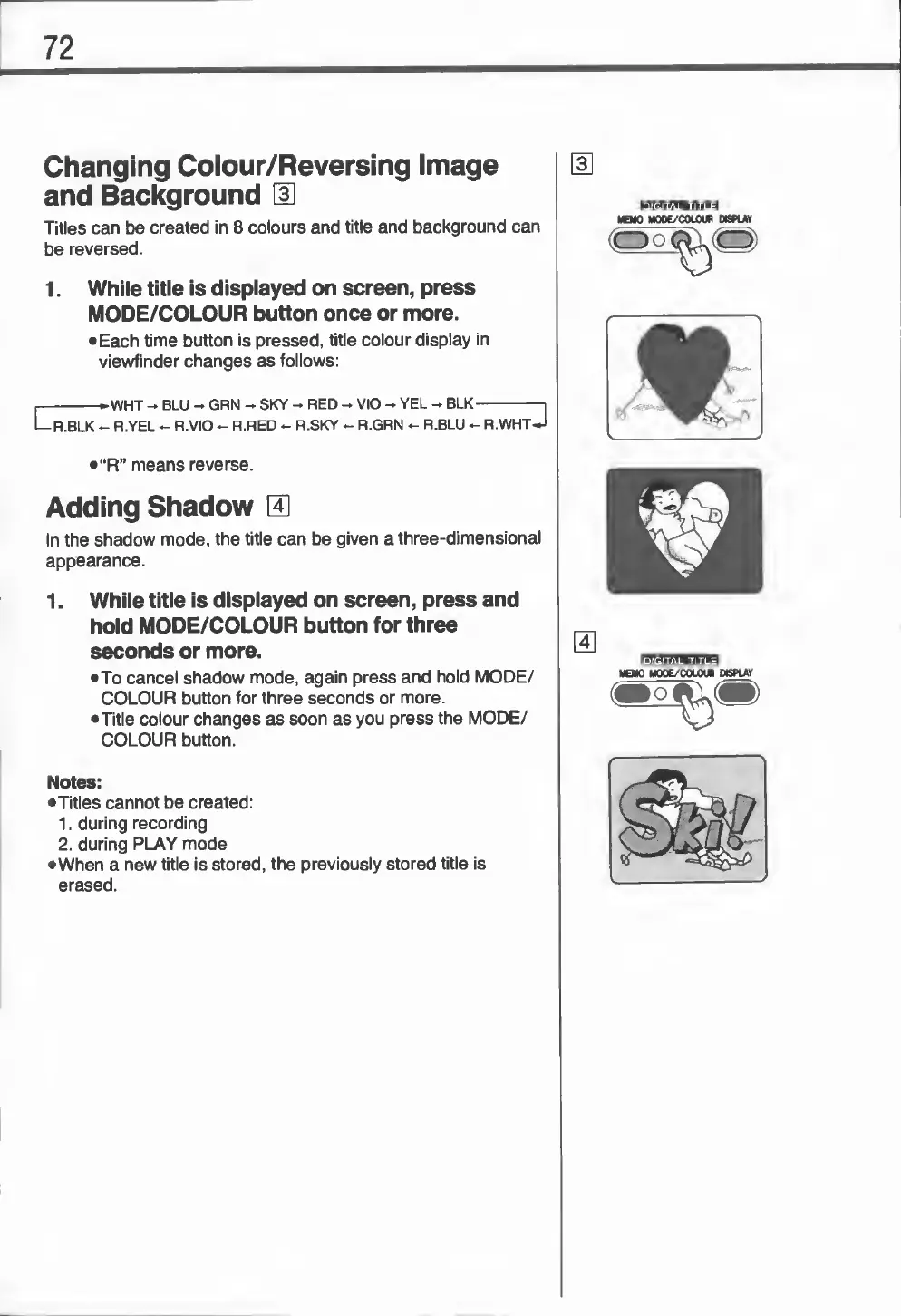
Changing
Colour/Reversing
Image
and
Background
[
3
]
Titles
can
be
created
in
8
colours
and
title
and
background
can
be
reversed.
1.
While
title
is
displayed
on
screen,
press
MODE/COLOUR
button
once
or
more.
•
Each
time
button
is
pressed,
title
colour
display
in
viewfinder
changes
as
follows:
r
-
►
WHT
-
BLU
-
GRN
-
SKY
-
RED
-
VIO
-
YEL
-
BLK-i
Lr.BLK
-
R.YEL
-
R.VIO
-
R.RED
-
R.SKY
-
R.GRN
-
R.BLU
-
R.WHT
J
•“R”
means
reverse.
Adding
Shadow
14]
In
the
shadow
mode,
the
title
can
be
given
a
three-dimensional
appearance.
1.
While
title
is
displayed
on
screen,
press
and
hold
MODE/COLOUR
button
for
three
seconds
or
more.
•To
cancel
shadow
mode,
again
press
and
hold
MODE/
COLOUR
button
for
three
seconds
or
more.
•Title
colour
changes
as
soon
as
you
press
the
MODE/
COLOUR
button.
Notes:
•Titles
cannot
be
created:
1.
during
recording
2.
during
PLAY
mode
•When
a
new
title
is
stored,
the
previously
stored
title
is
erased.