MAX370M
16
5. Operation
5.1 Control panel (touch screen)
An optimized program is installed into PLC which is useful to check functions and relative
information.
5.1.1 Feature description
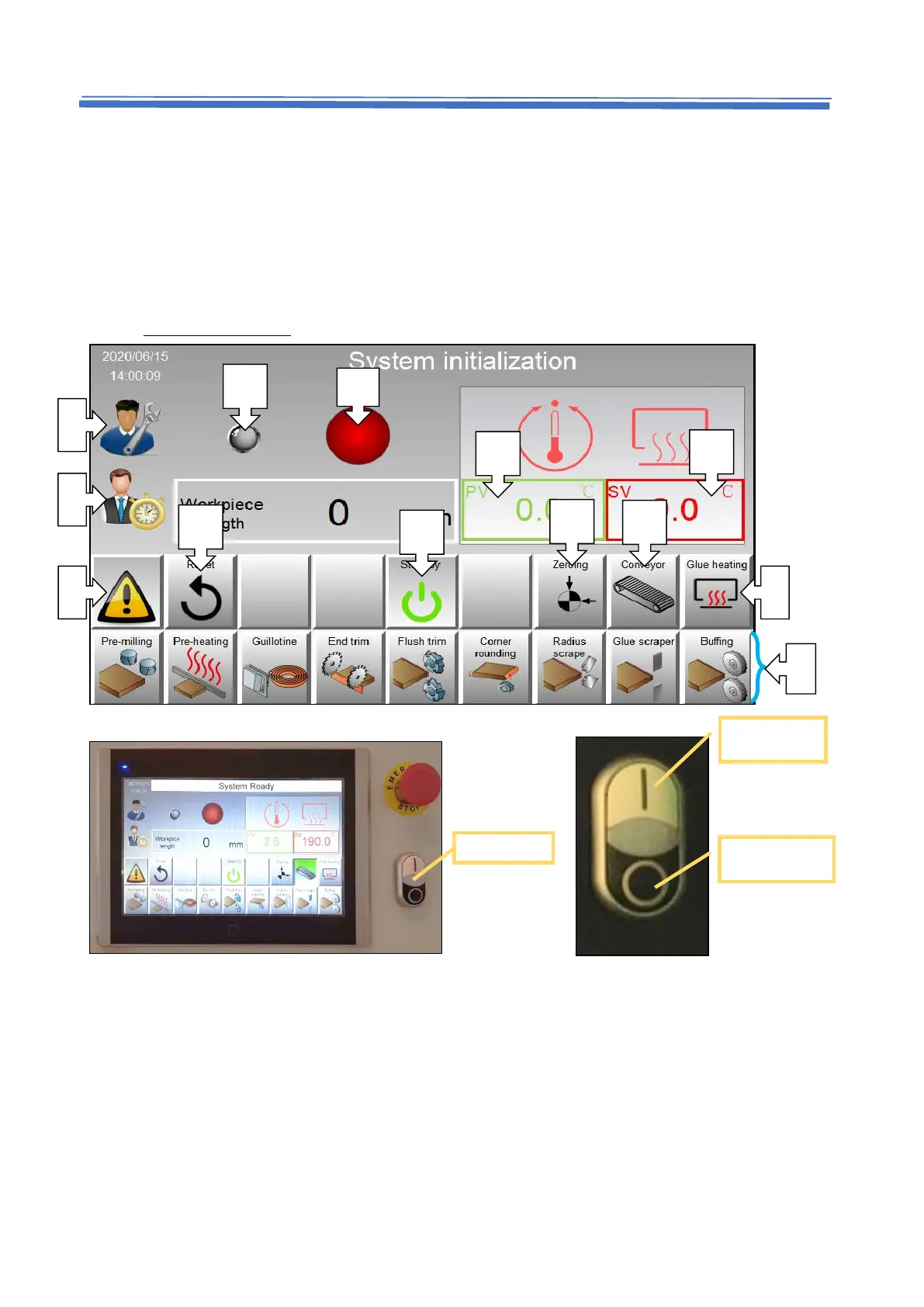
A. Enable / disable working functions (Enable= Green, Disable= Grey)
Click button to enable functions, press ON button to start machine.
B. Main menu (parameter setting)
This page needs authority to unlock, please contact your agent for the password. Change
parameter value through direct interaction via PLC, such as active time and moving
displacement.


 To Next Page