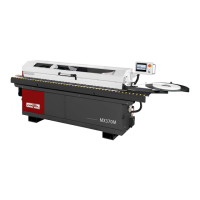
MAX370M
46
7. Troubleshooting
Please disconnect power and air input before you do any action
Review the troubleshooting procedures in this section if problem occurred on your machine. If you
need spare parts or additional help with procedures, please gather serial number and manufacture
date of your machine before sending requests to us.
7.1 Alarm message
EM1 Emergency stop on Control Panel
EM2 Emergency stop on Machine Back side
Air pressure is not enough
Check air pressure is 7𝑘𝑔 𝑐𝑚
2
⁄
.
QM1 - Conveyor Motor Protection is OFF
Remove any stuck in it. Reset QM1.
QM2 - Gluing Motor Protection is OFF
Remove any stuck in it. Reset QM2.
QM3 – “End-Trim” Motor Protection is OFF
Remove any stuck in it. Reset QM3.
QM4 – “Flush Trimming” Motor Protection is OFF
Remove any stuck in it. Reset QM4.
QM5 - Buffing Motor Protection is OFF
Remove any stuck in it. Reset QM5.
QM6 – “Pre Milling” Motor Protection is OFF
Remove any stuck in it. Reset QM6.
“End-Trim” “Flush-Trim” “Corner Round” Inverter
[U1] Error
Check all wiring condition. Reset inverter U1.
Corner Rounding Action Fault
1. Check air pressure is 7𝑘𝑔 𝑐𝑚
2
⁄
.
2. Check all sensor status.
Conveyor or Encoder Error
Remove any stuck in it. Check encoder.
X32 Cornerounding upper SNS No feedback
X33 Cornerounding front SNS No feedback
X35 Cornerounding lower SNS No feedback
X37 Cornerounding back SNS No feedback
Check temperature sensor.
Feeding distance too short between two workpieces


 To Next Page