MAX370M
25
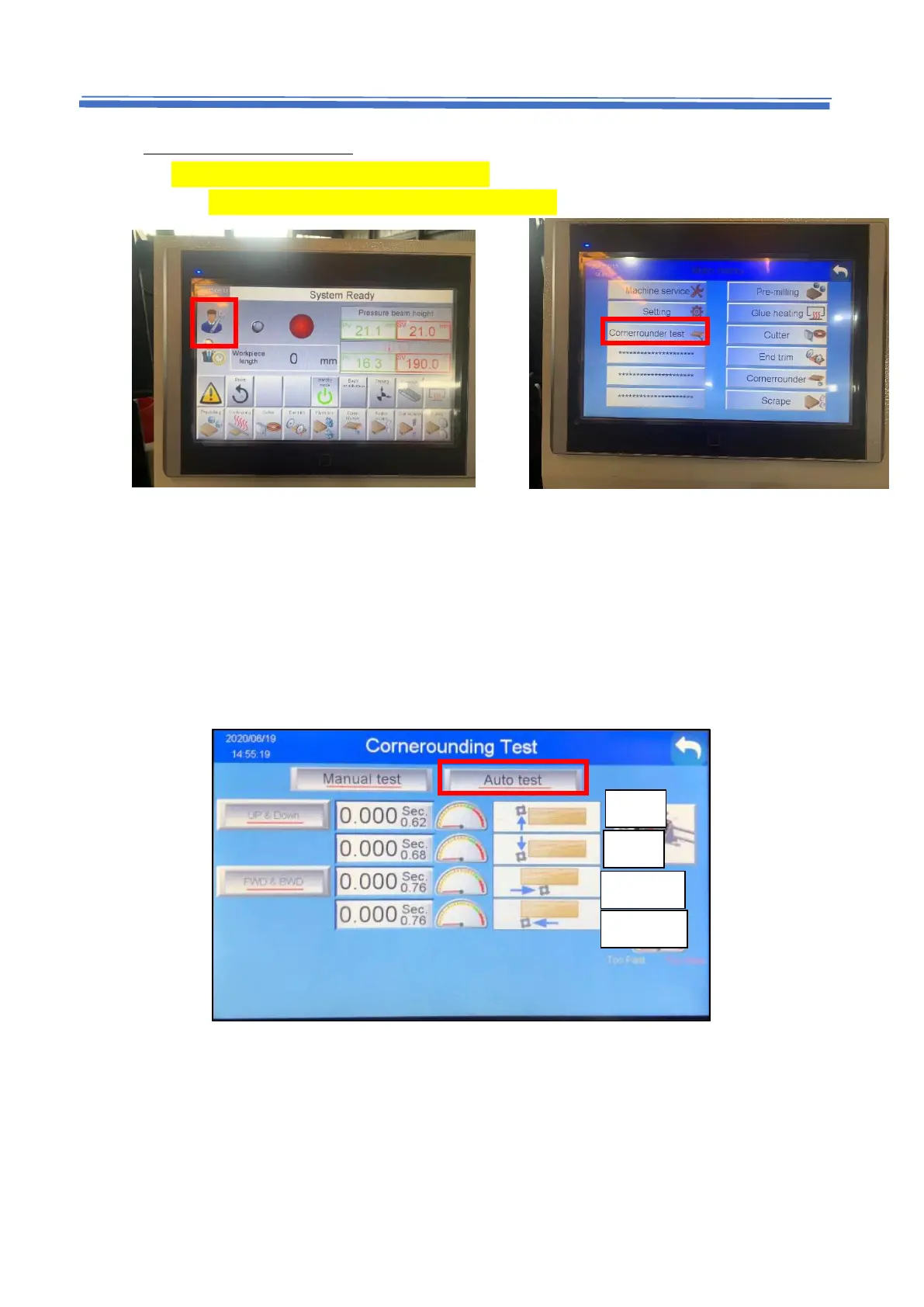
5.7.2 Auto test (for touch panel)
1. Lift up the pressure beam to 46mm.
2. Press main menu -> press Cornerrounder test.
3. Press Auto Test
Under the normal conditions, every pointer in the diagram should point to green
area. Green area means cylinder speed is correctly adjusted. Orange area means
too fast, and red area means too slow.


 To Next Page