MAX370M
18
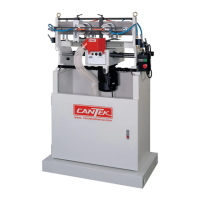
D. Alarm message
Each source message is decoded for display in the alarm summary. You can use this field
for diagnostic purpose. For example, to ascertain which alarms are associated with a
particular source, or how source data is passed between server and client.
Press to reset alarm, you can check to obtain alarm history.
E. Reset
The alarm is actively monitoring its conditions. Press reset button after you resolve the
issue.
F. Standby mode
If you are away from the machine for 30 min, system will go into standby mode. Also, set
temperature would change to 150 degC (default value). Press this button to
enable/disable standby mode.



 To Next Page