MAX370M
27
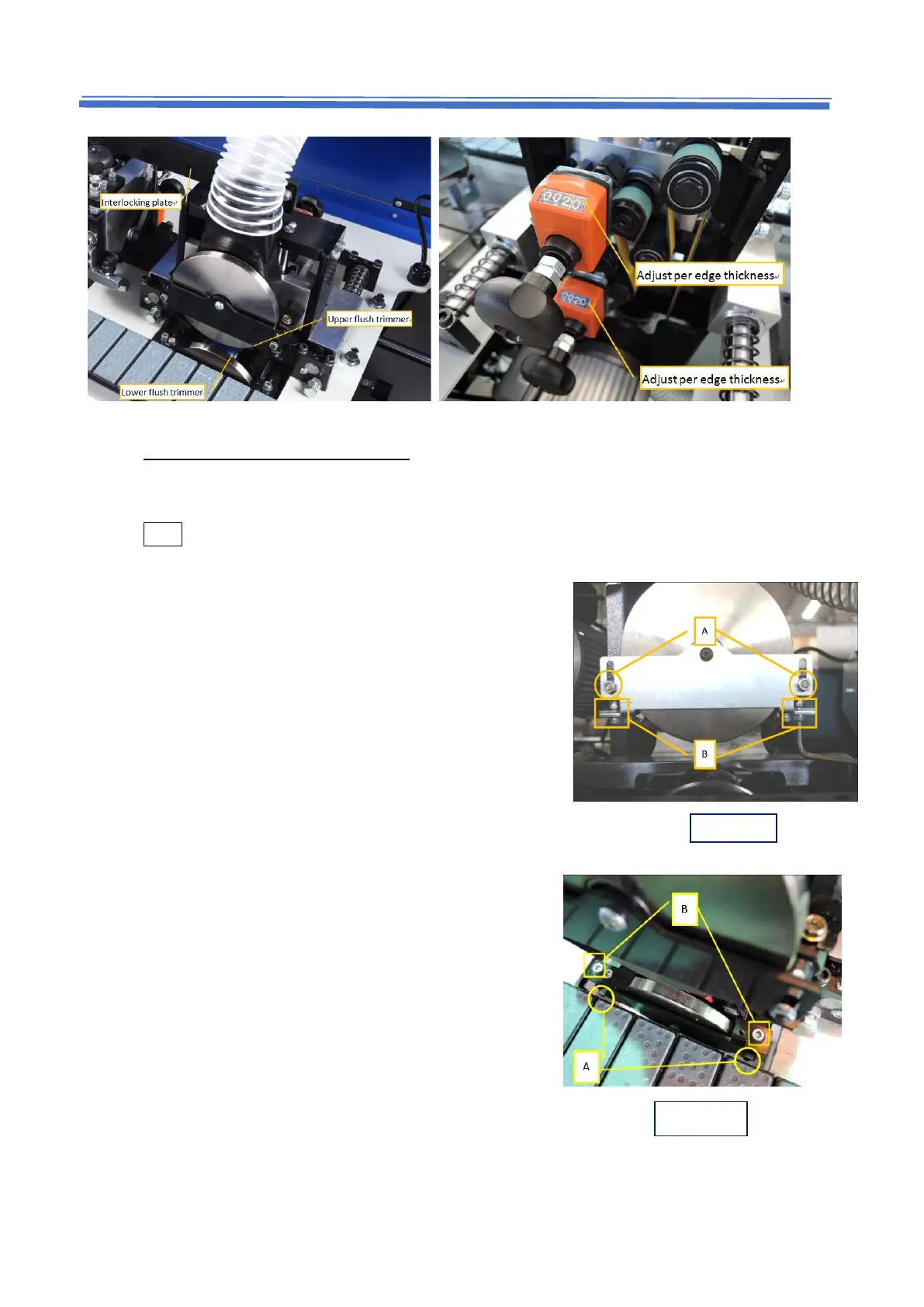
5.8.2 Adjust the flush trimming copy disc
CAUTION: put extra attention with the setting description here. The values provided here
are recommended and should be tested by using sample panels.
Note this setting was carried out in factory before delivery.
For the top disc (Fig. 5.8.A)
1. Loosen the 2 nuts (A) (just loosen and don’t take
out)
2. Use L wrench to adjust the screws (B) to adjust
height of disc (these are M5X0.8 screws)
3. Tighten 2 nuts (A) after finishing
For the bottom disc (Fig. 5.8.B)
1. Loosen the 2 nuts (A) (just loosen and don’t take out)
2. Use L wrench to adjust the screws (B) to adjust height
of disc (these are M5X0.8 screws)
3. Tighten 2 nuts (A) after finishing


 To Next Page