6-MAINTENANCE
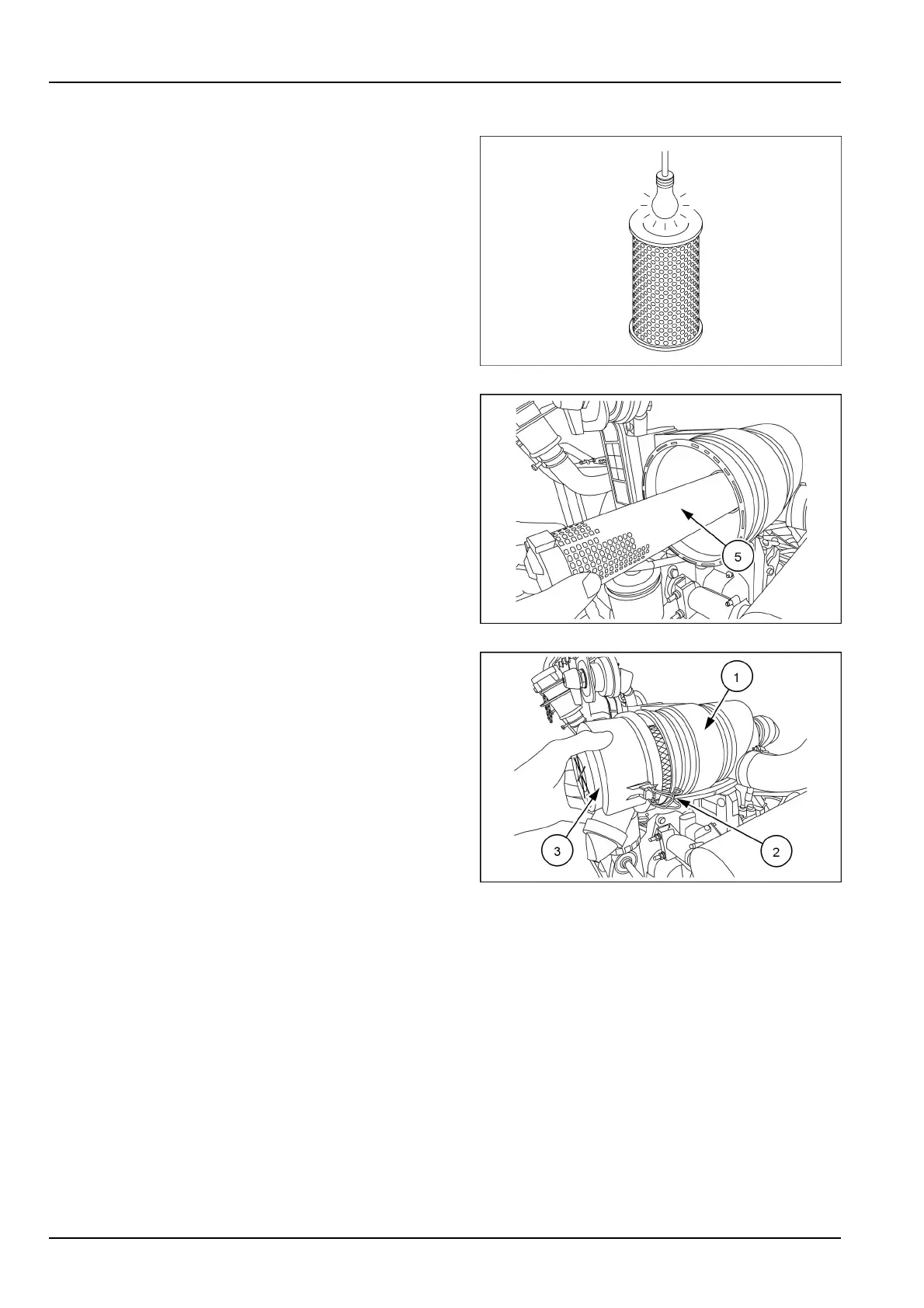
Inspectingtheelement
Checktheelementfordamagebyplacinganinspection
lightinsidetheelement.
NOTE:changetheelementiflightcanbeseenthrougha
hole,howeversmall.
SMIL16MEX0434AA7
5.Removethesecondaryelement(5).
NOTE:thesecondaryelement(5)cannotbecleanedand
mustbechanged.
SMIL16MEX0918AA8
6.Installthesecondaryelementandtheprimaryelement
intotheaircleaner(1)
7.Installthecover(3)andlockthefasteners(2).
NOTICE:theairowsensorisinstalledontheinletduct
oftheaircleaner.Payattentionnottoallowdusttoinvade
theinletductwhenreplacingtheaircleanerelement.
NOTE:if,aftercleaning,smokeexhaustisabnormal,be
suretoreplacetheprimaryelementoftheaircleaner.
SMIL16MEX0916AA9
6-48













 To Next Page