3-CONTROLSANDINSTRUMENTS
General
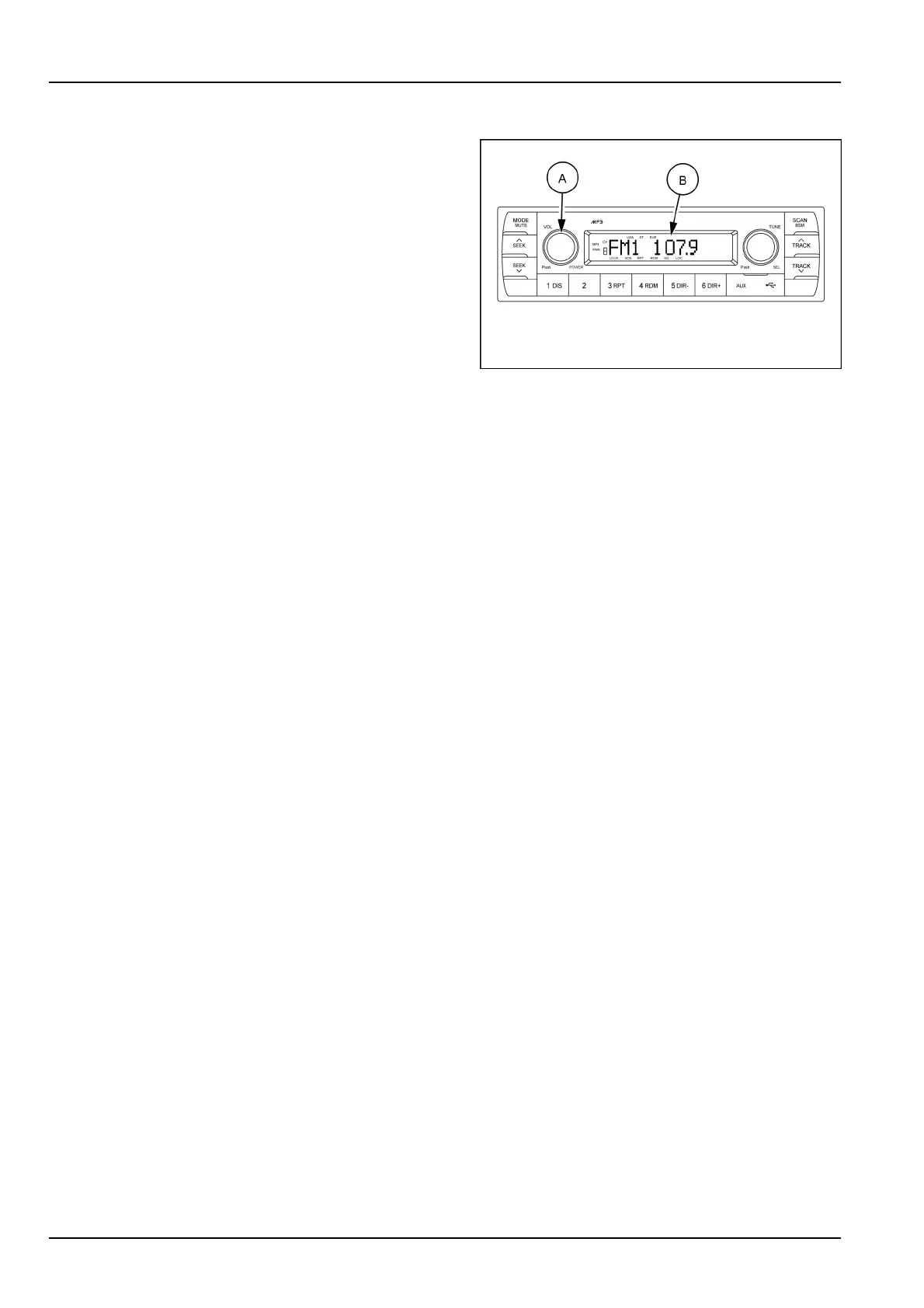
(1)Powerandvolumeknob
PowerON/OFFbutton
Pressthepowerbutton(A)toturntheunitONorOFF
shortly.WhenthepowerisON,thepreviousmode(last
memory)willappear.
SMIL17MEX2806AA2
Volumeup/downcontrol
Turnthevolumeup/downbutton(A)right-handtoin-
creasethevolumelevel.Thelevelwillbeshownin
VOLUMExxontheLCDscreen(B).
Turnthevolumeup/downbutton(A)left-handtode-
creasethevolumelevel.After5sofvolumeindication,
theLCDscreen(B)willreturntothepreviousmode.
Initialvolumelevelsetup
I-VOListhevolumeleveltheunitwillplayatwhennext
turnedon.ToadjusttheI-VOLlevel,pressandhold
VOLbutton(A)forlongerthan2s.
Thecurrentvolumeleveldisplaysonthedisplaypanel.
Turnbutton(A)right-handorleft-handtosetthevolume
levelastheI-VOLlevel.
ClockON/OFFcontrol
TheCLOCKwasdefaultatoffstatus.
ToturnCLOCKON,pressandholdthebutton(A)for
longerthan2stodisplayI-VOL,thenshortpressbutton
(A)again,turnknob(A)whileCLOCKOFFdisplay,then
theCLOCKONwillbedisplayed.
Duetotimetolerance,theclockdisplayontheAudio
unitmighthavelittledifference.
Clockadjustment
WithCLOCKONselected,pressbutton(A)againaf-
terCLOCKONdisplay,thehourwillblink,turnknob
(A)right-handorleft-handtoadjusthour.Simplypress
button(A)again,theminutewillblink,turnknob(A)to
adjustminute.
Pressbutton(A)againtoconrmtheclockoncen-
ished.
3-28













 To Next Page