3-CONTROLSANDINSTRUMENTS
Beepcontrol
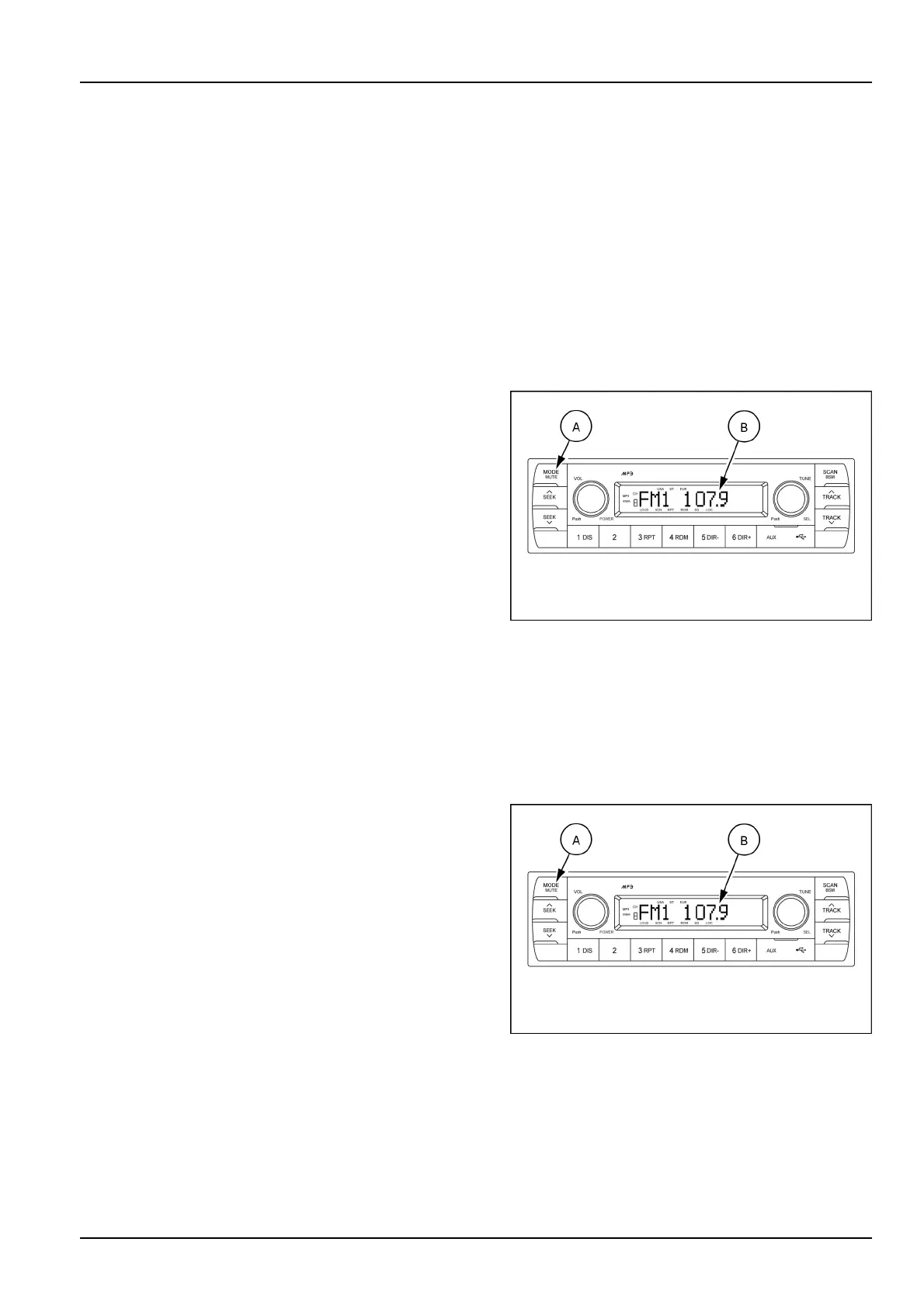
ToadjusttheBEEPcontrol,rstselecttheBEEPmode
bypressingthebutton(A)repeatedlyuntiltheBEEP
indicationappearsontheLCDscreen(B).
Turntheselectionknob(A)right-hand/left-handtose-
lecttheactivateBEEP2NDorBEEPONordeactivate
BEEPOFF.
○
BEEP2ND:Youwillonlyhearthebeepsoundwhen
thebuttonsarehelddownformorethan2s.
○
BEEPON:Youcanhearthebeepsoundeachtime
youpressthebuttons.
○
BEEPOFF:Youcannothearthesoundbeepwhen
youpressthebuttons.
(3)Mode,audiomuteandradiobutton
Modebutton
Pressthemodebutton(A)toselectRADIO(FM1,FM2,
AM)/USB/AUX/BTMUSIC.
IfthereisnoUSB,AUX,BluetoothPhoneconnected,it
wouldnotdisplayUSB,AUX,BTwhenyoupressmode
button(A).
SMIL17MEX2806AA4
Audiomutebutton
Pressandholdtheaudiomutebutton(A)for2stomute
volumeandMUTEmarkwillblinkontheLCDscreen.
Presstheaudiomutebutton(A)againtoreturntothe
modeinusebeforethemutemodewasactivated.
Radio
Radiobutton
Repeatpressthemodebutton(A)tochangeandselect
theradioband(FM1,FM2orAM).
Eachtimetheselectionbutton(A)ispressed,theLCD
screen(B)showsthebandsasfollows:
•
FM1
•
FM2
•
AM
SMIL17MEX2806AA5
3-31













 To Next Page