3-CONTROLSANDINSTRUMENTS
USBplayer
(8)USBfunction
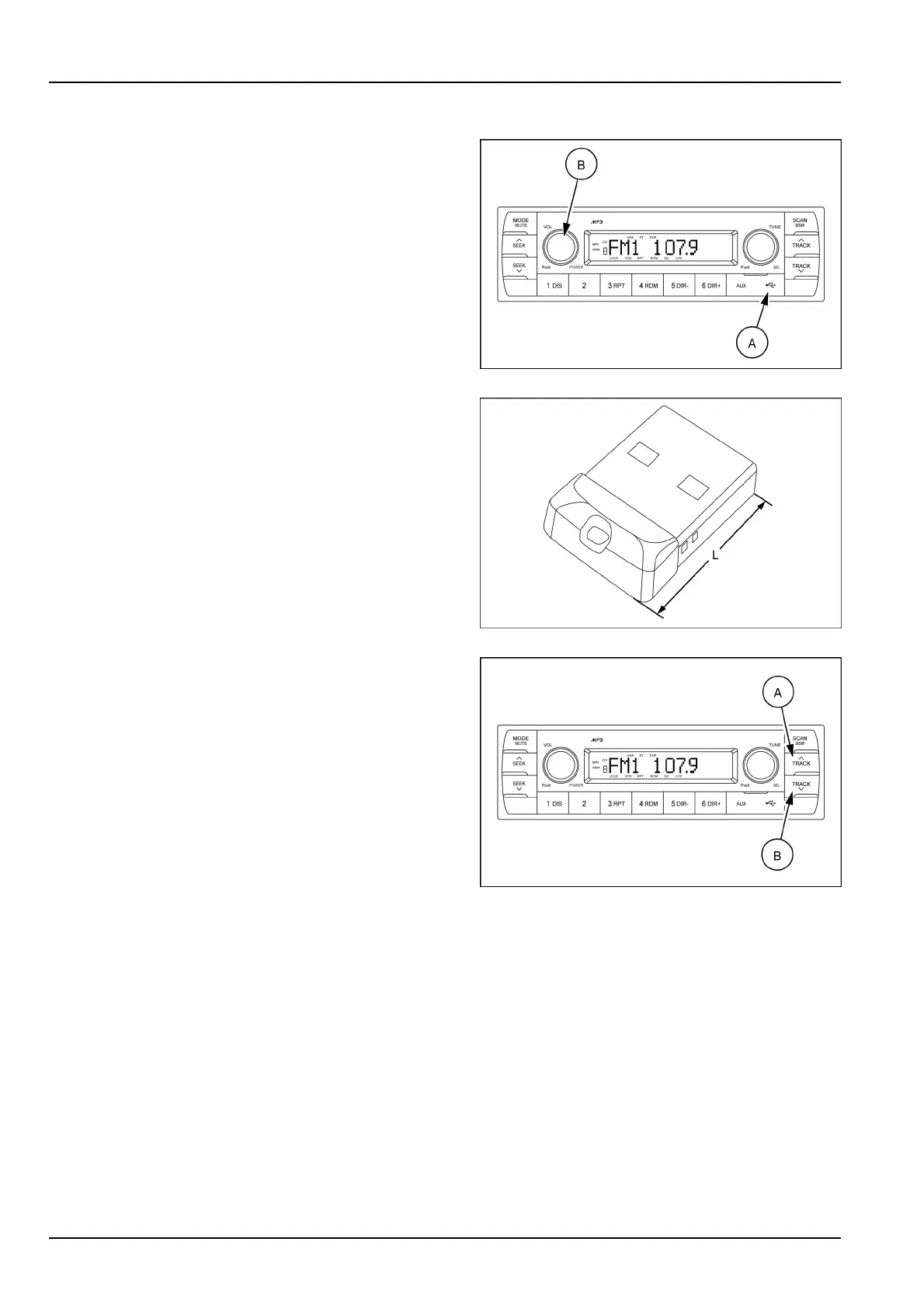
Openthecover(A)oftheUSBport,connectaUSBdevice
andpushtheMODEbutton(B)toswitchtheUSBmode
ifyouwanttolistentoMP3lesstoredinaUSBdevice.
TheradiowillplayautomaticallyMP3lesintheUSBde-
vicewhiletheLCDscreenwillshow“READINGUSB”.
IftherearenolesintheUSBdevice,playbackwillrevert
backtothepreviousmodeafterdisplaying“NOFILE”.
SMIL17MEX2806AA9
NOTICE:becarefullofUSBkeywhenopenthefrontwin-
dow.ItisrecommendedtouseananoUSBkeywithover-
allmaximumlength(L)=27mm(1.06in).
SMIL18MEX0051AA10
(7)UP/DOWNtrackbuttons
Fileselectionfunction
Thisbuttonisusedtoselectleup/down.
Eachtimetheuptrackleselect(A)ispressed,le
numberisincreased.
Eachtimethedowntrackleselect(B)ispressed,le
numberisdecreased.
Cue/reviewfunctions
High-speedaudiblesearchofleonaUSBcanbe
madebythisbutton(thecueandreviewfunctions).
Pressandholdtheuptrackbutton(A)toadvance
rapidlyintheforwarddirectionorthedowntrackbutton
(B)toadvancerapidlyinthebackwarddirection.
SMIL17MEX2806AA11
3-34













 To Next Page