29
Classic Home Screen
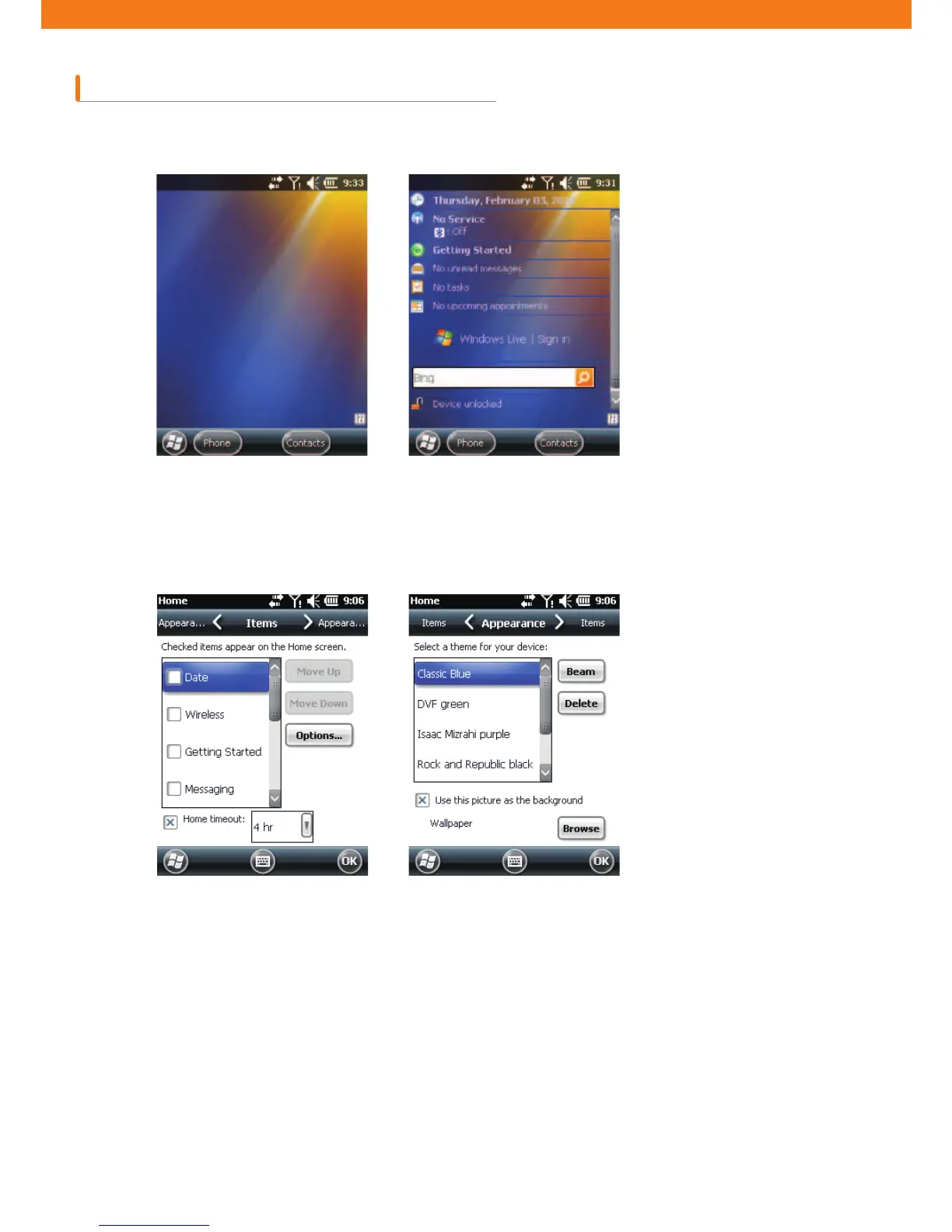
You can change the Home Screen into the classic layouts used for Windows Mobile 6.5.
To change the screen to the classic layouts, go to Start > Setting > Home tab.
Uncheck the checkbox that was pre-checked by Windows and select other options.
Then press OK.
Note: Task bar is only available in the classic layout.
[Home Screen in classic layout]
[Setting Home Screen]



 To Next Page