64
How to add an item to Speed Dial
How to add a number to Speed Dial on the Phone keypad
1
2
3
4
5
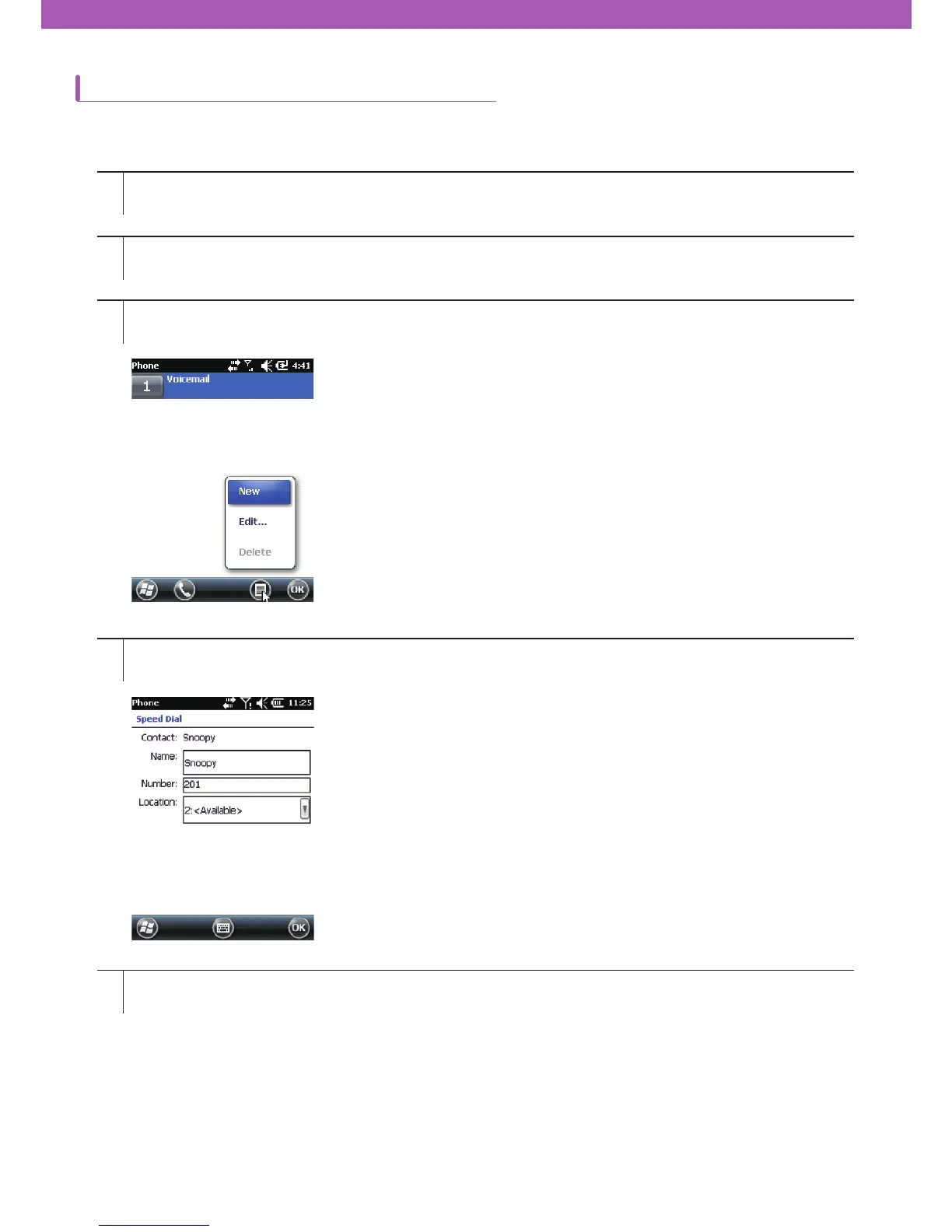
Check if there are contacts and numbers that you wish to add to the Speed Dial in the Call History.
Tap Start > Phone or tap the green Talk key on CW30.
Tap Speed Dial > Menu > New.
Select an item you wish to add to Speed Dial from the Contacts list.
Select a new Speed Dial number from the Location column. The ¿rst number of the Speed Dial is reserved for
voice mail.



 To Next Page