66
Using Call History
Managing Call History
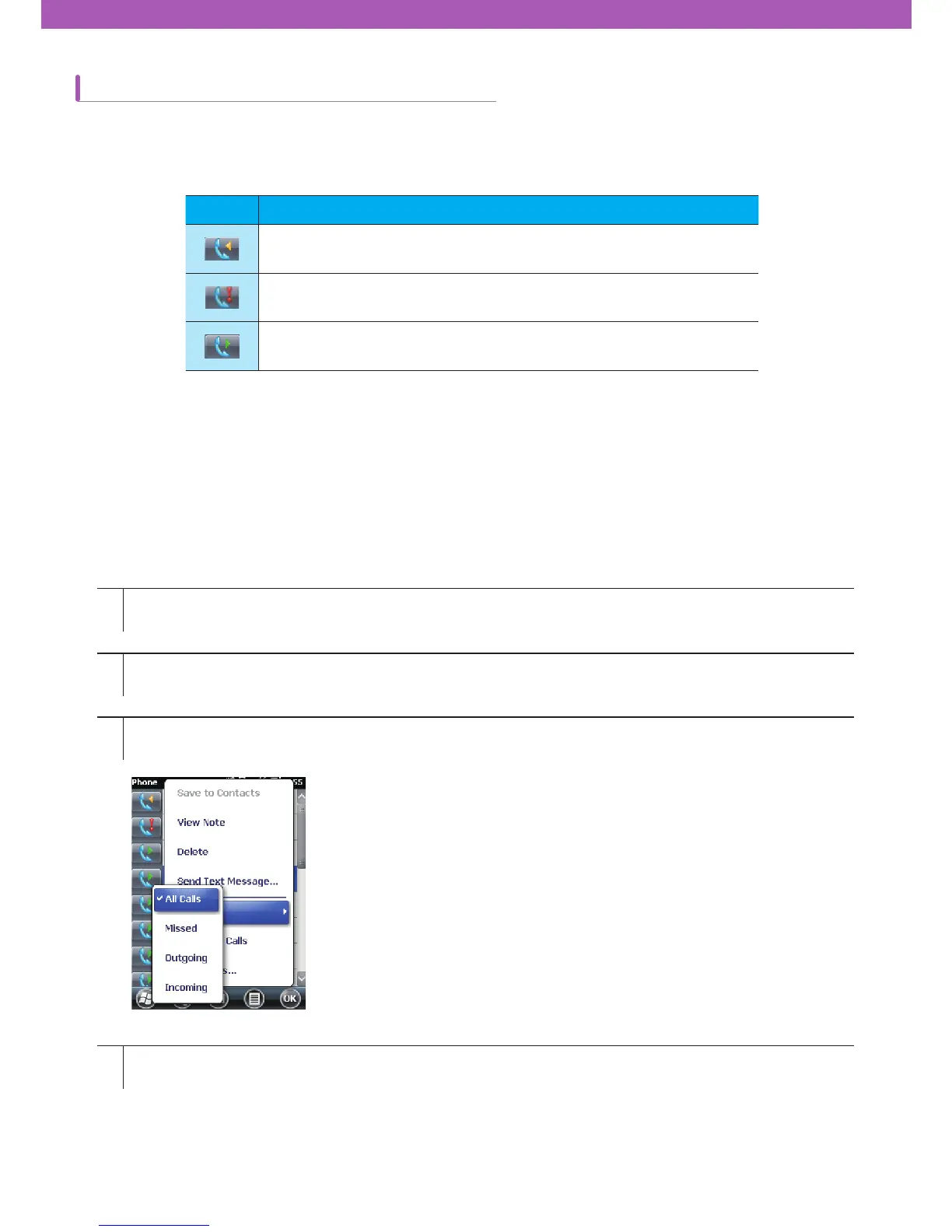
Modifying Call History View
You can check recent calls or make a call to the numbers using Call History. In Call History, the duration of all
received, sent, missed calls and talk time are displayed. The icons displayed in the Call History screen are listed in
Table 4-1.
You can manage your call history such as resetting talk time and deleting call history.
ଲ ডࡣ
This icon is displayed next to the contact information on all incoming
calls.
This icon is displayed next to the contact information on all missed
calls.
This icon is displayed next to the contact information on all outgoing
calls.
1
2
3
4
Tap Start > Phone or tap the green Talk key on CW30 to display the phone keypad.
Tap Call History button on the phone keypad.
Tap Menu > Filter to display the menu.
You can only display missed, outgoing, and incoming calls on the menu.



 To Next Page