70
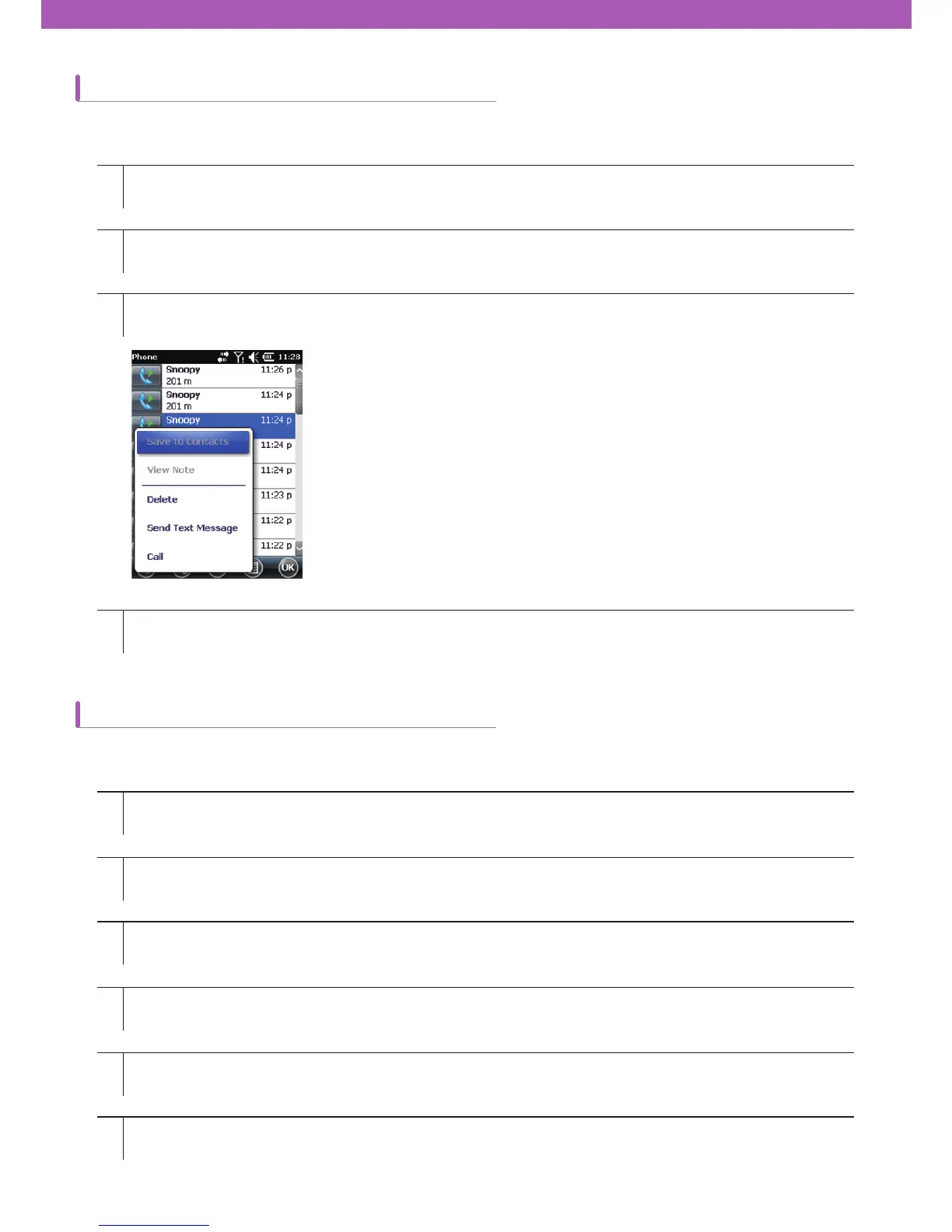
Using Call History menu
Switching calls on CW30
1
1
2
3
4
5
6
2
3
4
Tap Start > Phone or tap the green Talk key on CW30.
Tap Start > Phone or tap the green Talk key on CW30 keypad.
When the ¿rst call is connected, Stand-by button will be displayed on the keypad.
Tap the Stand-by button to switch the ¿rst call to stand-by mode.
Proceed with the second call.
After being connected to the second call, a switching button will be displayed on the keypad.
To end each call,
tap End on the phone keypad or tap the red End Talk key on CW30 keypad.
Tap Call History on the phone keypad.
Press and hold on the desired item in the list for a while.
Choose an item on the menu.
You can send voicemails, save contacts, delete history, and voice calls using Call History menu.
How to switch calls between two calls:



 To Next Page