9
1
Getting Started
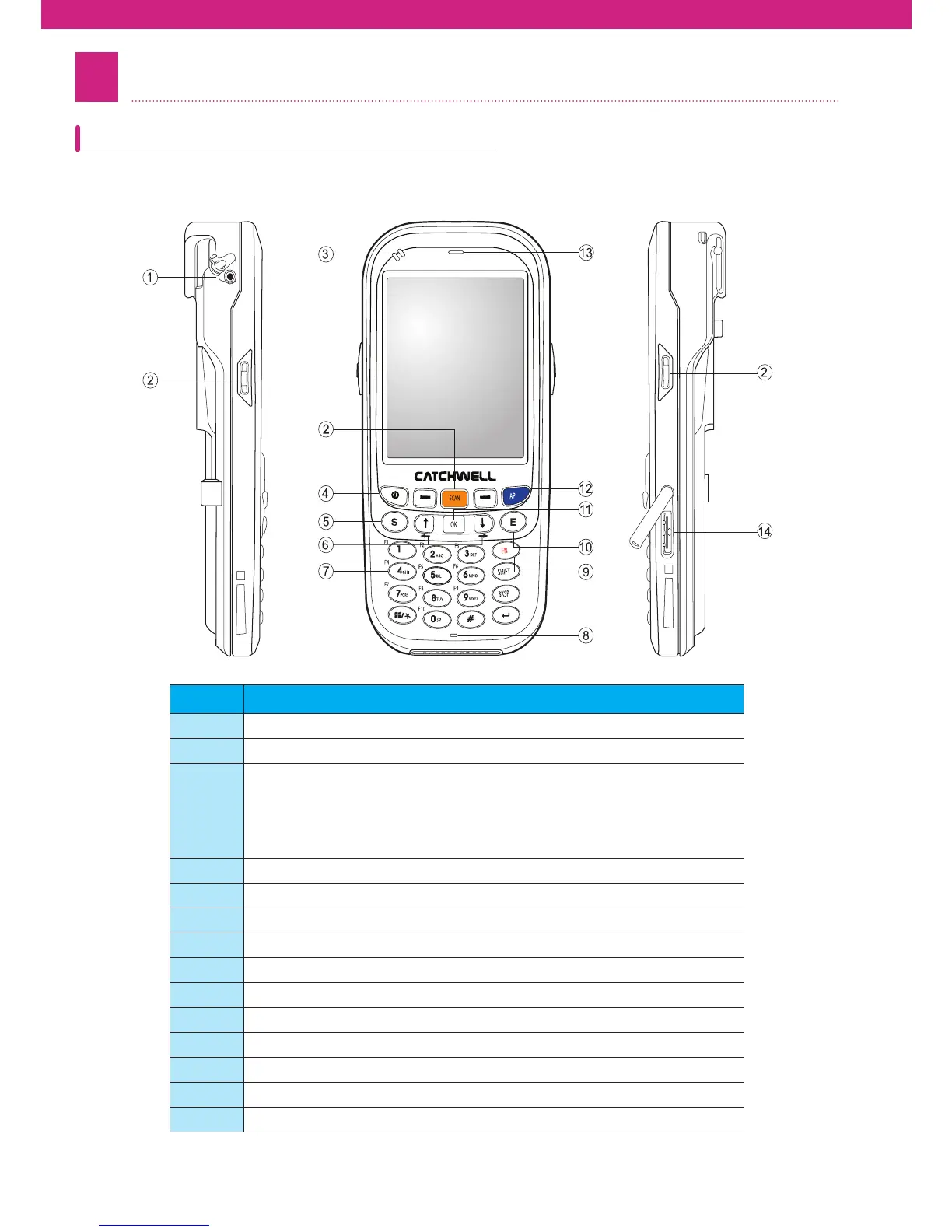
This chapter will explain each part of the product and its accessories.
No Contents
Η Ear phone jack
Θ Scan button
Ι
Statue LED
- Charging : red LED turn on
- Operation : blue LED turn on
- Full charging : green LED turn on
- Connecting error : Blink red LED
Κ Power button
Λ Send button
Μ Direction button
Ν Numeric and Alphabet button
Ξ Microphone
Ο Function botton
Π End button
Ρ Select / run / ok button
Keymap mode button
Σ Front speaker
Τ 24pin connector
Product Components



 To Next Page