51
Scanning barcodes
1
3
2
Check a scanning application is running in CW30.
Release the scan button.
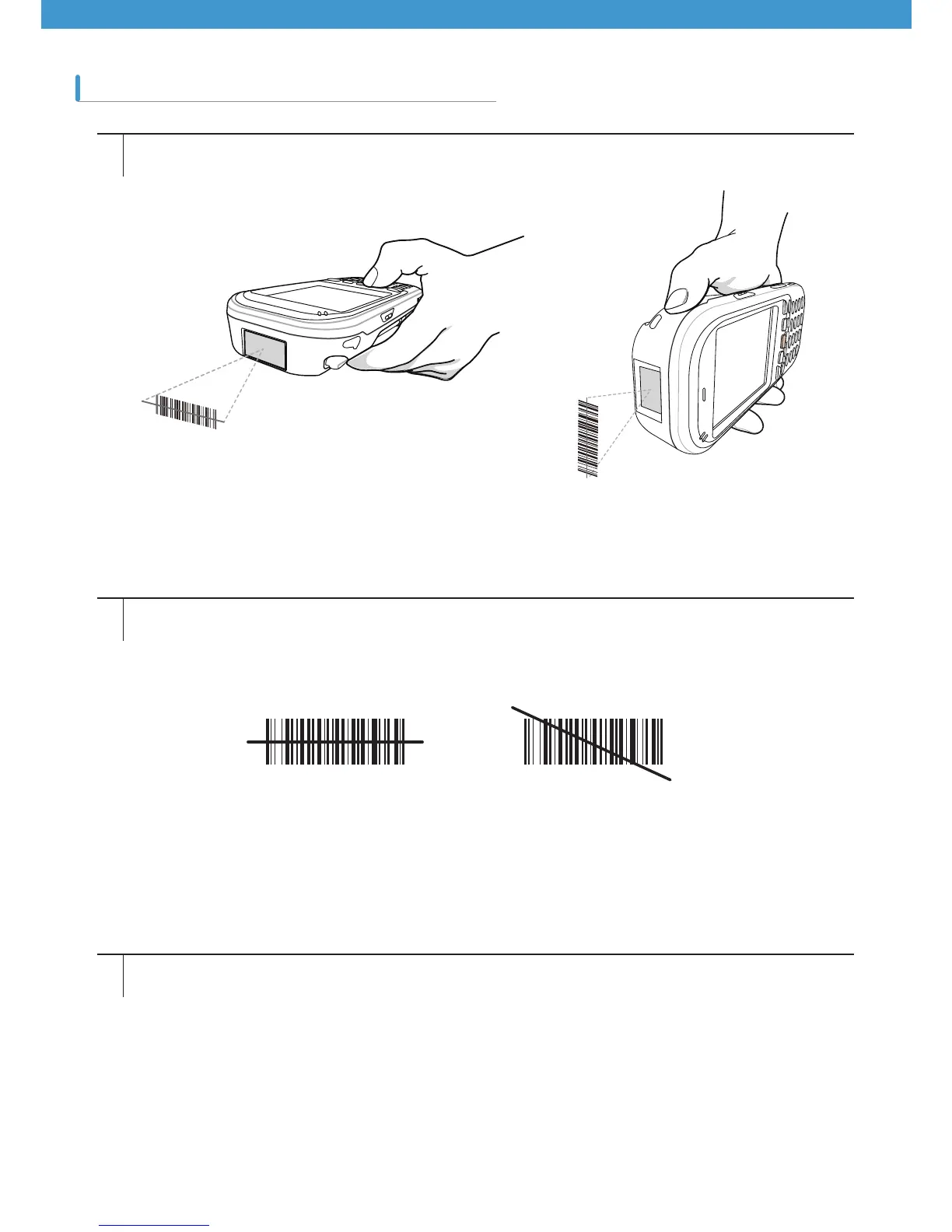
Laser beam comes out of the end of CW30 while the scan button is pressed. The red scan beam should cover
the entire barcode. The laser beam indicates that scanning is under way, and if an alarm goes off and the laser
is turned off indicates that the barcode was successfully decoded.
Correct Incorrect
[[Figure 3-1 1D Laser Scanning]
[[Figure 3-2 How to use 1D scanner]



 To Next Page