82
Turning on or off the Bluetooth Wireless mode
Bluetooth activation
Turn off Bluetooth wireless connection to save battery or when you enter an area where wireless connection is
restricted (e.g. aircraft). When wireless connection is turned off, no other Bluetooth devices can detect or connect
to CW30. To exchange information with other Bluetooth devices within the operation range, turn on the Bluetooth
wireless connection. The communication using Bluetooth wireless connection is only available within the close
distance.
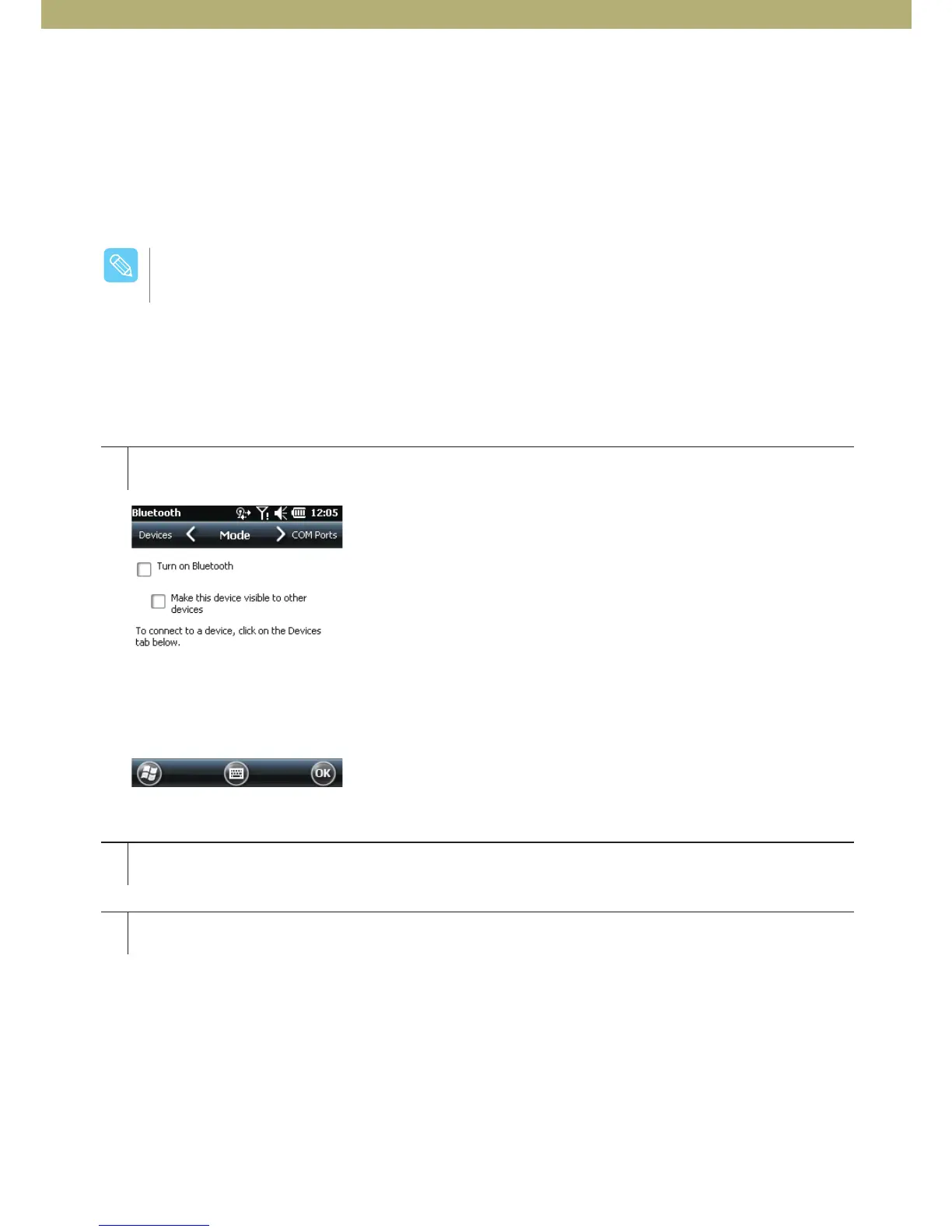
How to activate Bluetooth
[Figure 6-1. Bluetooth mode tab]
1
2
3
Tab Bluetooth bar after tapping Wireless Manager or tap Start > Settings > Connection > Bluetooth icon.
Select Turn on Bluetooth.
Tap OK.
Turn off wireless connection when not in use to extend battery life.
$BVUJPO



 To Next Page