41
Resetting CW30
There are two kinds of resets: Soft rest and hard reset. A soft reset will restart CW30 after closing all running
programs. A hard reset, also, restarts CW30 along with resetting the clock. The data stored in Àash memory or storage
card will remain intact.
If CW30 is not working properly, perform a soft reset ¿rst. If the problem persists, perform a hard reset.
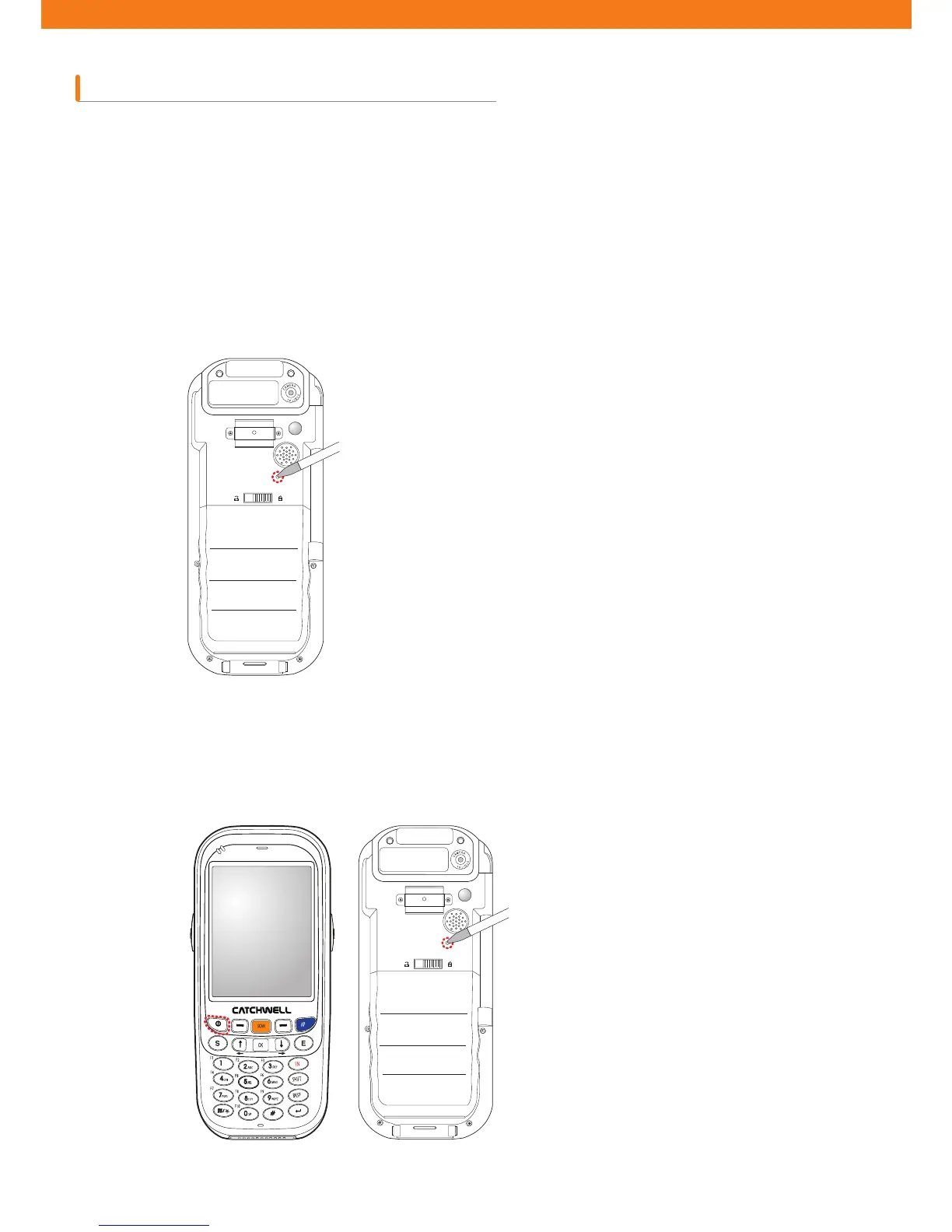
Press the reset button at the back of the device (over the battery cover) with a stylus.
Quickly press the reset button at the back of the device (over the battery) with a stylus while pressing power button at
the front.
How to perform a soft reset
How to perform a hard reset



 To Next Page