30
Soft key indicator bar
Start Screen
The soft key indicator bar is displayed at the bottom of the screen, and there are two post-key buttons. This button
shows a user a task and menu depending on situations and can be dynamically changed. For example, the soft key
of viewing the list of Contacts is New menu. If a user starts to create a new contact on that screen, that soft key will be
changed to Complete and Menu.
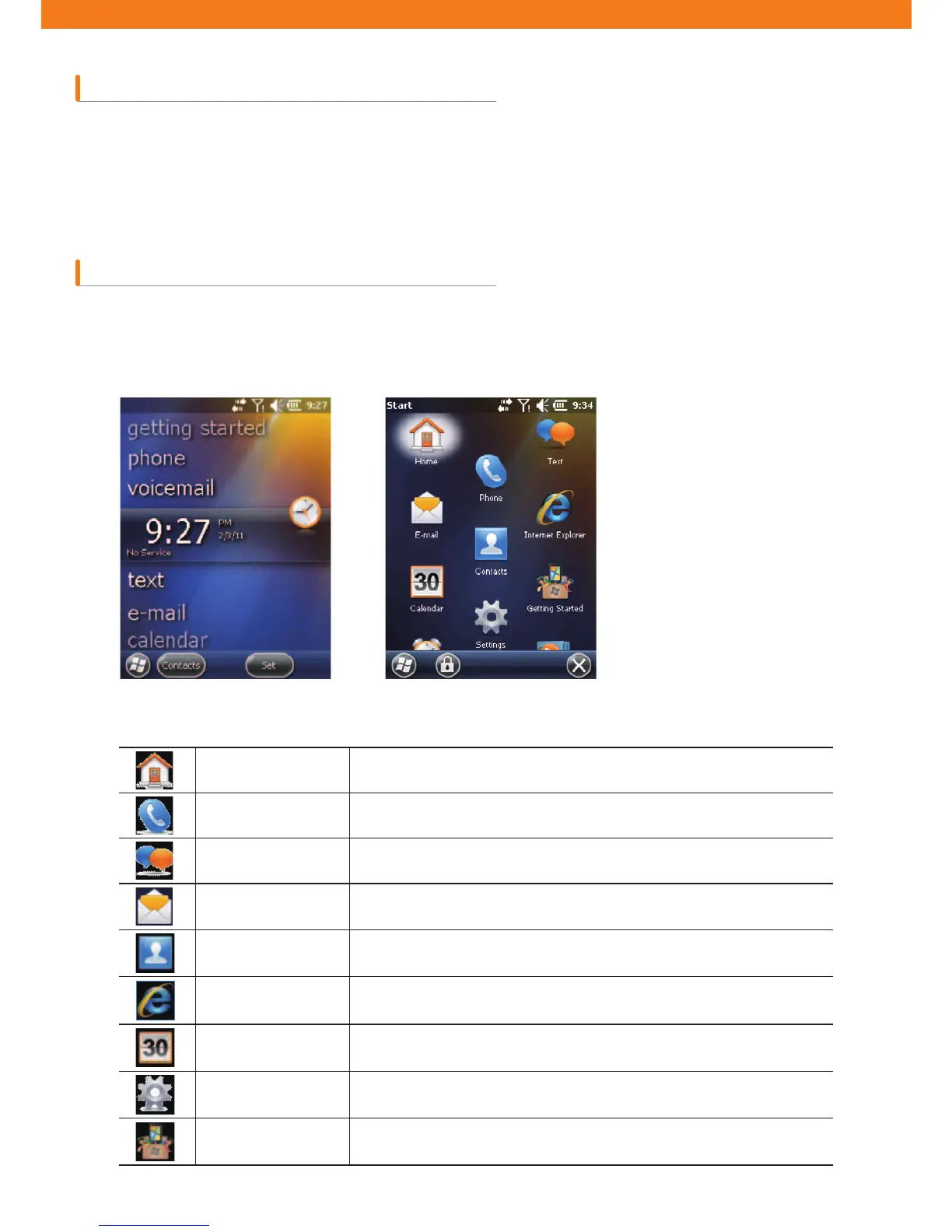
The user applications and folders are displayed on the Start Screen. Figure 203 shows basic applications and folders
displayed on the Start Screen.
[Program and folders at Start scrren][Start screen]
Home Closing Start menu and displaying the Home Screen.
Phone
Making calls, Answering calls, changing calls, and con¿guring call
conference.
Text Sending and receiving SMS text messages.
E-mail Sending and receiving emails.
Contacts Sharing contacts with friends and peers.
Internet Explorer
Browsing web and WAP sites and downloading new programs and ¿les
from the Internet.
Calendar Managing appointments and request meetings.
Settings Opening the con¿guration folder. See Con¿guration Folder in page 10.
Getting Started Launching Start applications.



 To Next Page