Page 15
Programming Single Unit Overview
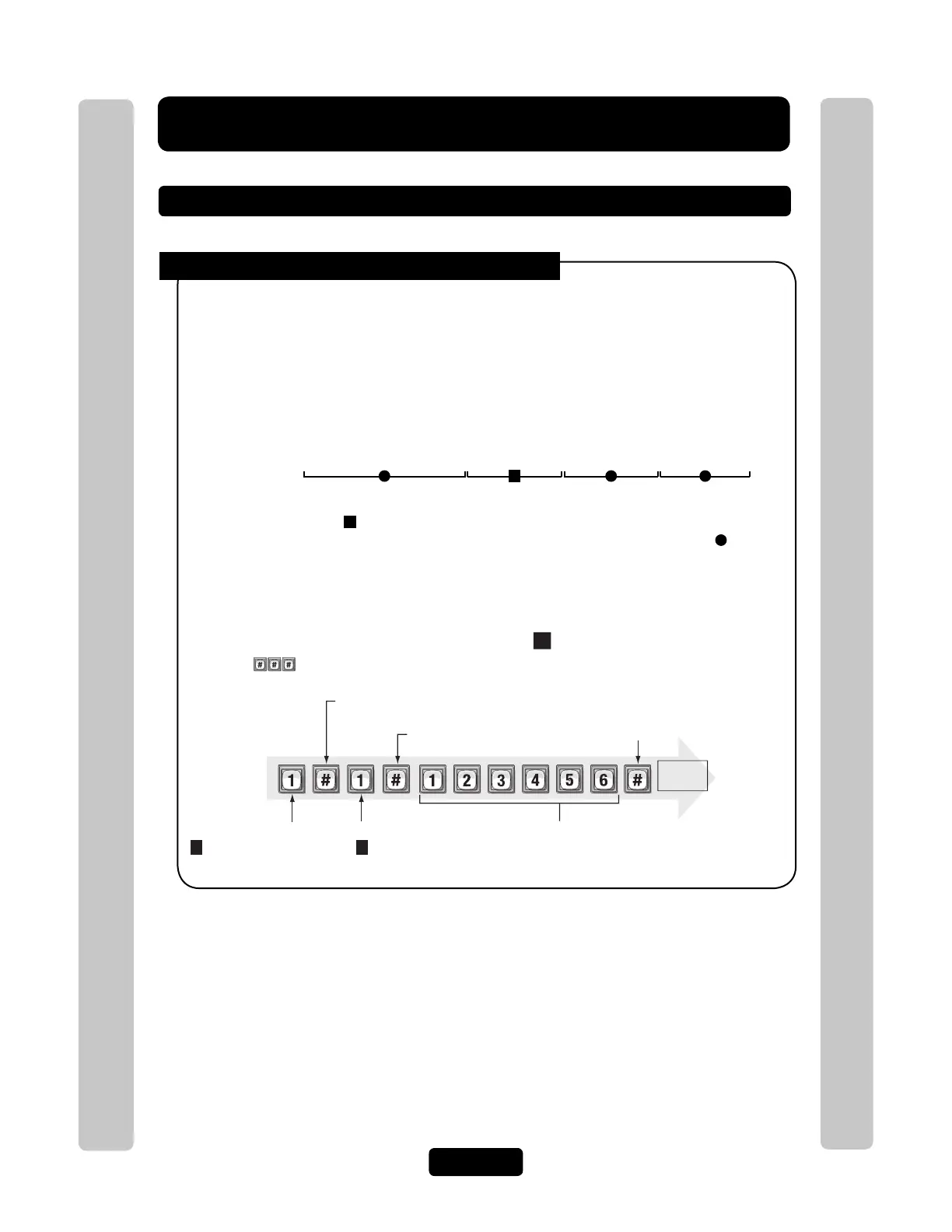
Procedure Required to Program EL Models:
1. 1,2 or 3 digit Programming Number. (See "Quick Reference Guide" Tables for descriptions
and procedures)
2. One or more Data Fields.
3. Pound Key (#) as a Data Field Separator and at the end of the programming sequence to Save
the Data.
NOTES:
• All data fields must be separated with the pound key (#).
Example: (Programming Number) # (Data Field) # (Data Field) # (Data Field) #
• Steps tagged with a ( ) are optional, press the pound key (#) to skip them. NOTE: Some
steps are required and must have data entered in them to continue, tagged with ( ).
• If you make an error during an entry, press the asterisk key (*) to cancel the step.
• When you correctly enter the entire programming sequence, the unit will respond with voice
feedback (see also System Feedback/Responses(Beeps) on page 16).
1 3 42
Required Step Optional Step Required Step Required Step
1
st
Pound Key:
Separates the 1
st
field.
Last Pound Key:
Saves the data.
Data Field:
changes the password
(2 verifies the password)
Data Field:
(The new password)
Programming Number:
1
changes or verifies
the password.
Enter
Programming
Mode
(Next page)
Exit
Programmin
Mode
(Next page)
Example of a Programming Sequence: " Changing the Password"
Pound Key:
Separates the data field.
Voice
feedback
1
1
NOTE: must be pressed first to enter programming mode
Programming Single Unit Overview
Programming Single Unit Overview
Programming Basics



 To Next Page