Page 64
Postal Lock/Autocall/Exit/Door Sensor Devices
When a postal carrier triggers a postal lock switch, the assigned door number’s relay will activate. The
postal entry door should be near the postal lock switch. Once the postal input is detected then the
relays for the door activate for their programmed time. They do not stay active if postal input remains
triggered. Factory Setting: Door 1
Postal Lock Switch
Postal/Lock/Autocall/Exit/Door Sensor Devices
Postal/Lock/Autocall/Exit/Door Sensor Devices
1
Press Then
2
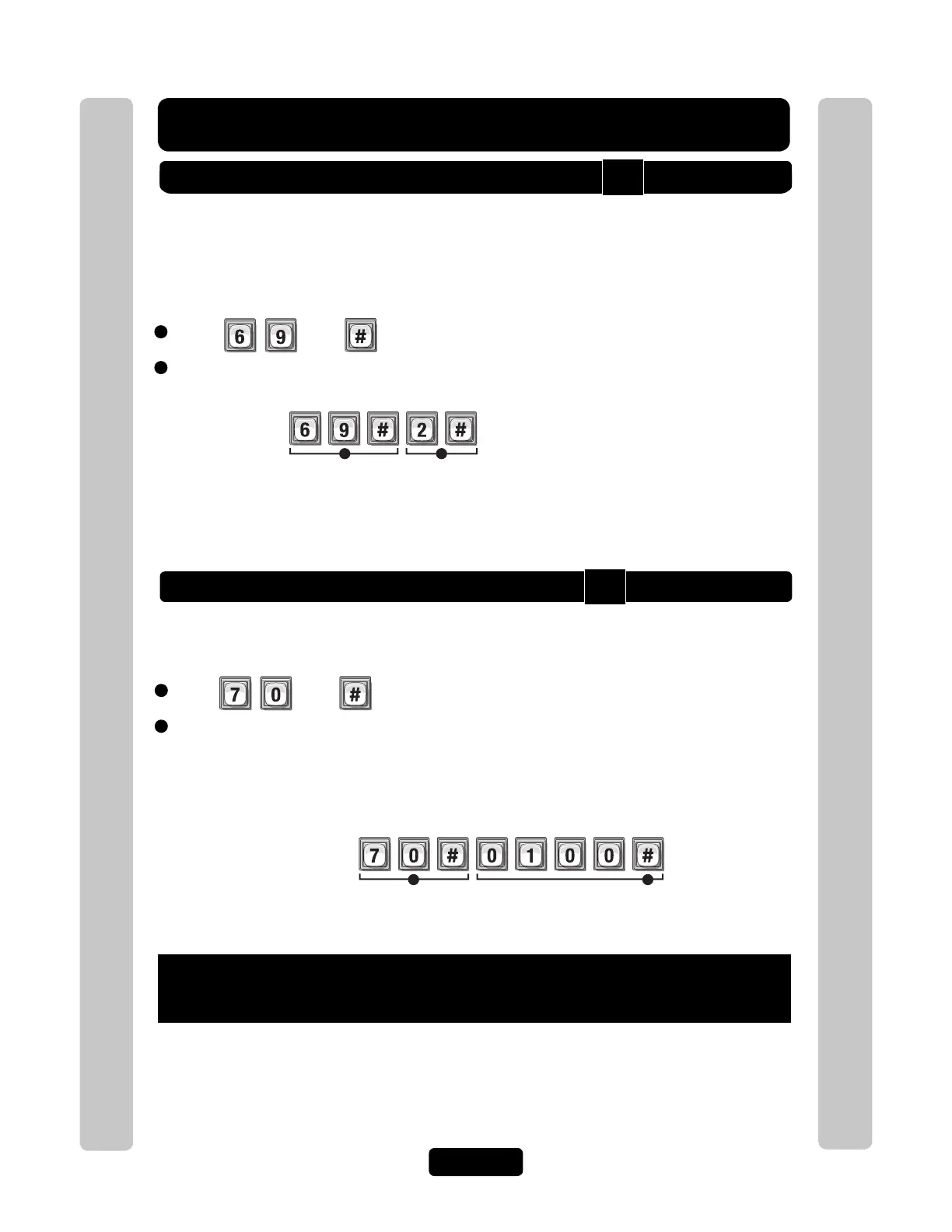
Enter Door Number to be Opened (0-4, 0=No Postal Lock). Then (#)
Assigns Postal Lock Switch to "Door 2".
Example:
1 2
Factory Settings: Door 1 activates Relay 1, Door 2 activates Relay 2, Door 3
activates Relay 3, Door 4 activates Relay 4
NOTE: A "Door Number" is
an external access control
device where the postal
carrier can gain entry.
Important: Whatever you
assigned Your Door
Settings applies to this
setting.
See page 25.
Autocall Device
To enter programming mode from the unit
Press *** and the 6-Digit Password (2 short beeps will be heard)
Exiting programming mode allows changes to take effect
1
Press Then
2
Enter Relays to be Activated (0000-1111). Then (#)
The Autocall device calls the resident and can activate specific relays (a light or a buzzer)
Important: The Pound Key (#) must be used as Data Field Separator and to Save Data at the end of the
sequence. Time must be entered using a 24-hour format (8AM=0800, 3PM=1500 etc.). Audio Feedback:
Programming input is valid. Audio Feedback: Input is not valid. If you make an error during an entry,
press the asterisk key (*) to begin again.
21
When a loop detector type device is triggered, only Relay "3" will activate.
Example:
Relay 4 Relay 3 Relay 2 Relay 1
Deact Deact Deact
Activate
0=Deactivate, 1=Activate (1st digit=Relay 4, 2nd digit =Relay 3, etc.)
60
70



 To Next Page