Page 20
Programming Multiple Units Overview
Up to seven (7) units can be installed on a single telephone line. Each
unit must have a "Unique Unit ID" number and the "Number of Units in
Chain" assigned to it.
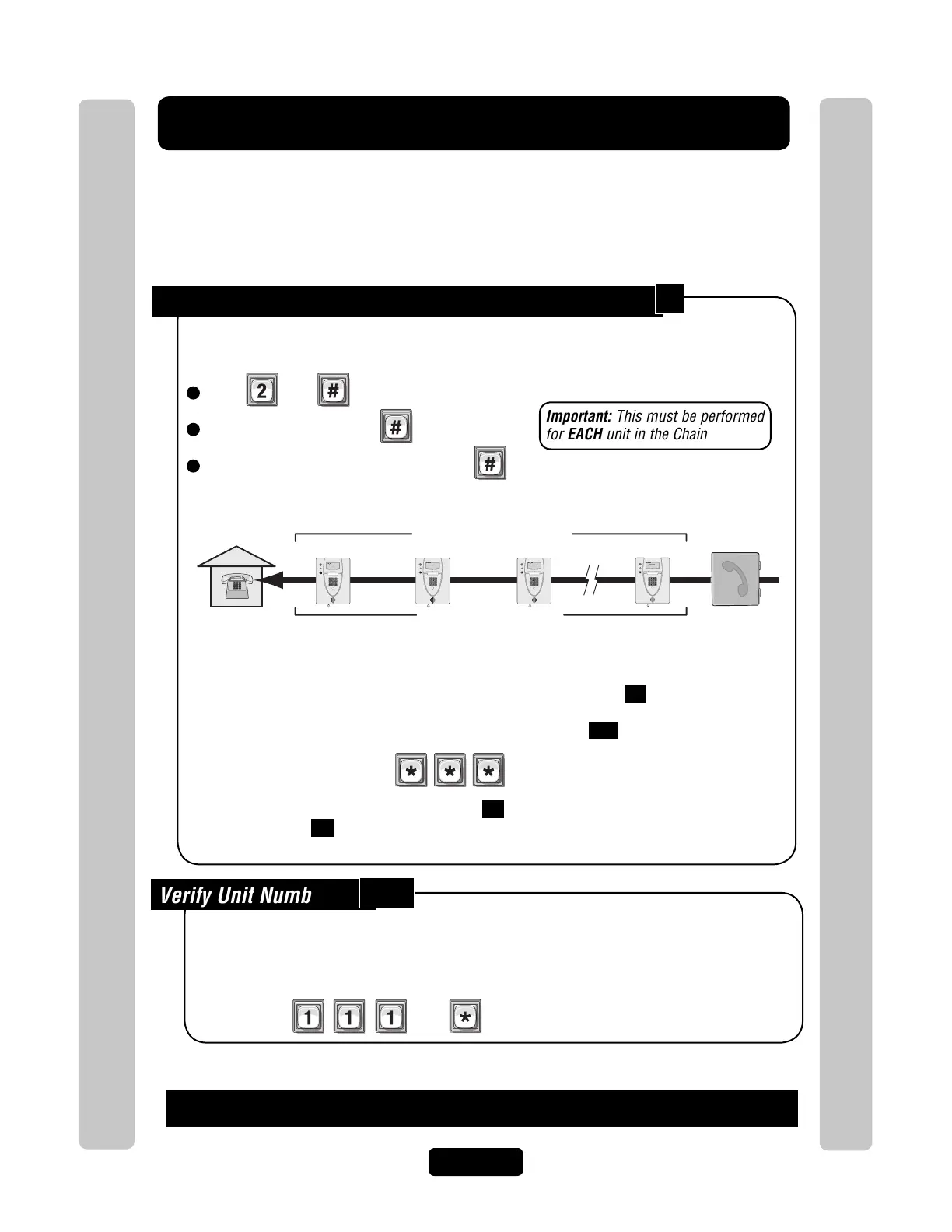
Set the Unit ID Number and Number of Units in Chain:
The unit ID identifies each unit within a chain. Adding or removing will require the unit ID’s to be
re-entered. Factory Setting: Unit ID 1 and Number of Units in Chain 1.
1
Press Then
2
Unit ID Number (1-7), Then
3
Total Number of Units in Chain (1-7), Then
Programming Multiple Units Overview
Programming Multiple Units Overview
Unique Unit ID Sequencial Order
Number of Units in Chain “7”
Unit ID “1”
Residence
Unit ID “2”
Unit ID “3”
Unit ID “7”
Telco Entrance Box
Demarcation Point
Example:
AUG 10, 2005
WELCOME
AUG 10, 2005
WELCOME
AUG 10, 2005
WELCOME
AUG 10, 2005
WELCOME
Important: This must be performed
for EACH unit in the Chain
Verify Unit Number:
111
This allows you to verify a unit’s number within a chain. When you perform this step, the unit will
respond with the number corresponding to its unit ID number. The message two (2), for
example, means the unit is number 2 in the chain.
Then
If you make an error during an entry, press the asterisk key (*) to begin again.
Important:
You must program each unit ID using the main keypad first before attempting remote access.
EACH unit in the Chain must have the same "Rings Before Answer" 16 .
Factory Setting - 5 Rings
EACH unit in the Chain must have the same "Alternate Prefix" 115 .
Factory Setting - Normal (use
to enter programming)
Be sure to set the rings before answer value 16 is greater than maximum rings before
aborting attempt 14 .
2



 To Next Page