Page 57
Communications To and From Unit
This section describes the features for configuring telephone and unit communication
settings. The units use the building’s existing telephone line to provide
communication between visitors and residents, while also allowing someone to
remotely program the unit via modem.
Telephone-Unit Settings
Communications To and From Unit
Communications To and From Unit
Set Alternative Prefixes:
1
Press Then
2
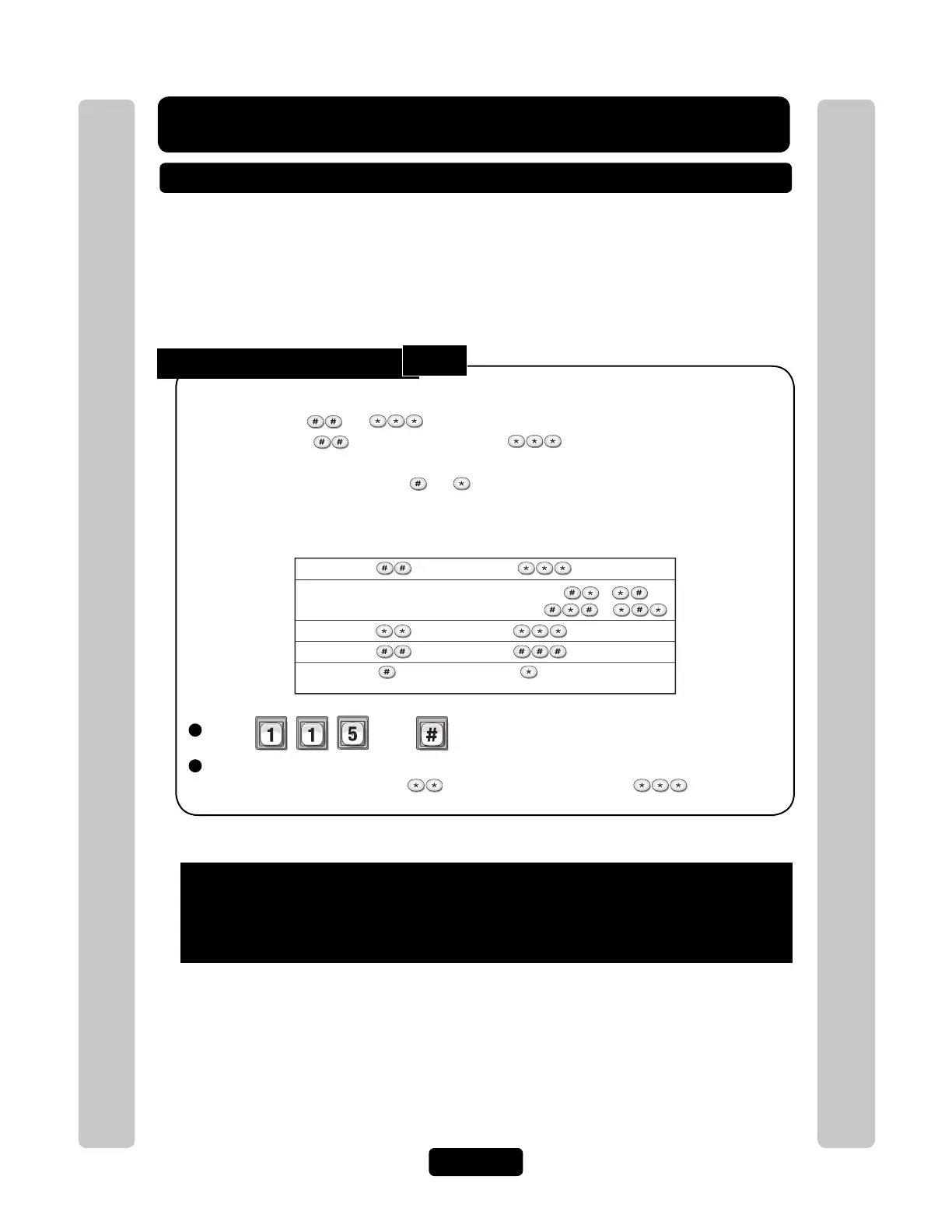
Enter Normal (00), Mixed (01), Asterisk (02), Pound (03), Number (1n). Then (#).
Sets the Alternative Prefixes to for Direct Commands and for Programming.
This must be used if the phone company will not allow you to use the "#" key.
When you press or on the resident phone, the unit will allow you to send a
Direct Command or Program the System , and disconnects from the
telephone line to wait for commands. Some telephone companies offer special features that
require you to press a preceding or . If you subscribe to such services and the unit
interferes with them, you can program the unit to accept different prefixes.
Factory Setting: 00 (Normal)
00
(Normal):
for Direct Commands, for Programming
01
(Mixed):
2 Key Combo for Direct Commands (e.g., or )
3 Key Combo for Programming (e.g., or )
03
(Pound):
for Direct Commands, for Programming
02
(Asterisk):
for Direct Commands, for Programming
Alternative prefix options include the following:
1n (Number): (n ) for Direct Commands, (nn ) for Programming
(“n” is a number from 1 to 9)
To enter programming mode from the unit
Press *** and the 6-Digit Password (2 short beeps will be heard)
Exiting programming mode allows changes to take effect
Important:
• The Pound Key (#) must be used as Data Field Separator and to Save Date at the
end of the sequence.
• Time must be entered using a 24-hour format (8AM=0800; 3PM=1500 etc.).
• 2 Short Beeps: Programming input is valid. 1 Long Beep: Input is not valid.
• If you make an error during an entry, press the asterisk key (*) to begin again.
115



 To Next Page