Page 56
The units will not allow you to program the system unless you know the unit’s
password. When changing the unit’s password, save a copy of it in a secure location.
If you lose the unit’s password, you WILL NOT be able to enter into the
programming mode. The unit’s password must have six digits (000000-999999).
Factory Setting: 000000
Change or Verify the Unit’s Password
Features
Features
1
Press Then
2
Change (1) or Verify (2) the Password. Then (#)
3
Enter New Password or Password to Verify (6 Digits). Then (#)
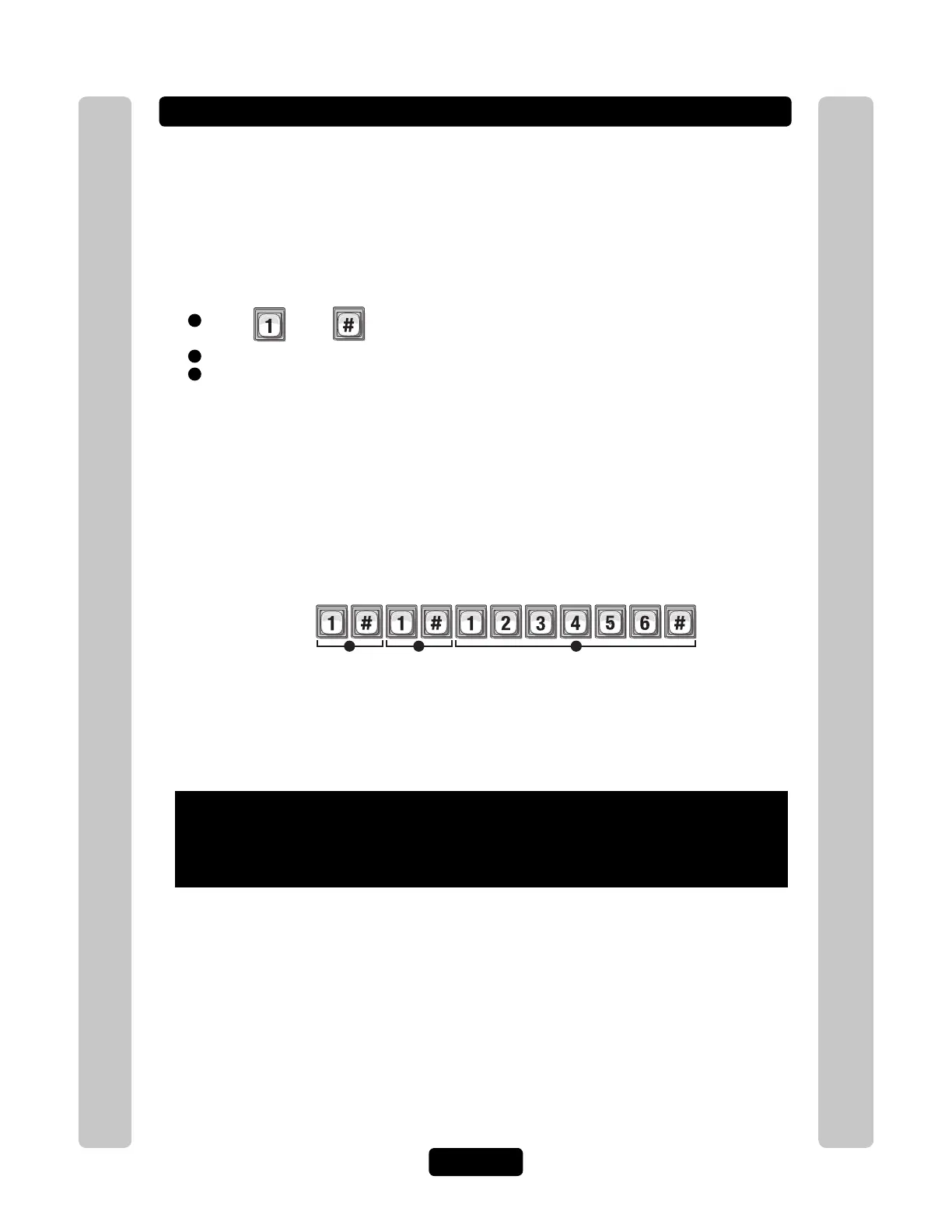
1 2 3
Example:
Changes the unit's password to "123456".
When verifying a password:
Audio Feedback "Valid Step": Indicates the number matches the password you just programmed.
Audio Feedback "Invalid Step": Indicates the number Does Not match the password you just
programmed. If this occurs, DO NOT exit programming. Repeat
the step to “change the password” again and then reverify it.
To enter programming mode from the EL Model
Press *** and the 6-Digit Password (2 short beeps will be heard)
Exiting programming mode allows changes to take effect
Important:
• The Pound Key (#) must be used as Data Field Separator and to Save Date at the
end of the sequence.
• Time must be entered using a 24-hour format (8AM=0800; 3PM=1500 etc.).
• 2 Short Beeps: Programming input is valid. 1 Long Beep: Input is not valid.
• If you make an error during an entry, press the asterisk key (*) to begin again.



 To Next Page