Page 55
Features
Features
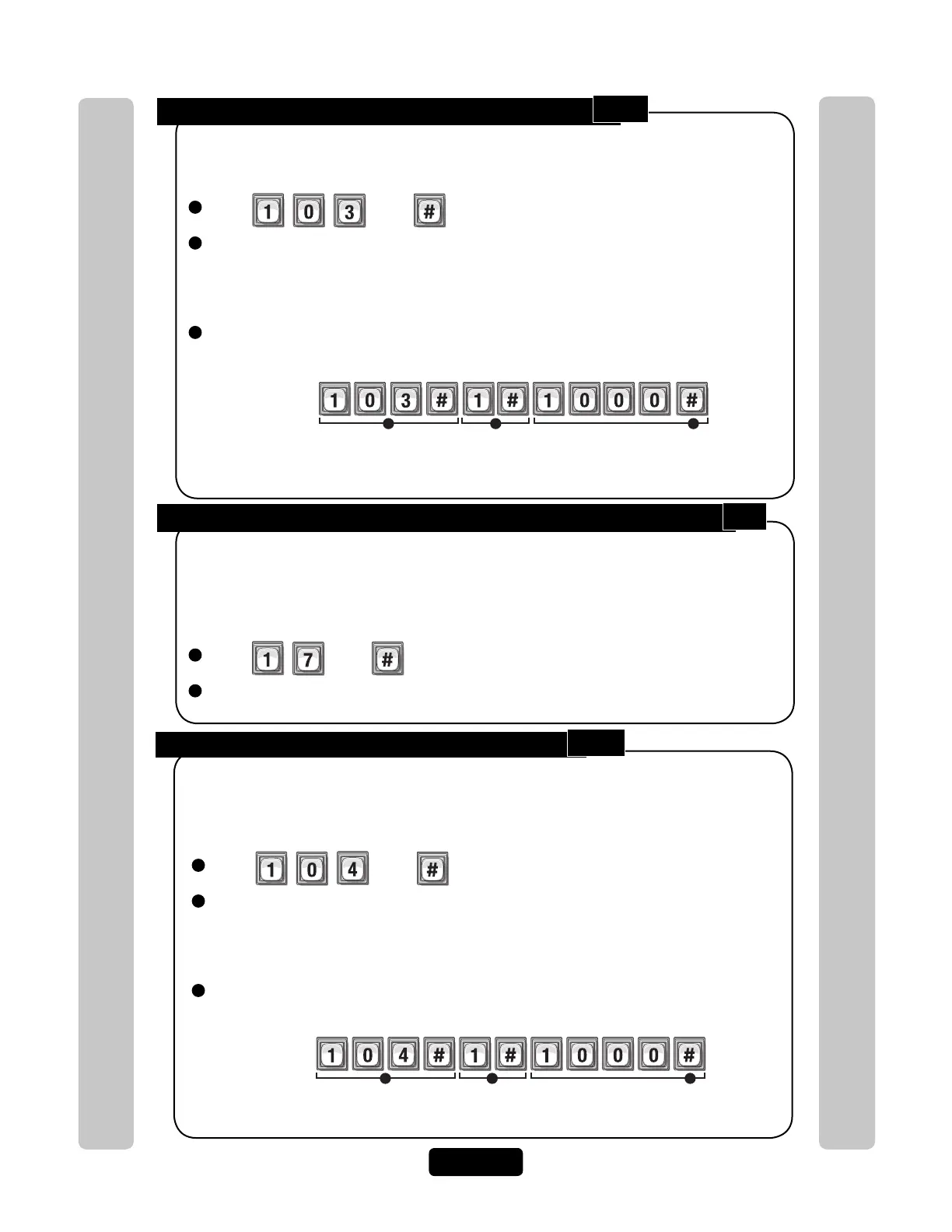
Configure “Door Forced Open” Alarm Feature:
1
Press Then
2
Enter Alarm Option (0-2). Then (#)
Option 0=Disabled
Option 1= Enabled Relays will activate until relay time expires
(See Set Relay Activation Time on page 23 (Step 3) for more information)
Option 2=Enabled Relays will activate until the alarm condition clears
3
Activate (1) or Deactivate (0) Relays (0000-1111). Then (#)
(1st digit=Relay 4, 2nd digit=Relay 3, etc.)
When enabled, doors that are forced open will trigger an alarm. The alarm will activate
the relays you specify. The relays can remain active until the relay time expires or until
the alarm condition clears.
Factory Setting: Disabled
Setting “Strikes and Out” (Number of Entry Code Attempts before Disabling Unit):
1
Press Then
2
Enter Maximum Number of Strikes and Outs Allowed (0-5). Then (#)
0=Disabled
The "Strikes and Out" feature prohibits unauthorized persons from guessing an entry
code or the unit password and entering programming mode. Anyone entering an entry
code or password will have a set number of times to correctly enter their code. Each
time the code is entered incorrectly, it is a "strike". After "x" number of "strikes", the
system will disallow code entry at the unit for 3 minutes.
Factory Setting: 3 Times
1 2 3
Example:
Relay 4
Deact Deact DeactActivate
Relay 3 Relay 2 Relay 1
When a "Door Held Open" alarm condition occurs, relay "4" will activate until the relay
condition expires. If the alarm relay controls a siren, the siren will sound until the relay
time expires.
Configure “Strikes and Out” Alarm Feature:
When enabled, an alarm will trigger if someone enters an erroneous entry code or the
unit password on the unit keypad more than the maximum number allowed (see above).
The alarm will activate the relays you specify. The relays can remain active until the relay
time expires or until the alarm condition clears.
Factory Setting: Disabled
1 2 3
Example:
Relay 4
Deact Deact DeactActivate
Relay 3 Relay 2 Relay 1
When a "Strikes and Out" alarm condition occurs, relay "4" will activate until the relay
time expires.
1
Press Then
2
Enter Alarm Option (0-2). Then (#)
Option 0=Disabled
Option 1= Enabled Relays will activate until relay time expires
(See Set Relay Activation Time on page 23 (Step 3) for more information)
Option 2=Enabled Relays will activate until the alarm condition clears
3
Activate (1) or Deactivate (0) Relays (0000-1111). Then (#)
(1st digit=Relay 4, 2nd digit=Relay 3, etc.)
103
17
104



 To Next Page