Page 60
Communications To and From Unit
Communications To and From Unit
Change the Visitor Call Response Keys:
1
Press Then
2
Enter Door 1 Relay (0-9 or *). Then (#)
3
Enter Door 2 Relay (0-9 or *). Then (#)
4
Enter Door 3 Relay (0-9 or *). Then (#)
When a visitor contacts a resident with a unit, the resident can allow entry by pressing one of
the keys on their phone. Options are:
Visitor Communication Settings
NOTE: The asterisk key (*)
WILL NOT cancel a
command in this
programming sequence
because the asterisk key (*)
may be assigned to a specific
phone key response.
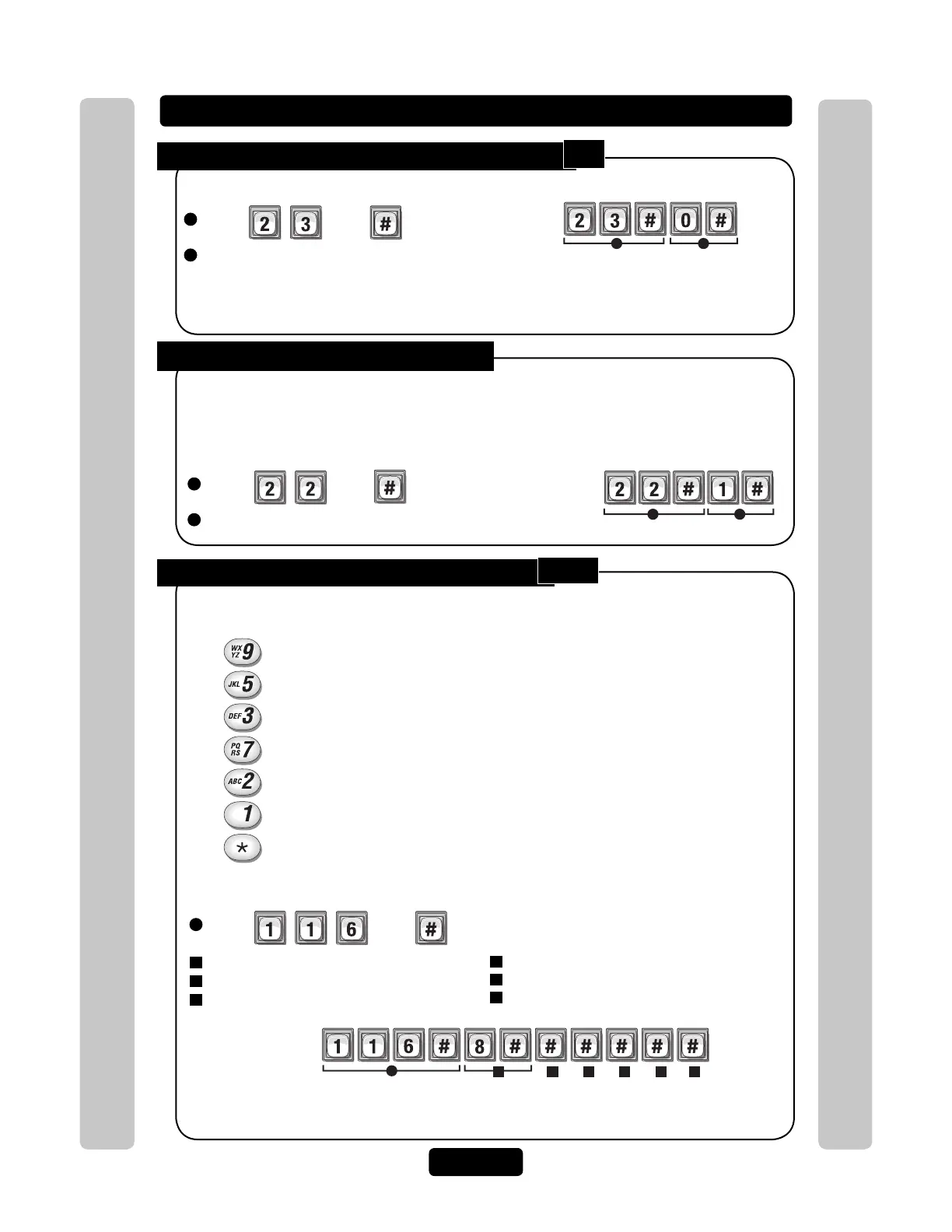
Enable or Disable "Access Granted" Beeps:
1
Press Then
2
Enable (1) or Disable (0). Then (#)
Factory Setting: Enabled
Example:
Disables the access granted beeps.
1 2
NOTE: This will disable the 10 short beeps used by
"Direct Command Responses" and "Other Responses".
See page 17.
Enable or Disable Voice Mail:
22
1
Press Then
2
Enable (1) or Disable (0). Then (#)
Example:
Enables the voice mail.
1 2
If a voice mail system is connected to a resident’s telephone line, the unit allows the visitor to
dial an extension during a resident call. If enabled, the visitor places a resident call, the voice
mail system answers the call, the visitor can then dial an extension on the unit keypad. The unit
only allows up to 5 digits to dial extension. Factory Setting: Disabled
Activate all Entry Devices on Door 1 Relay(s)
Activate all Entry Devices on Door 2 Relay(s)
Activate all Entry Devices on Door 3 Relay(s)
Activate all Entry Devices on Door 4 Relay(s)
Toggle between the visitor and another phone call.
Extend the talking time with a visitor
Hang Up and Deny Access to the Visitor
To change these Response Keys:
5
Enter Door 4 Relay (0-9 or *). Then (#)
6
Call Wait Toggle (0-9 or *). Then (#)
7
Extend Talk Time (0-9 or *). Then (#)
Changes the phone key that operates Door 1 Relay(s) to "8". If a resident presses "8"
on their phone while speaking to a visitor, the Door 1 Relay(s) will activate.
23
116



 To Next Page