Page 53
Features
The Anti-Passback feature deters someone from "passing back" his/her access code/
card to unauthorized individuals so they can gain entry into a restricted area. There
are 2 types of anti-passback features:
• True Anti-Passback requires residents to exit before entering again (and vice versa). For
example, if you have a door with Card Reader 1 (to enter) and Card Reader 2 (to exit), a resident
entering with Card Reader 1 will have to swipe his/her card in the Card Reader 2 to exit before
swiping on Card Reader 1 again (and vice versa).
• Timed Anti-Passback requires residents to wait a defined period of time before using the same
access code (card, entry code, etc.) again on the same entry device (reader, keypad, etc). For
example, if you set the Timed Anti-Passback to 60 minutes, the system will not grant access for
60 minutes to anyone who tries to reenter the same code into the same reader.
Setting Anti-Passback
Features
Features
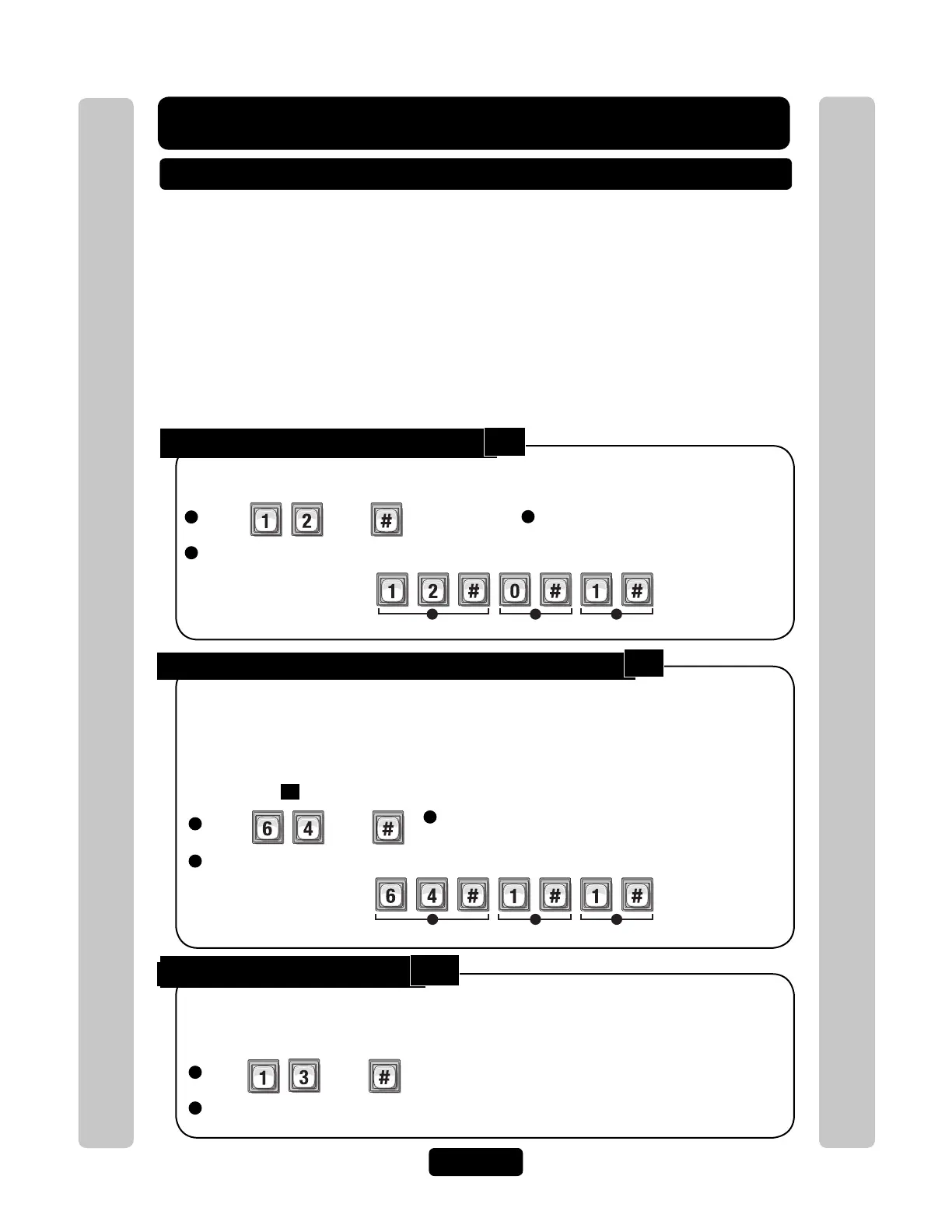
Enable or Disable Anti-Passback:
1
Press Then
2
Enable True Enable (1) or Disable (0). Then (#)
Enable or disable the anti-passback feature. You may only enable the door(s) for timed
or true anti-passback.
Factory Setting: Disabled
Example:
1 2 3
Enables Timed Anti-Passback.
Set Anti-Passback Entry/Exit for Specific Devices:
1
Press Then
2
Enter Entry Device (0-4).
Then (#)
1 2 3
Example:
Sets Device "1" for Timed Anti-Passback.
Set the anti-passback to function for specified entry devices (e.g., card readers, keypads,
etc.). When setting devices for "true" anti-passback, set one device for "entry" and the
other for "exit". Only Wiegand devices may use true anti-passback.
Factory Setting: Disabled
Important: The Anti-Passback feature will not function unless you enable Program
Number
12
(see above).
3
Enter Anti-Passback Option. Then (#)
Disabled=0 True Anti-Passback Entrance=2
Timed Anti-Passback=1 True Anti-Passback Exit=3
Set Anti-Passback Time:
1
Press Then
2
Enter Number of Minutes (1-60). Then (#)
With "timed" anti-passback, after a resident uses a card/code/transmitter on a specific
entry device, they cannot use the device again until a specified amount of time elapses.
Factory Setting: 3 Minutes
3
Enable Timed Enable (1) or
Disable (0). Then (#)
12
64
13



 To Next Page