Page 42
Access Cards
Access Cards
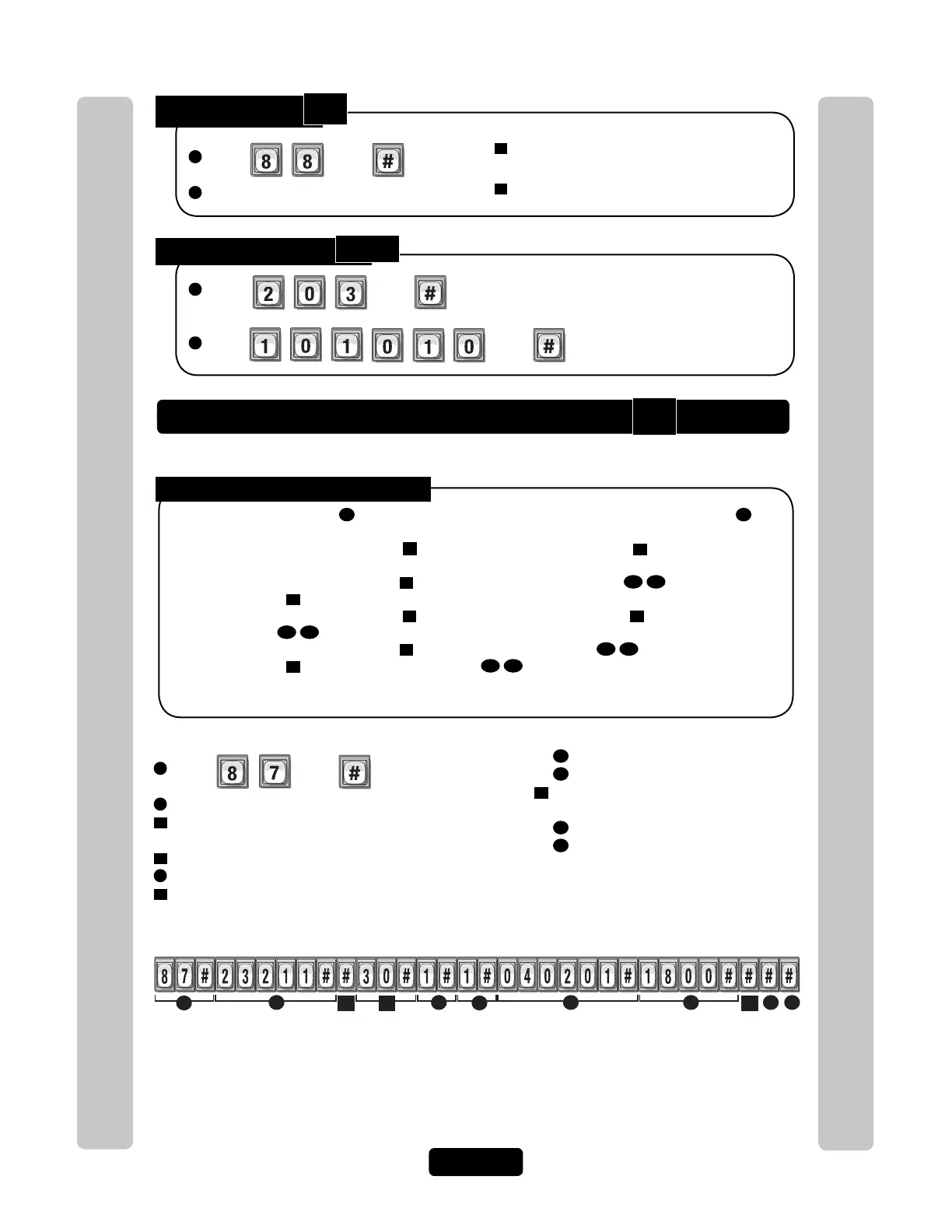
Activate or Deactivate a Card
Delete a Card:
1
Press Then
2
Enter Card Number to be deleted. Then (#)
3
Enter Facility Code (0-63 [30-bit], 0-255
[26-bit]). Then (#)
4
Card Type (26 or 30). Then (#)
Delete ALL Cards:
1
Press Then
2
Enter Then
Activate or deactivate a card, and activate or deactivate specific date and times.
Activate / Deactivate a Card:
1
Press Then
2
Enter Card Number (1-65534 [26 or 30-bit]). Then (#)
3
Enter Facility Code (0-63 [30-bit], 0-255 [26-bit]).
Then (#)
4
Card Type (26 or 30). Then (#)
5
Activate Card (Enable-1 or Disable-0). Then (#)
6
Use Start Activation Date, (Enable-1 or Disable-0).
Then (#)
To Activate or Deactivate a Card:
6A
Start Date (yymmdd). Then (#)
6B
Start Time (hhmm). Then (#)
7
Use End Deactivation Date, (Enable-1
or Disable-0). Then (#)
7A
End Date (yymmdd). Then (#)
7B
End Time (hhmm). Then (#)
NOTE: All time must be entered using a
24-hour format (8AM=0800, 3PM=1500
etc.)
Disabling the Activate Card
5
, the Card will always be deactivated. If you enable the Activate Card
5
,
then the four If statements could apply:
1. If you disable the Start Activation Date
6
and disable the End Deactivation Date
7
and omit all dates and
times, the Card will immediately become active and stay that way until the code is deactivated or deleted.
2. If you enable the Start Activation Date
6
and add only a "Start Date and Time"
6A
6B
and disable the End
Deactivation Date
7
, the Card will activate on that "Start Date and Time".
3. If you disable the Start Activation Date
6
and enable the End Deactivation Date
7
and add only an "End
Date and Time"
7A
7B
, the Card will deactivate on that "End Date and Time".
4. If you enable the Start Activation Date
6
and add a "Start Date and Time"
6A
6B
enable the End
Deactivation Date
7
and add an "End Date and Time"
7A
7B
, the Directory Code will on that "Start Date
and Time" and deactivate on the "End Date and Time".
Card "23211" with the existing Facility Code, 30-bit Card Type, activates on February 1st, 2004 at 6PM.
Skipped end date and time.
NOTE: For new cards, if you don’t add a Facility Code or Card Type, the system will search for a card
that matches the card number and the default Facility Code and Card Type. For details, see Default
Facility Code or Default Card Type on next page.
Example:
Year Month Day 24-Hour Time
6A
3 4 7
6B
7B
7A6
5
2
1
87
88
203



 To Next Page