Page 67
Direct Commands From The Phone
With the Direct Command feature, you can perform various functions (e.g., unlock a
door) from your phone. This feature is Only Available for a single-family residence
or manger’s phone sharing a phone line with the unit.
The "No Phone Bill" (NPB) feature Does Not dial a separate number to reach you in
your residence. The unit essentially functions as an intercom with your residence
touch-tone phone. Therefore, the NPB does not generate monthly or per call
telephone charges.
Direct Commands From The Phone
Direct Commands From The Phone
NPB / Single Family Residence ONLY
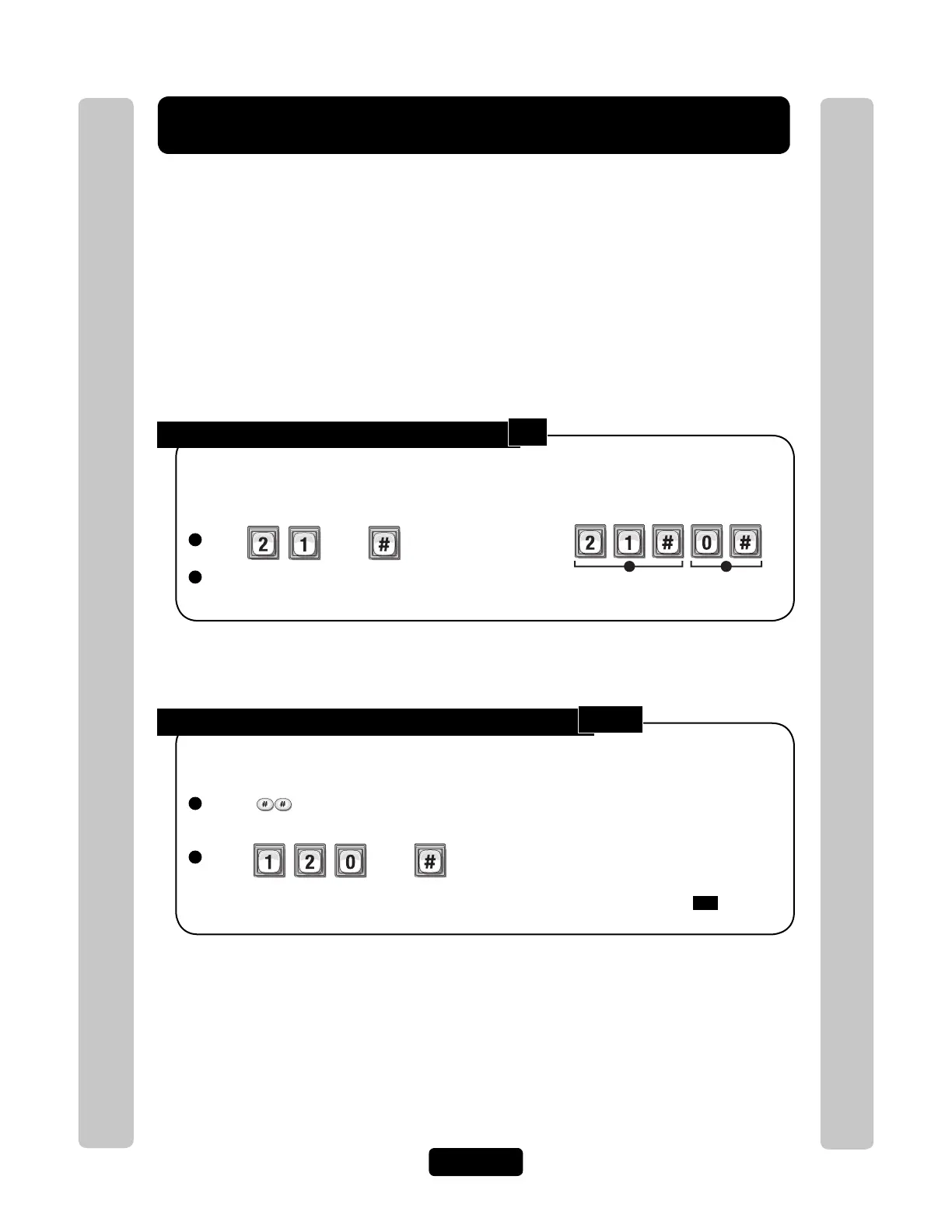
Enable or Disable Direct Commands:
1
Press Then
2
Enable (1) or Disable (0). Then (#)
When enabled, you can control the system’s relays from your touch-tone phone.
Factory Setting: Enabled.
Disables the direct commands.
Example:
1 2
Speaking Through the Unit (Intercom Mode):
1
Press (from the residence phone). If you are in the programming mode, go to
next step.
2
Press Then
Initiate communications from a telephone through the unit at any time to greet
visitors, ward off vandals, etc.
You may use the activate door 1 relay(s) or hang-up key after entering step
120
.
See visitor call response keys on page 60.
21
120



 To Next Page