Page 68
Direct Commands From The Phone
Direct Commands From The Phone
Direct Commands from Your Phone:
1
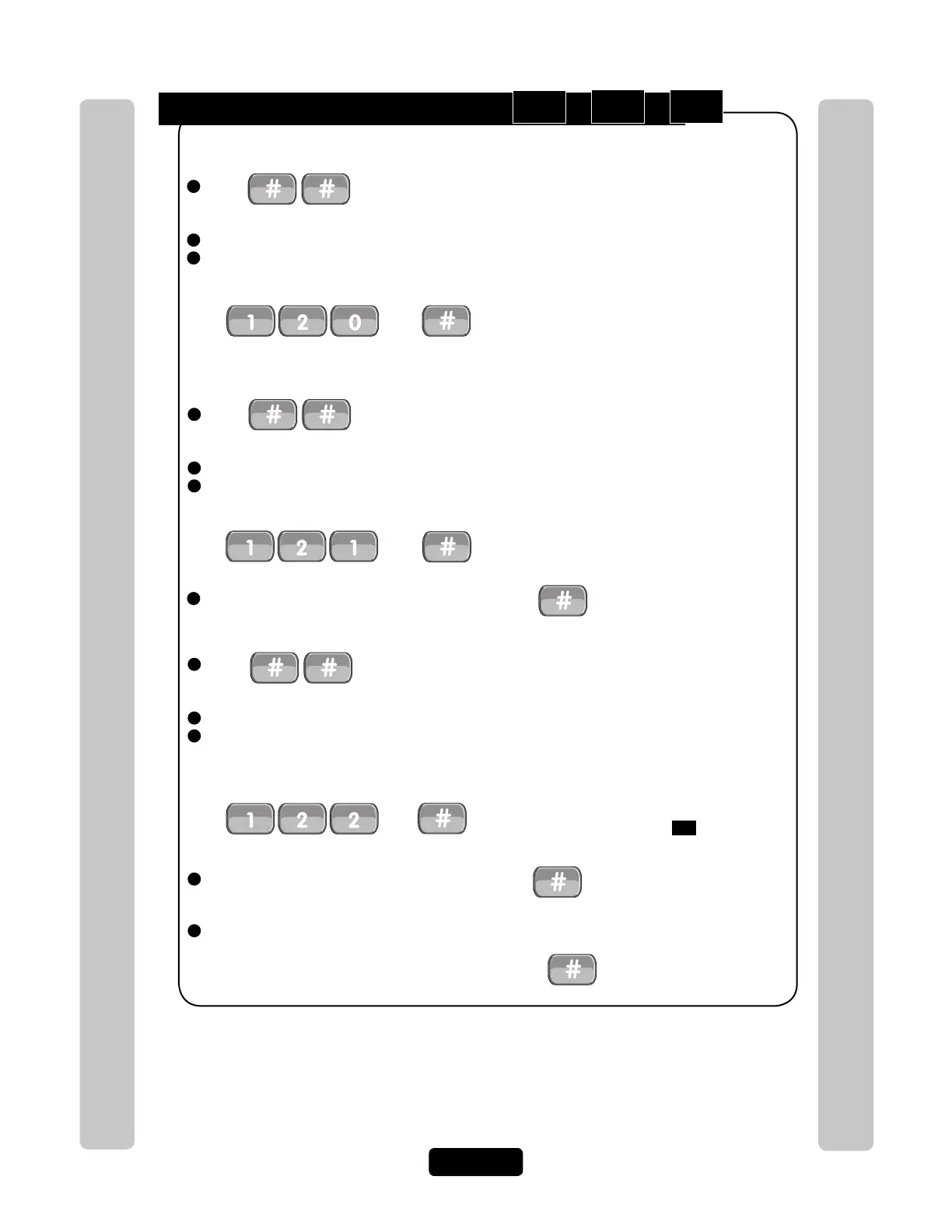
Press from the residence phone. The unit is now prepared to accept a direct
command.
2
Enter the Unit ID code (if applicable).
3
Select one of the following options:
Direct command allows you to control the unit from the residence phone.
Open & Close Door:
Press
Then
Cycles relay. Typically used to momentarily open
a door/gate for a visitor without having the visitor
initiate a call.
Toggle Door Open/Close Until:
Press
Then
Activate or deactivate the door’s relay group until
a specified time of day. If the door is currently
latched open or in the unlock position of an
automatic time zone then step
122
will latch the
door closed and vice versa.
4
Select the Door (1-4) that you want to control. Press . NOTE: If no door is selected
then Door 1 is used.
5
ONLY for step #2 sections Toggle Door Open/Close Until and Get Door Status -
Enter the Latch Time (hhmm=Hour and Minute). Then .
Speaking Through the Unit (Intercom Mode):
Press
Then
Used to initiate communications from the
resident phone through the unit at any time.
1
Press from the residence phone. The unit is now prepared to accept a direct
command.
2
Enter the Unit ID code (if applicable).
3
Select one of the following options:
1
Press from the residence phone. The unit is now prepared to accept a direct
command.
2
Enter the Unit ID code (if applicable).
3
Select one of the following options:
4
Select the Door (1-4) that you want to control. Press . NOTE: If no door is selected
then Door 1 is used.
120
121
122


 To Next Page