Page 31
1 2 3
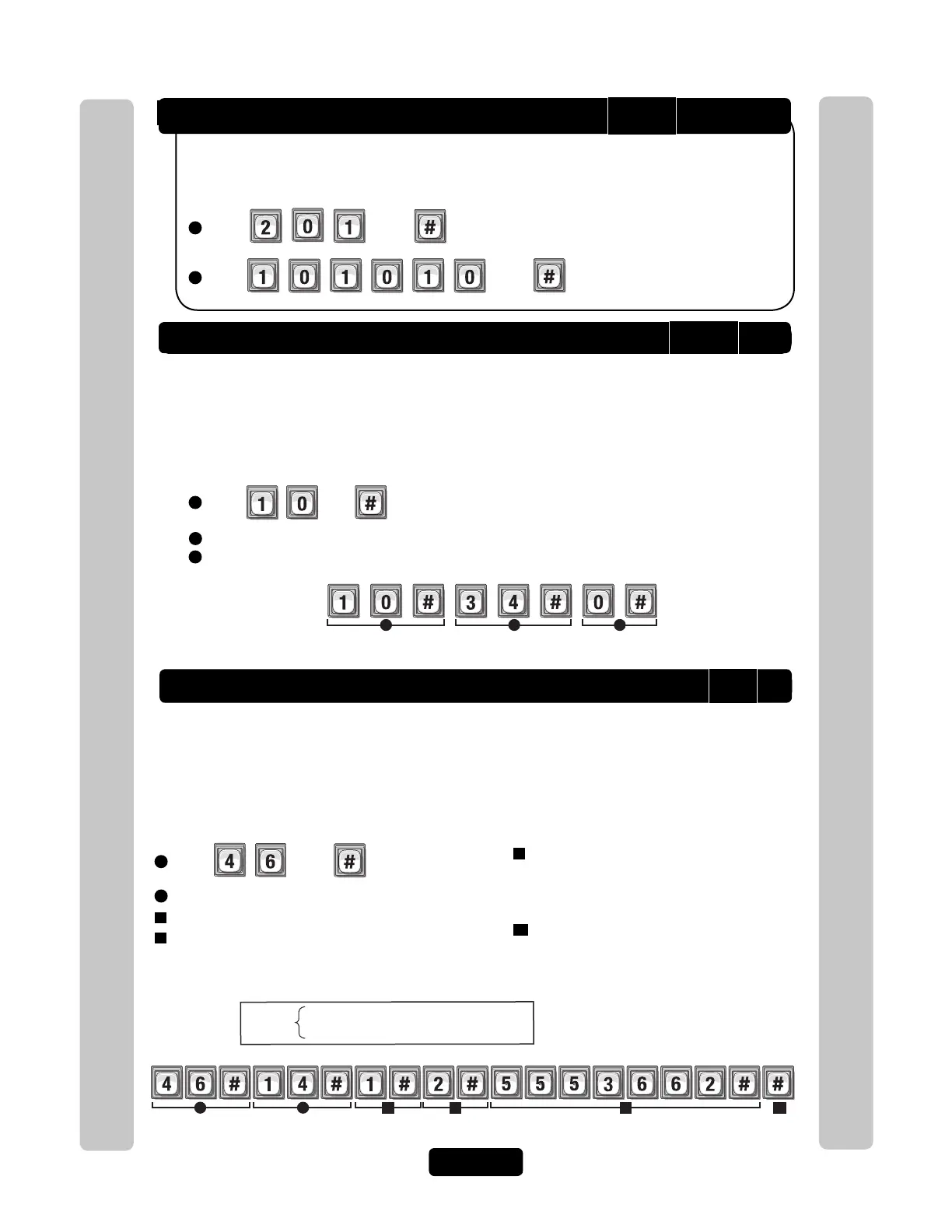
Disables the Do Not Disturb schedule for Directory Code "34".
Example:
Directory Codes
Directory Codes
Enable or Disable Do Not Disturb Schedule
Do Not Disturb (DnD) Schedules prevent visitors from calling residents during
specified time frames. To assign a DnD Schedule to a Directory Code, use the
programming step for adding/editing a full function Directory Code (see page 29).
When enabling/disabling DnD Schedule for a Directory Code, the system will
remember the schedule assigned to the code. Factory Setting: Disabled
1
Press
Then
2
Enter Directory Code (1-4 digits). Then (#).
3
Enable (1) or Disable (0). Call Forwarding. Then (#).
3
Enter Call Forward Schedule (0-63). Then (#)
0=Never Use Call Forward Number
1=Use Call Forward Number
Delete ALL Directory Codes:
1
Press
Then
2
Enter
Then
This will delete ALL Directory Codes from unit.
I mportant: Once you delete the Directory Codes, you cannot retrieve them unless they are
saved in Versa XS.
Press Then
Enter the Directory Code to be enabled or disabled. Then (#)
Enable (1) or Disable (0). Then (#)
Enable or Disable Call Forwarding (Directory Calls)
Call Forwarding redirects visitor calls to another telephone number instead of the
regular phone number. During a Call Forwarding call, the visitor will hear normal
telephone line sounds but will not hear the number being dialed.
You can Enable or Disable the Call Forwarding Feature for a specific Directory Code
(Dial-Out). Factory Setting: Disabled
1 2
Enables Call Forwarding number 555-3662 for Directory Code "14" with a use schedule of "2".
Example:
3 4 5 5A
5
Only Enter New Call Forward Phone
Number (up to 20 digits). Then (#)
(Skip this step to keep existing Call
Forward Phone Number)
5A
Enter Call Forward Phone Extension (up to
5 digits). Then (#)
(If using an extension the unit MUST have
a phone number).
2
3
1
Factory
Settings
Call Forwarding Enable or Disable = 0
Call Forwarding Schedule = 0
201
10
46



 To Next Page