Page 30
Directory Codes
Directory Codes
Add or Edit Full Function Directory Code:
When adding a full function Directory Code, it will default as "active". To deactivate a code, or
deactivate on a specific time and date, see Activate or Deactivate Directory Code on page 32.
1
Press
Then
2
Enter Directory Code (up to 2 digits). Then (#)
3
Enter Phone Number (up to 20 digits). Then (#)
4
Enter Phone Extension (up to 5 digits). Then (#)
5
Enter Do Not Disturb Schedule (0-63). Then (#)
0 = May always be disturbed
1 = Never disturb
6
Enable (1) or Disable (0) Call Forwarding. Then (#)
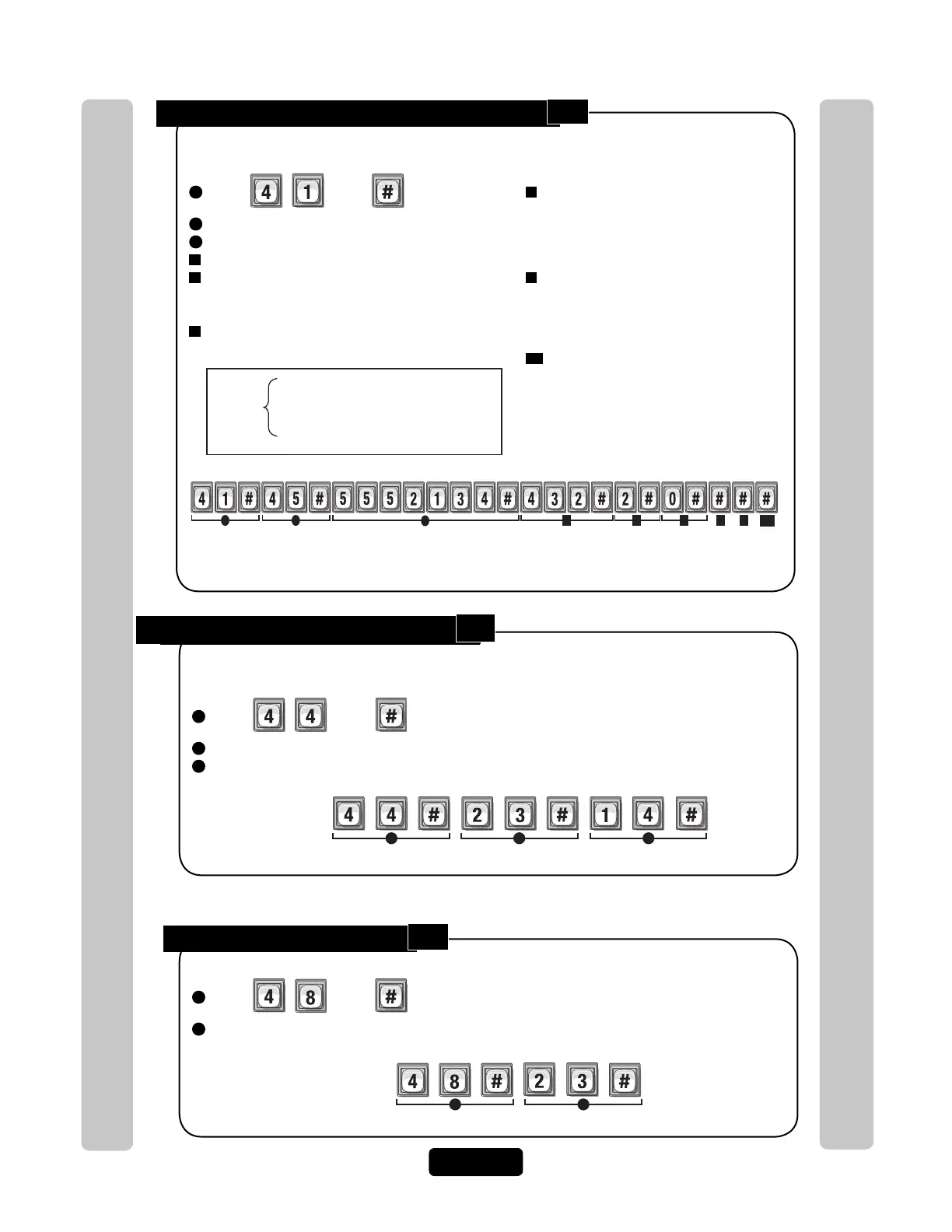
Adds Directory Code "45" with phone number "555-2134", phone extension "432", uses Do
Not Disturb schedule 2 and disables call forwarding.
Do Not Disturb Schedule = 0
Call Forwarding Enable or Disable = 0
Call Forwarding Schedule = 0
Factory
Settings
7
Enter Call Forward Schedule (0-63).
Then (#)
0=Never Use Call Forward Number
1=Use Call Forward Number
8
Only Enter New Call Forward Phone
Number (up to 20 digits). Then (#)
(Skip this step to keep existing Call
Forward Phone Number).
8A
Enter Call Forward Phone Extension
(up to 5 digits). Then (#)
(If using an extension the unit MUST
have a phone number).
Change a Directory Code ONLY:
Allows you to change ONLY the Directory Code without affecting the other data associated
with the record (e.g., phone number, do not disturb schedule, etc.).
1
Press
Then
2
The New Directory Code Number (Up to 4 digits). Then (#).
3
The Current Directory Code number (Up to 4 digits). Then (#).
1 2 3
Changes Directory Code from "14" to "23".
Example:
Delete a Directory Code:
1
Press
Then
2
Enter the Directory Code number to be deleted (Up to 4 digits). Then (#)
1 2
Deletes Directory Code "23".
Example:
41
44
48



 To Next Page