Page 59
Communications To and From Unit
Communications To and From Unit
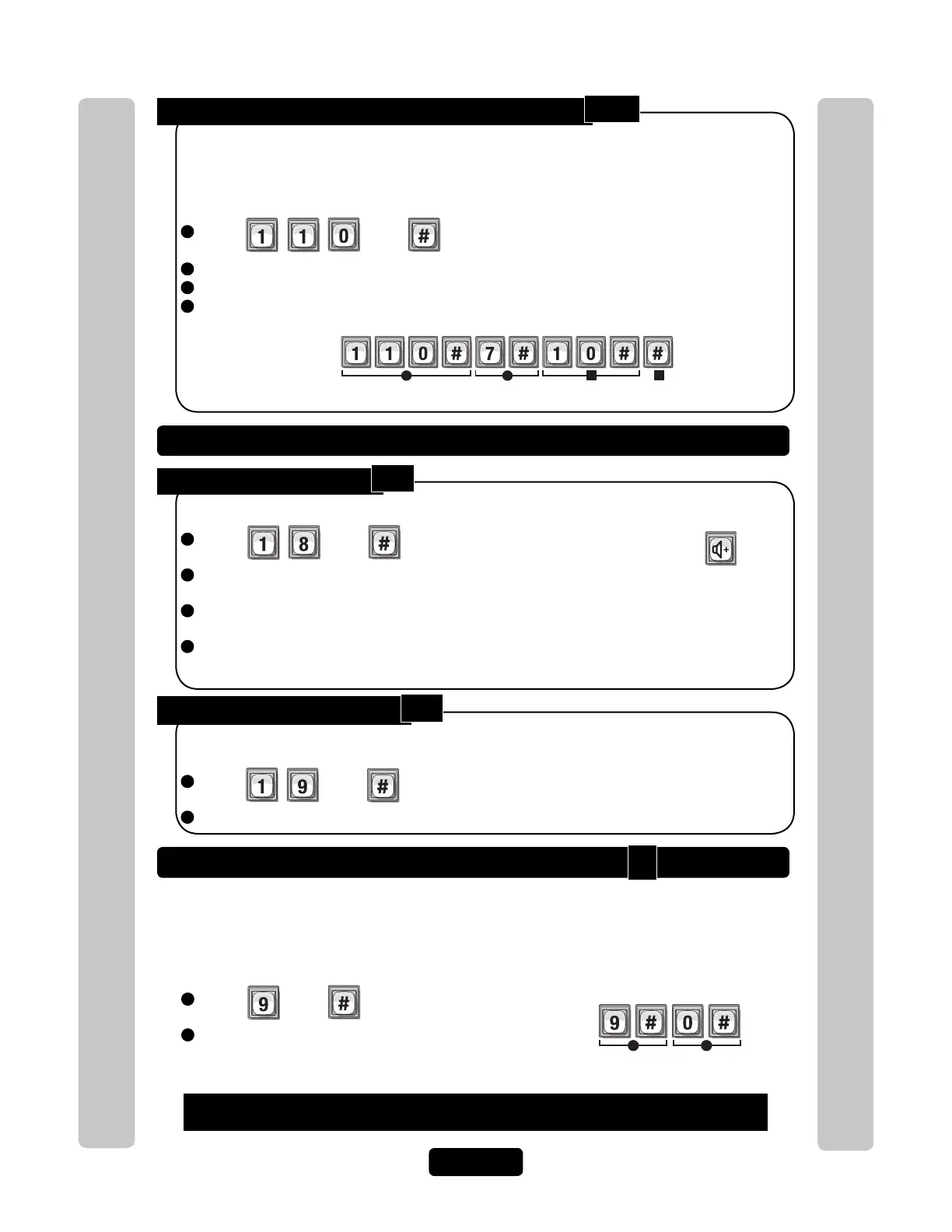
Set a Phone Number’s Extension Delay Time:
1
Press Then
2
Enter Directory Code (Up to 2 Digits). Then (#)
3
Enter Phone Extension Delay (0-30 seconds). Then (#)
4
Enter Call Forward Extension Delay (0-30 seconds). Then (#)
When the unit is programmed to dial a resident with a phone number and extension, and
needs to be entered a short time after the automated phone system’s greeting message has
finished, the unit allows a delay time, between the phone number and the extension number
or call forward extension number.
Factory Setting: No Delays
Example:
Gives Directory Code "7" a 10 second Delay between its phone number and extension number.
1 23
4
Set Speaker Volume:
1
Press Then
2
Enter Speaker Level (0=Mute, 1=Low through 10=Highest).
Then (#)
3
Enter Voice Audio Level (0=Mute, 1=Low through 3=Highest).
Then (#)
4
Enter Beep Audio Level (0=Mute, 1=Low through 3=Highest).
Then (#)
Allows the visitor to hear the resident at the unit.
Factory Setting: 5, 2, 2
Speaker / Microphone Settings
NOTE: The visitor can
adjust the speaker
volume on unit with this
key. Unit will return to
programmed volume
setting when call is
complete.
Set Microphone Volume:
1
Press Then
2
Enter Microphone Level (0=Mute, 1=Low through 10=Highest). Then (#)
Allows the resident to hear the visitor at the unit.
Factory Setting: 5
Enable or Disable Call Waiting
If you’re on your phone and a visitor attempts to contact you from the unit, you will hear 2
short tones in your phone. You can press "2" on your phone to toggle between the phone
call and the visitor. This feature only works for a single-family residence or a manager’s
phone sharing a phone line with the unit.
Factory Setting: Enabled
1
Press Then
2
Enable (1) or Disable (0). Then (#)
Example:
Disables the call waiting.
1 2
If you make an error during an entry, press the asterisk key (*) to begin again.
110
18
19
9



 To Next Page