Page 54
When an alarm is triggered, the system can activate (energize) one or more relays. A
relay can sound a siren, turn on a flashing red light, turn on a closed circuited
television (CCTV), or trigger other mechanisms.
Configure the Alarm Features
Features
Features
Enable or Disable Anti-Passback Forgiveness at Midnight:
1
Press Then
If you Enable the anti-passback forgiveness feature, All entry codes, cards, transmitters
will be reset at midnight each day. The system will grant entry/exit and "forgive" any
errors from the previous day. Factory Setting: Enabled
2
Enable (1) or Disable (0). Then (#)
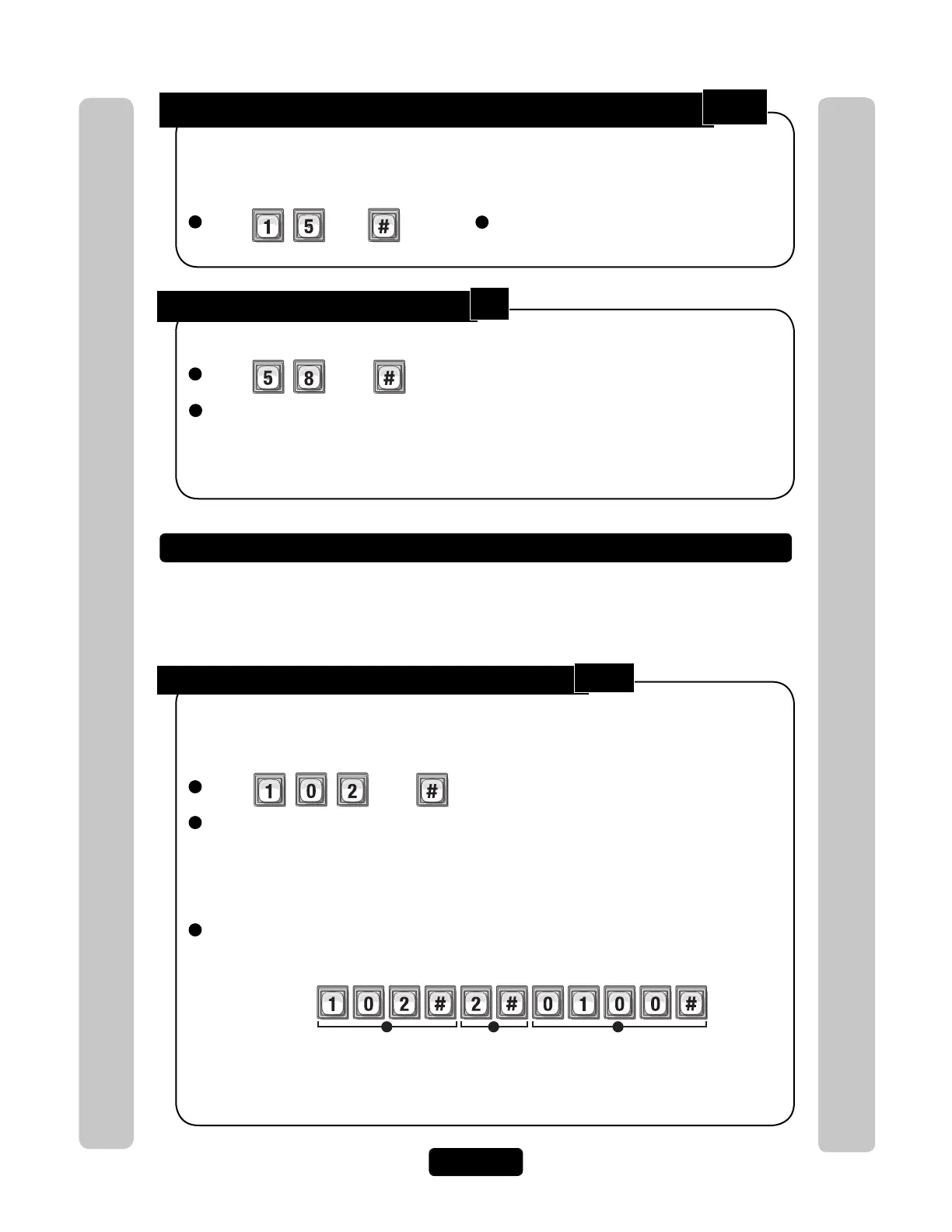
Configure "Door Held Open" Alarm Feature:
1
Press Then
2
Enter Alarm Option (0-2). Then (#)
Option 0=Disabled
Option 1= Enabled Relays will activate until relay time expires
(See Set Relay Activation Time on page 23 (Step 3) for more information)
Option 2=Enabled Relays will activate until the alarm condition clears (e.g., the door is
closed from the "door held open" alarm condition)
3
Activate (1) or Deactivate (0) Relays (0000-1111). Then (#)
(1st digit=Relay 4, 2nd digit=Relay 3, etc.)
When enabled, doors can be programmed to trigger an alarm when they are held open to
long. The alarm will activate the relays you specify. The relays can remain active until the
relay time expires or until the alarm condition clears.
Factory Setting: Disabled
1 2 3
Example:
Relay 4
Deact Activate Deact Deact
Relay 3 Relay 2 Relay 1
When a "Door Held Open" alarm condition occurs, relay "3" will activate until the alarm
condition clears. If the alarm relay controls a flashing light, the light will turn off when
the door is closed.
Enable or Disable Utility Option:
1
Press Then
2
Enter Utility Option (0-3). Then (#)
Option 0=Off; Option 1=Resets Daily (number of uses resets to the original programmed
value everyday at midnight); Option 2=Resets Weekly (number of uses resets to the original
programmed value every week); Option 3=Never Reset (number of uses continue to
decrease until the value is 0-the number never resets)
Factory Setting: Disabled
NOTE: The last option can be ignored if the
utility feature is currently OFF.
105
58
102



 To Next Page