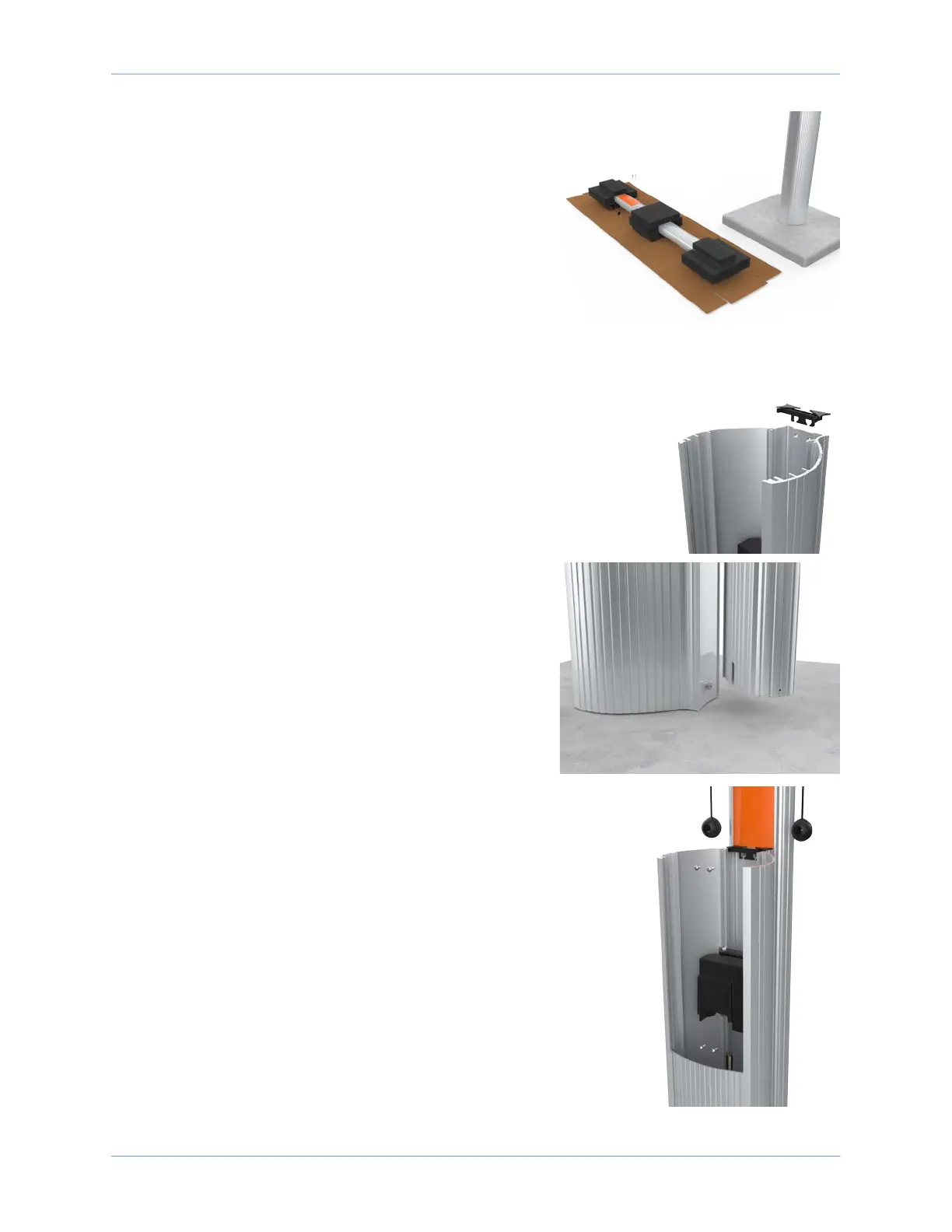
Install a Pedestal Mount CT4000
9
3. Remove the foam packaging.
Note: If you are replacing the EV PARKING signage with
your own custom signage, it is easier to do it now. Refer
to the replacement guide for signs available at
ChargePoint.com/support/guides.
Install the CMK
1. Insert the black cap into the space at the top of the
housing, between the housing and the CMK.
2. With a #3 Phillips screwdriver and at least one of the
four screws (provided) in hand, position the CMK
against the back of the housing.
3. Place the slot at the bottom of the CMK over the knob at
the bottom of the housing, pushing down until flush
with the ground.
4. From inside the housing, insert the four screws through
the housing and the CMK.
5. Tighten the four screws to 7 Nm (5 ft-lbs).
Note: Hold the CMK in place until you’ve secured it with
at least one screw.
When complete, proceed to Chapter 4 to connect wiring to
the station.









 To Next Page