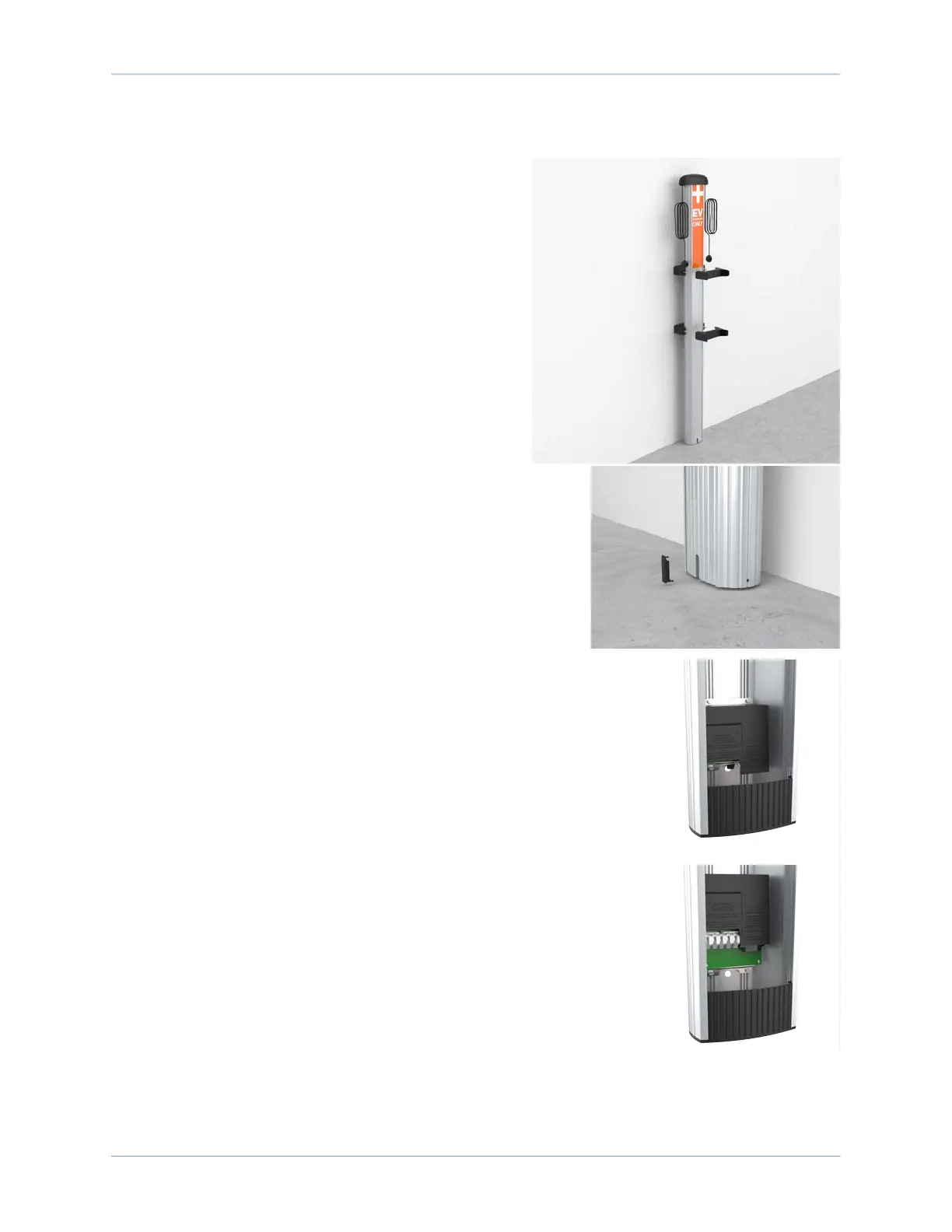
Install a Wall Mount CT4000
15
Mount the CMK
1. Place the two front brackets where you can easily
reach them.
2. Tilt the CMK up against the rear brackets, with the
front of the CMK facing towards you. Rest the
bottom of the CMK on the ground.
3. Place the top front bracket over the two
corresponding screws protruding from the top rear
bracket. Steady the CMK with one hand while using
the other hand to position the bracket.
4. Repeat step 3 for the bottom bracket.
5. Tighten all four screws to 7 Nm (5 ft-lb) using the
Phillips screwdriver.
6. Insert the slot cover, bottom first, into the slot at the
bottom of the CMK.
Install the Housing
1. Push the tab on the terminal block cover to slide the
cover up and expose the pre-drilled hole below the
terminal block. Slide the cover upwards until it stays
in position.









 To Next Page