14
the channel strut using 3/8-16 x 1 in long bolts, 3/8 ID x 13/16 in OD washers, and 3/8-16
channel strut nuts.
• If mounting to a masonry wall, use 10 mm (3/8 in) expanding masonry fasteners.
• If mounting to a wood wall, use 3/8 x 3 in lag bolts.
Prepare the CMK for Mounting
1. Position the Cable Management Kit (CMK) packaging so that the bottom of the CMK is near the
wall.
Note: Do not unwrap the ropes.
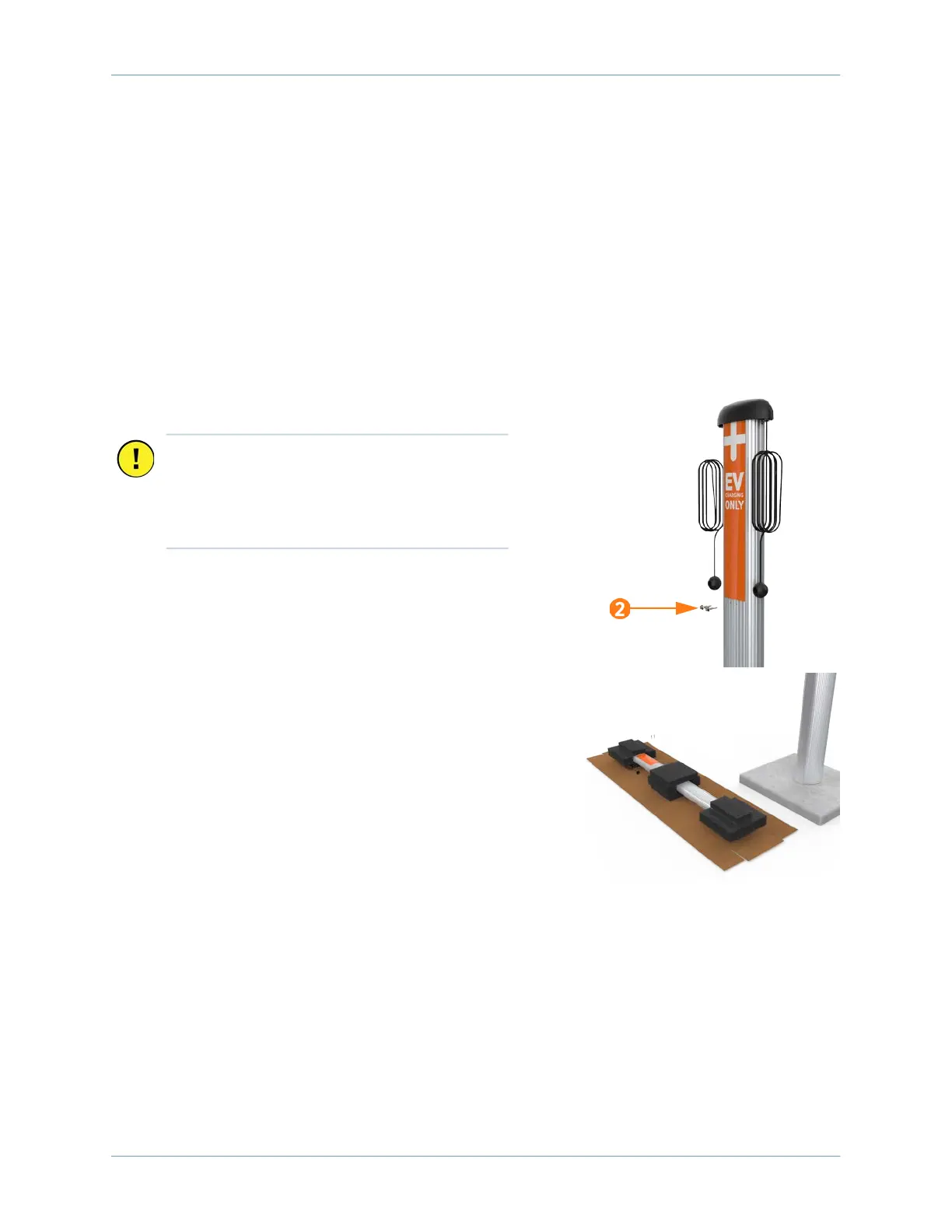
2. Remove and discard the two shipping screws.
3. Remove the foam packaging.
Note: If you are replacing the EV PARKING signs with your
own custom signage, it is easier to do it now. Refer to the
replacement guide for signs available at
ChargePoint.com/support/guides.
Important: When you remove the shipping
screws, the counterweights are free to move in
either direction. Therefore, always carry the
assembly with the top end higher than the
bottom end.









 To Next Page