29
6
Complete Station Setup
To complete the setup, you must have completed the ChargePoint installer training and received
your ChargePoint installer login. To complete the next steps, you need:
• Installer login
• Activation label (including the MAC address)
• A smartphone with a camera, QR code scanning (usually built into the camera app), Internet
connectivity, and the ChargePoint app
Power Up
Power up the station. If the station does not power up, turn power back off and check that the head
assembly’s blue rectangular connector is fully seated into the terminal block.
Install Cable Clamps
1. Uncoil the charging cable by gently extending it all the way out and away from the station.
Rotate the plug as needed to remove any twist or kinks.
2. Position the charging cable near the base of the station.
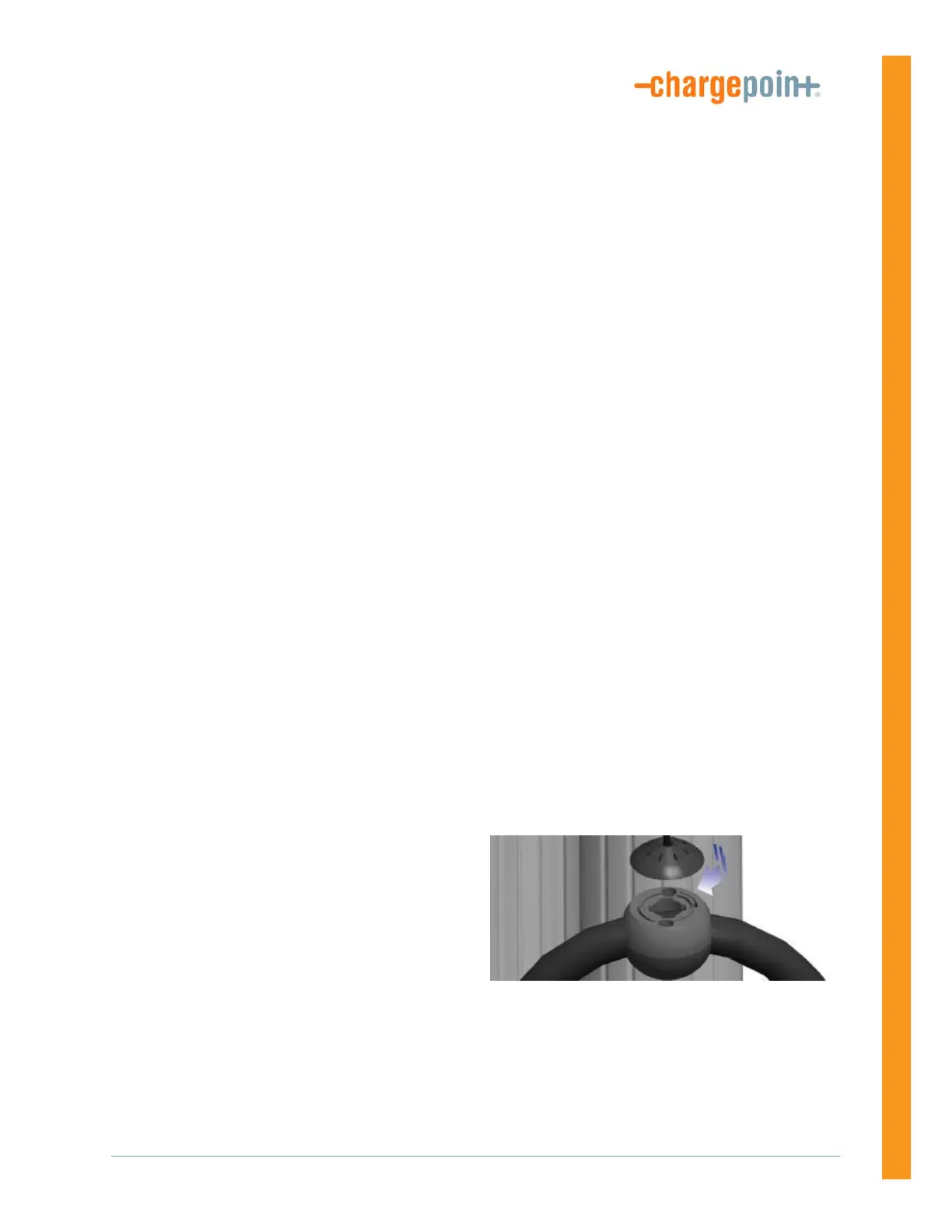
3. Align the knot bearing on each rope to its corresponding mating feature on the cable clamp.
4. Turn the knot bearing clockwise
approximately 1/4 turn. You may need to push
down while turning the knot bearing.
5. Unwrap the rope and check that the charging
cable extends and retracts fully and smoothly.









 To Next Page