24
Check Voltages
The following table lists the expected input voltage measurements.
1. Turn power ON.
2. Using a solenoid type voltage tester, check that the
voltages at the charging station’s terminal block
are expected as listed in the table above.
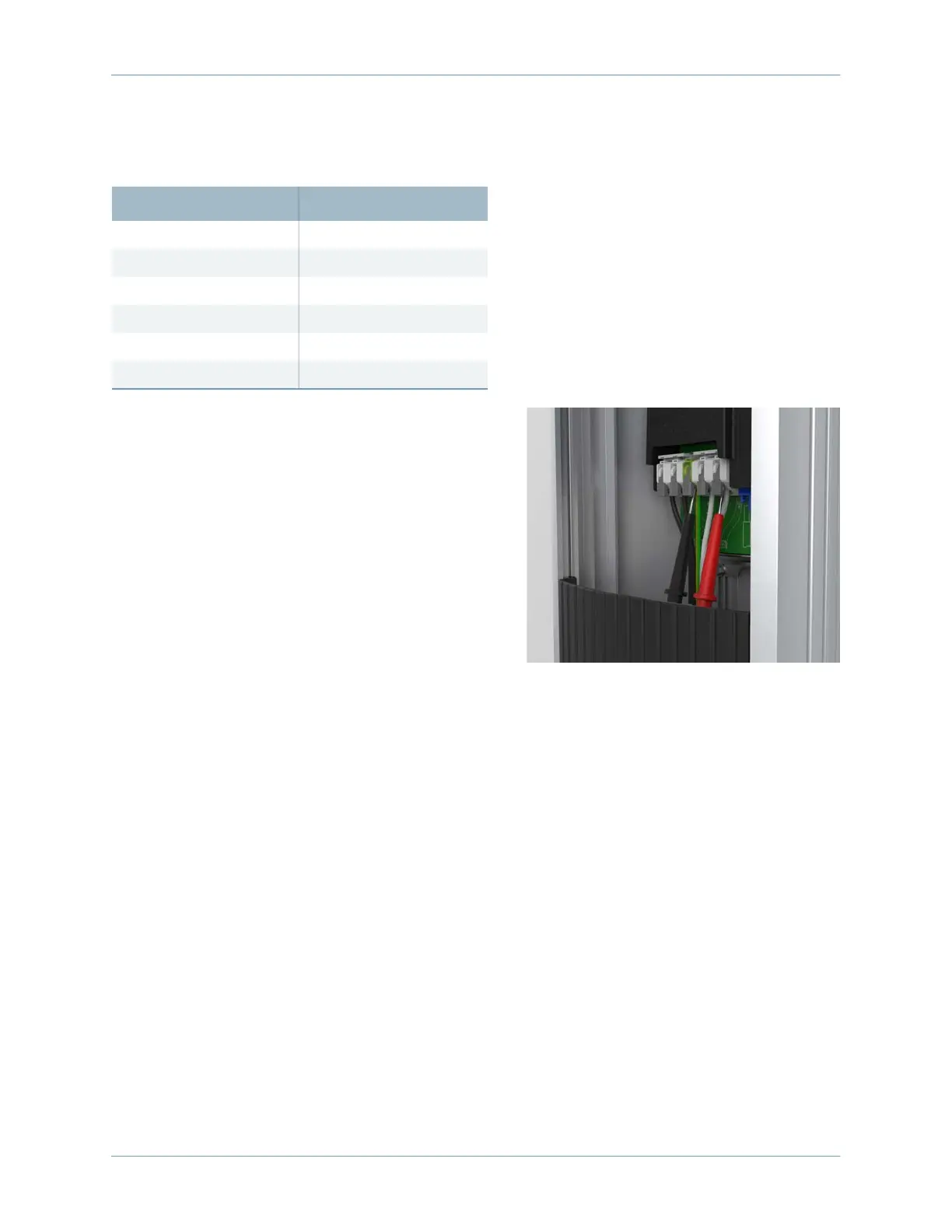
3. Insert the meter probes into the holes under each
lever and check the input voltage as listed in the
table above.
• If the voltages are not as expected, ensure that
the wiring has been properly connected. Refer
to the detailed wiring diagrams in this chapter.
• For grounding requirements, see the CT4000
Data Sheet.
4. Resolve any wiring issues and ensure that voltages are as expected.
5. Turn power OFF.
Proceed to the next chapter to install the head and top cap assembly.
Measure Between Volts (Nominal)
L1R – L2R 208/240
L1L – L2L 208/240
L1R – GND 120
L2R – GND 120
L1L – GND 120
L2L – GND 120









 To Next Page