1
1
Introduction
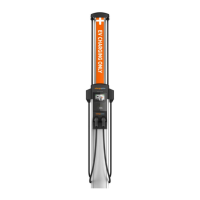
ChargePoint provides the all-purpose CT4000 Level 2 charging station for property owners,
businesses, and municipalities. The CT4000 can be mounted on a pedestal or a wall.
If the CT4000 is installed by any person other than a ChargePoint approved installer, the CT4000 is
not covered under warranty and ChargePoint is not responsible for any malfunctions. Read the
entire Installation Guide prior to beginning installation.
Power Management
Using ChargePoint Power Management technology, sites can install more stations than otherwise
would be supported by the available electrical service. A maximum aggregate load is defined for a
group of charging stations, and ChargePoint cloud-based services manage the individual power
output of each station (or port) to ensure the maximum load is never exceeded.
As shipped, a CT4000 charging station provides up to 30 A of output current to each charging port.
An optional Power Management Kit is available that allows you to adjust the station’s output power.
Additional information regarding Power Management for your CT4000 stations is available at
ChargePoint.com/support/guides.
Site Requirements
Ensure that the appropriate wiring, circuit protection, and metering is in place at the installation
location by reviewing the Site Design Guide and Data Sheet, as well reviewing the wiring diagrams
and grounding requirements in the Connect Wiring chapter.
Important: The CT4000 must be installed and serviced by ChargePoint approved installers
only. To complete online training and become an approved installer, refer to ChargePoint
University at: ChargePoint.com/installers. ChargePoint approved installers can download
the Site Design Guide, Installation Guide, Installation Templates, and Data Sheet for this
charging station at: ChargePoint.com/support/guides.Follow the instructions in the
Installation Guide and heed all warnings.









 To Next Page