ECO 2 Ultrasound Diagnostic System
Page 101 / 189
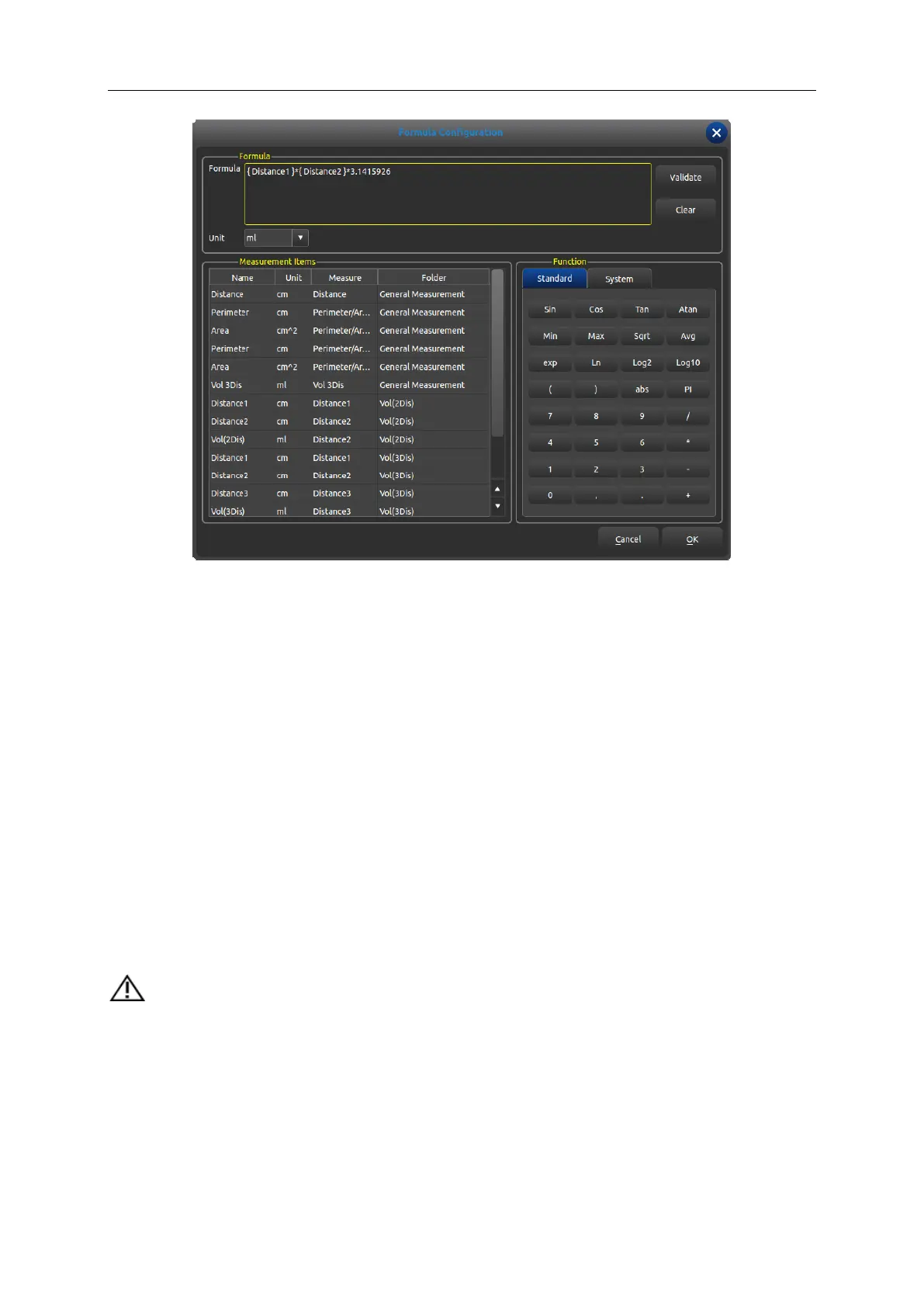
Formula: edit formula in input box via keyboard and built-in formula.
Validate: press this button to check whether the formula is right or not after editing formula.
Clear: clear the content in the input box.
Unit: select the unit of calculation consequence.
Measurement Items: display all available measurement operation in the measurement menu.
Function: built-in formula, number input and some parameters that system needs such as BSA,
SPSA etc.
Cancel: cancel editing formula and close the interface.
OK: save edited operation and close the interface.
7.2.2.6 Formula Edit-OB
It is necessary to call built-in OB formula sheet when creating OB measurement operation the
following function interface is required.
CAUTION: the results of GA and EDD don’t require unit, the unit of this class has been
built-in.



 To Next Page