ECO 2 Ultrasound Diagnostic System
Page 94 / 189
Set the content which screen picture contain: only
picture, image and patient information, full screen.
Set the default frame or time when saving the film.
Click the button to
open the setting box
Set the STC curve, including always shows, always
hide and hide for 1 to 8 seconds.
Options for
Transmitted
Images
Click the button to
open the setting box
Adjust the parameters of transmitted images:
brightness, contrast, and gamma and select the need
image type.
Including print area and arrangement condition in the
image foresee interface.
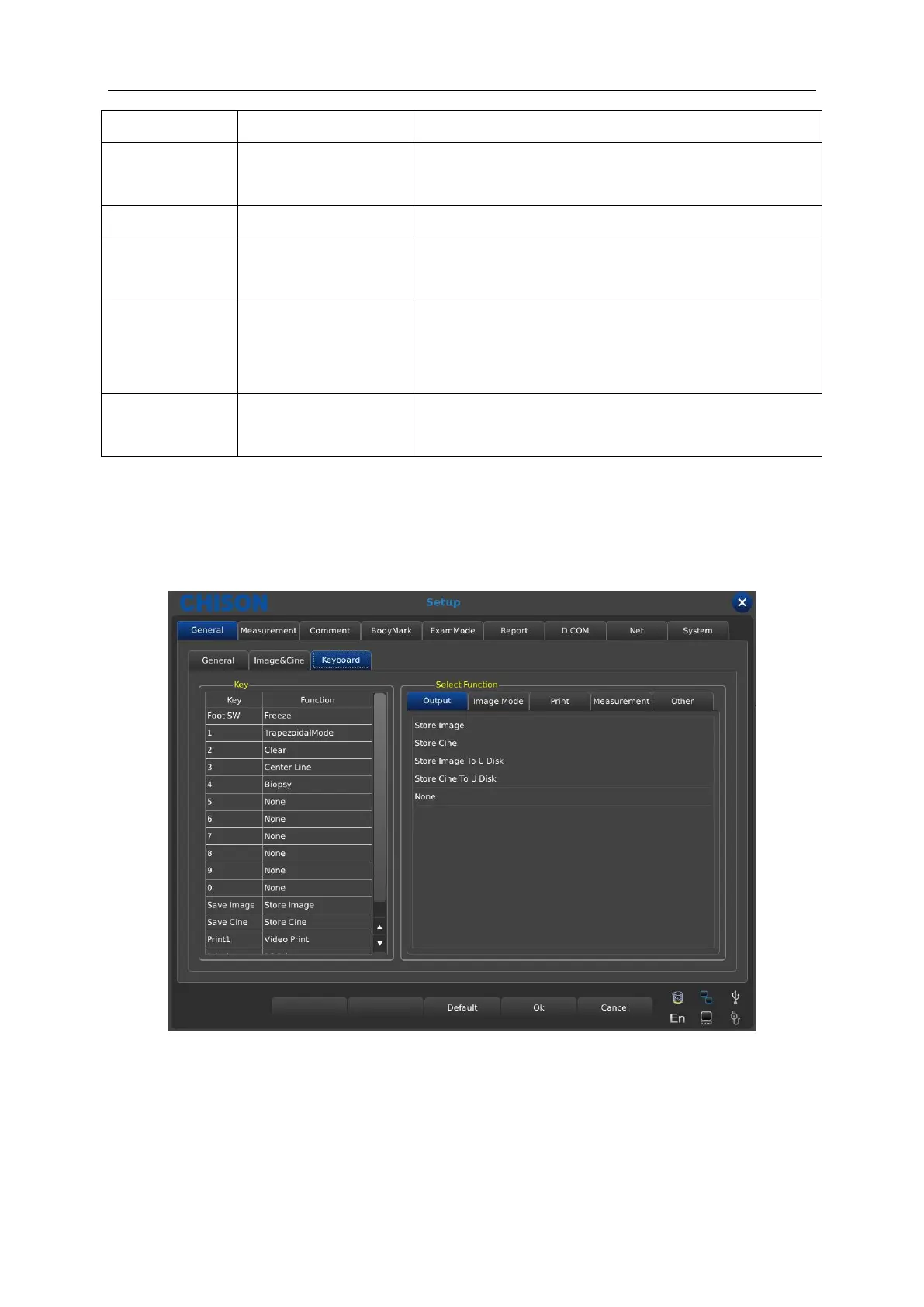
7.1.3 Keyboard setting
Users can set the different functions for number keys and other optional buttons according to the
using habits.
Key: display the settable number keys and buttons and selected function.
Output: including store images, store films, store images to U disk, store film to U disk, etc.
function options.
Image mode: including image full screen, biopsy, chroma, etc.
Print: including video print, pc print etc.



 To Next Page