ECO 2 Ultrasound Diagnostic System
Page 186 / 189
Appendix G: Procedures of setting network sharing
For Windows set up, set up a shared document
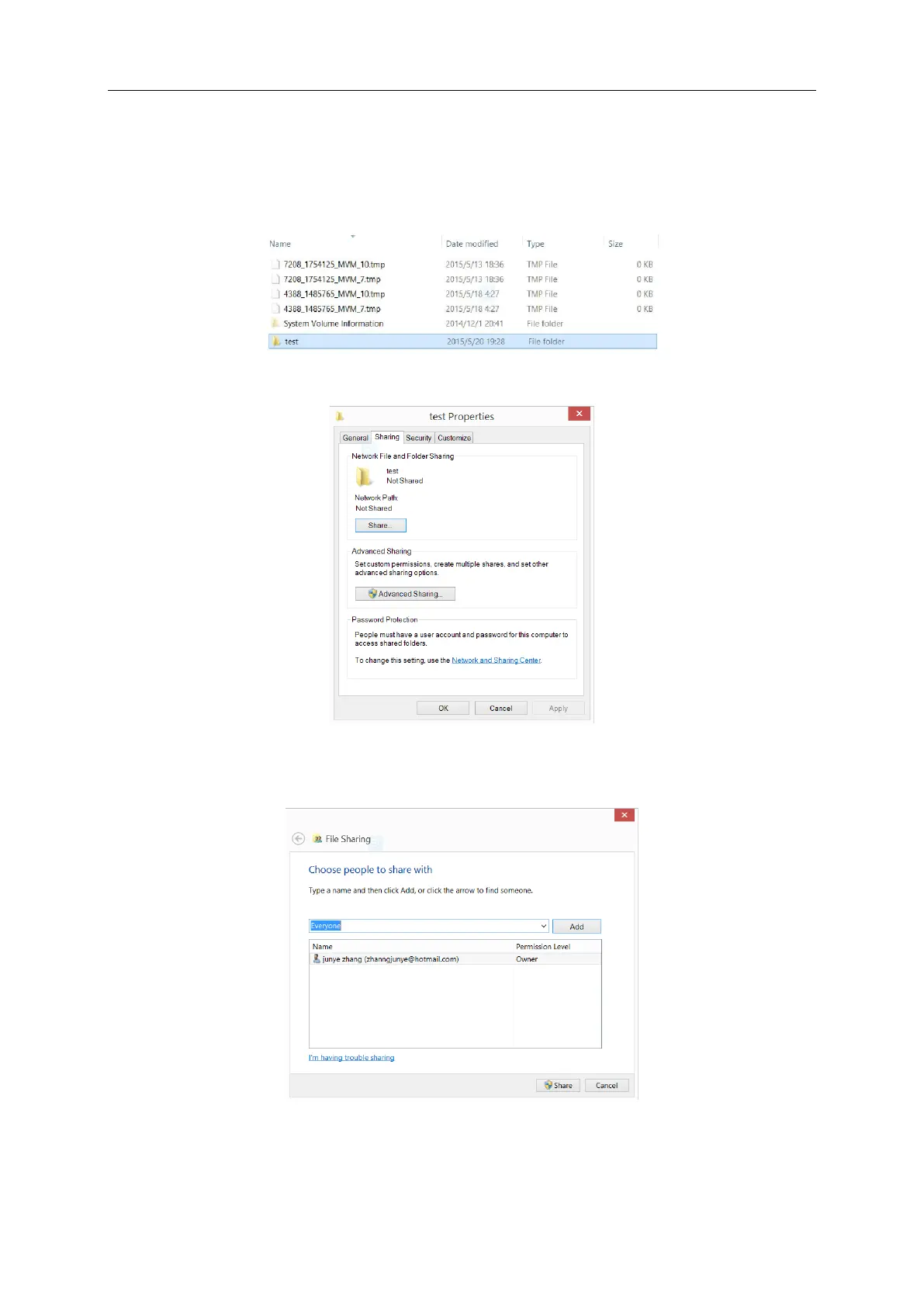
1. Choose the file you want to share, as the “test” file.
2. Right click this file, choose “properties”, and click “share”.
3. Then you can see the sharing setting interface, as you can see in the picture, choose
“everyone”, and click “add”.
4. Choose “read/write” in the permission level in everyone, then click “share”, after that, confirm.



 To Next Page