ECO 2 Ultrasound Diagnostic System
Page 59 / 189
Restore Exam: Recover examination information from USB hard disk;
Send Exam: Send selected examination information remotely to USB hard disk or DICOM
Storage/Print (Need to activate the DICOM);
Delete Exam: Delete selected examination information;
Patient View: Change display mode of information;
Expand All: Select Patient View, it will display sub-directory;
Collapse All: Exit sub-directory;
Select All: Select all examination information;
New Exam: Exit current patient’s examination;
Continue Exam: Exit archive management interface and go on checking current patient;
Easy View: Exit archive management interface and open up image browsing interface;
Cancel: Exit archive management interface and go on checking current patient;
5.16 Report
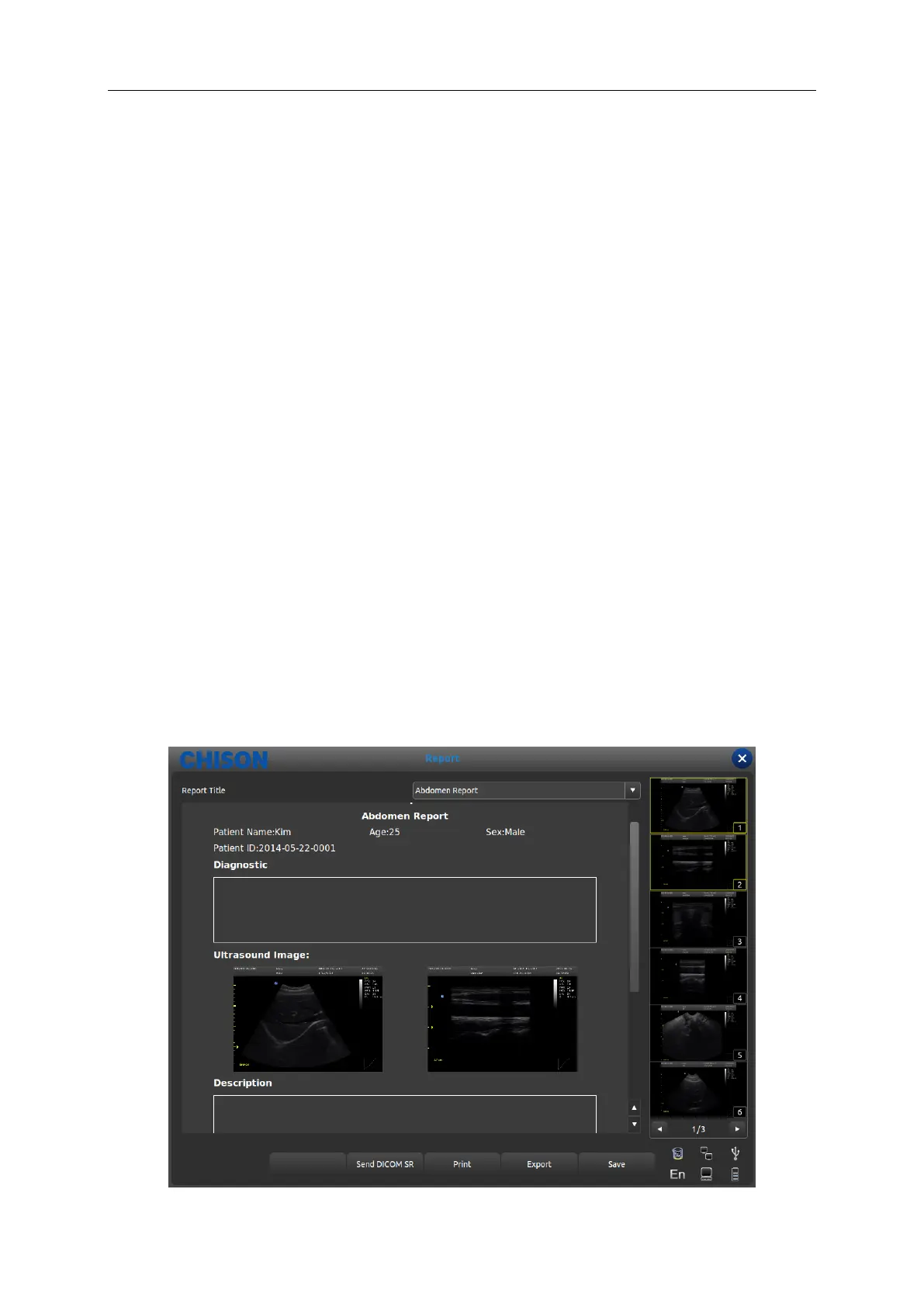
Press [ENTER] on the image to add the image into the report page. The report can be saved and
printed. It is convenient for the doctor to view and edit the patients’ information.
Reports contain normal report, abdominal report, cardiac report, small part report etc. Move the
cursor to the required report page and press [ENTER] to choose.
Press the [Report] button and the page pop up the report page of the current exam mode. Change
the other exam mode report by the drop-down box.



 To Next Page