ECO 2 Ultrasound Diagnostic System
Page 93 / 189
Set up the system date (calendar format), select
current date directly. Date format can be changed
by format setting.
Set up date format: Year/Month/Date,
Month/Date/Year, Date/Month/Year.
Set up the working clock of the system.
Select the function
and set its start time
Enable screen saver, user can custom screen
saver images, a custom picture named
"screensaver", JPG, PNG, BMP format, size does
not exceed 512 * 384 pixels.
Select the language of operation
interface(Simplified Chinese English and so on)
Select to export files to U disk or Network after
storage.
Recover all preset to factory setting.
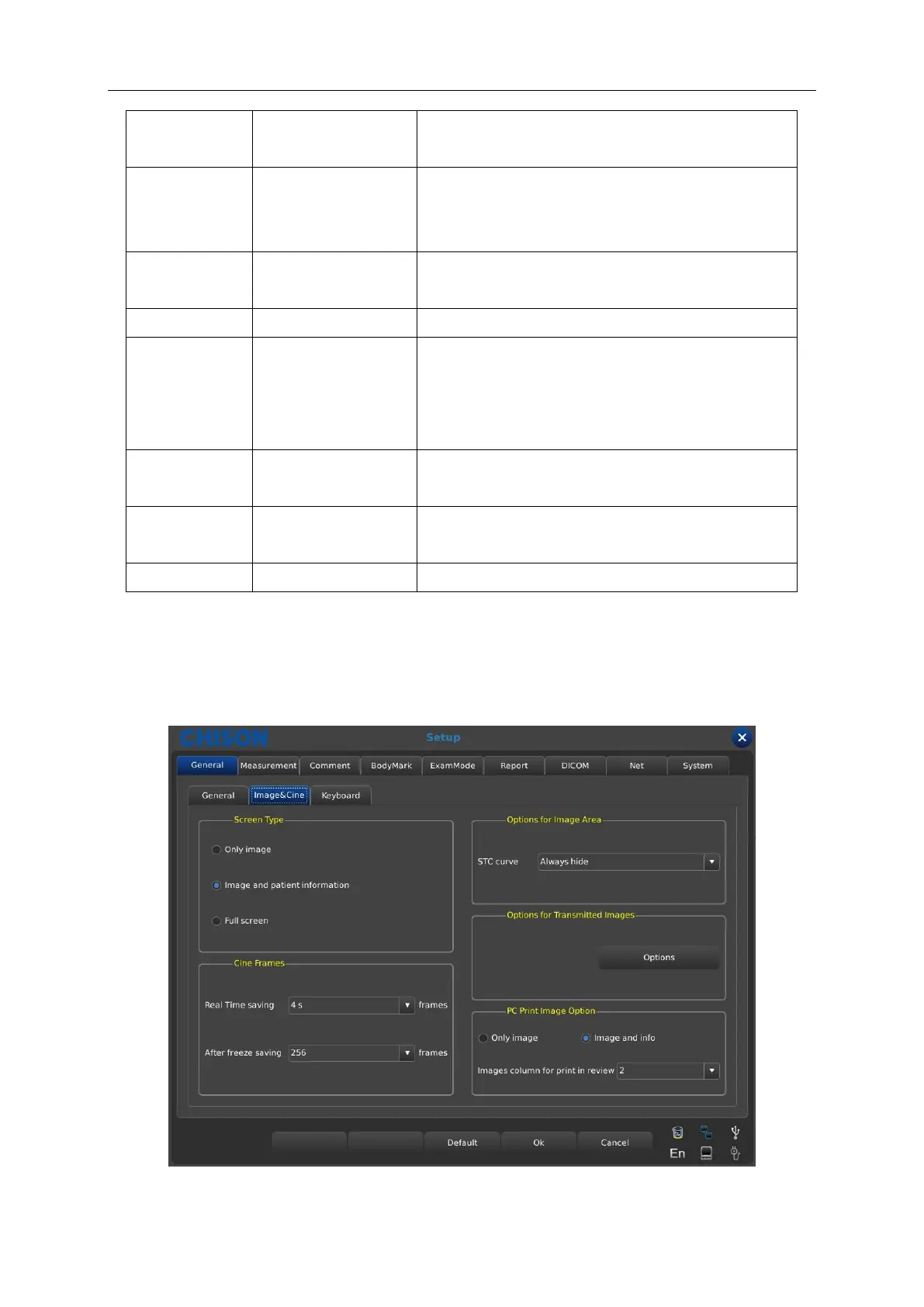
7.1.2 Image & Cine setting
User can select Image&Cine option to set the screen type, parameters of image, cine or image
area. See the following sheet 2 for detailed description.



 To Next Page