ECO 2 Ultrasound Diagnostic System
Page 42 / 189
The detailed operation steps of the clinical application pre-set of the probe please refer to the
pre-set section.
5.3 Patient Data Entry
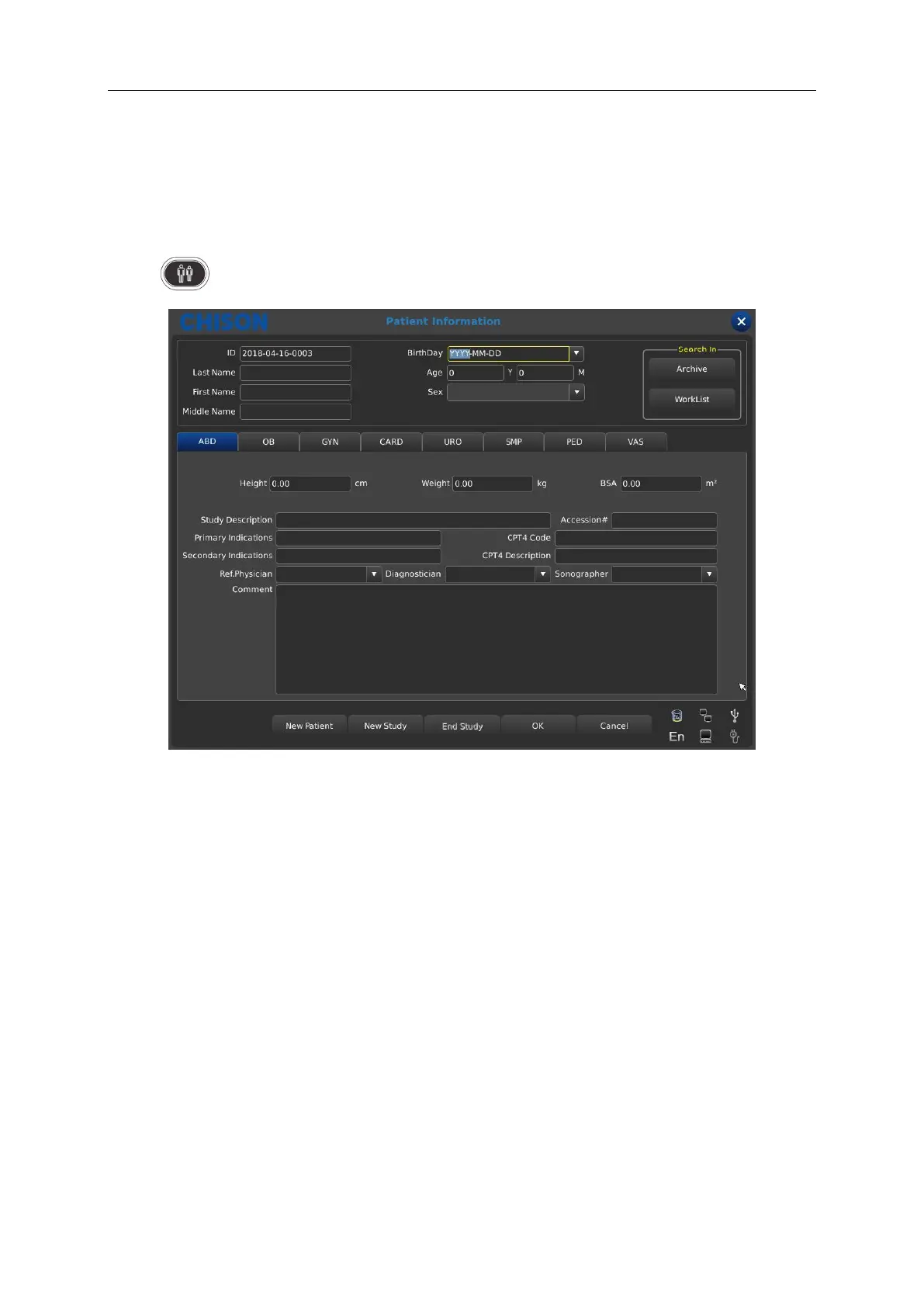
Press to display the Patient screen.
Function Buttons on Patient screen:
[Archive]: Operation on the patient information which has already existed;
[Worklist]: Recall patient information in worklist. And need to open the DICOM function;
[New Patient]: Create a new patient information identity;
[New Study]: Choose exam applications (OB, GYN, CARD and so on) for the new patient;
[End Study]: Edit patient’s exam item;
[OK]: Save patient information;
[Cancel]: Cancel the operation of new patient information;
Operation Methods:
1. Move the Trackball to the position of inputting character, and then input patient information by
character keyboard.
2. Use the Trackball and the [ENTER] key to switch between different input options: ID, patient



 To Next Page