ECO 2 Ultrasound Diagnostic System
Page 112 / 189
UP/Down (on the bottom of fields): adjust the displayed order in report for selected contents
in fields.
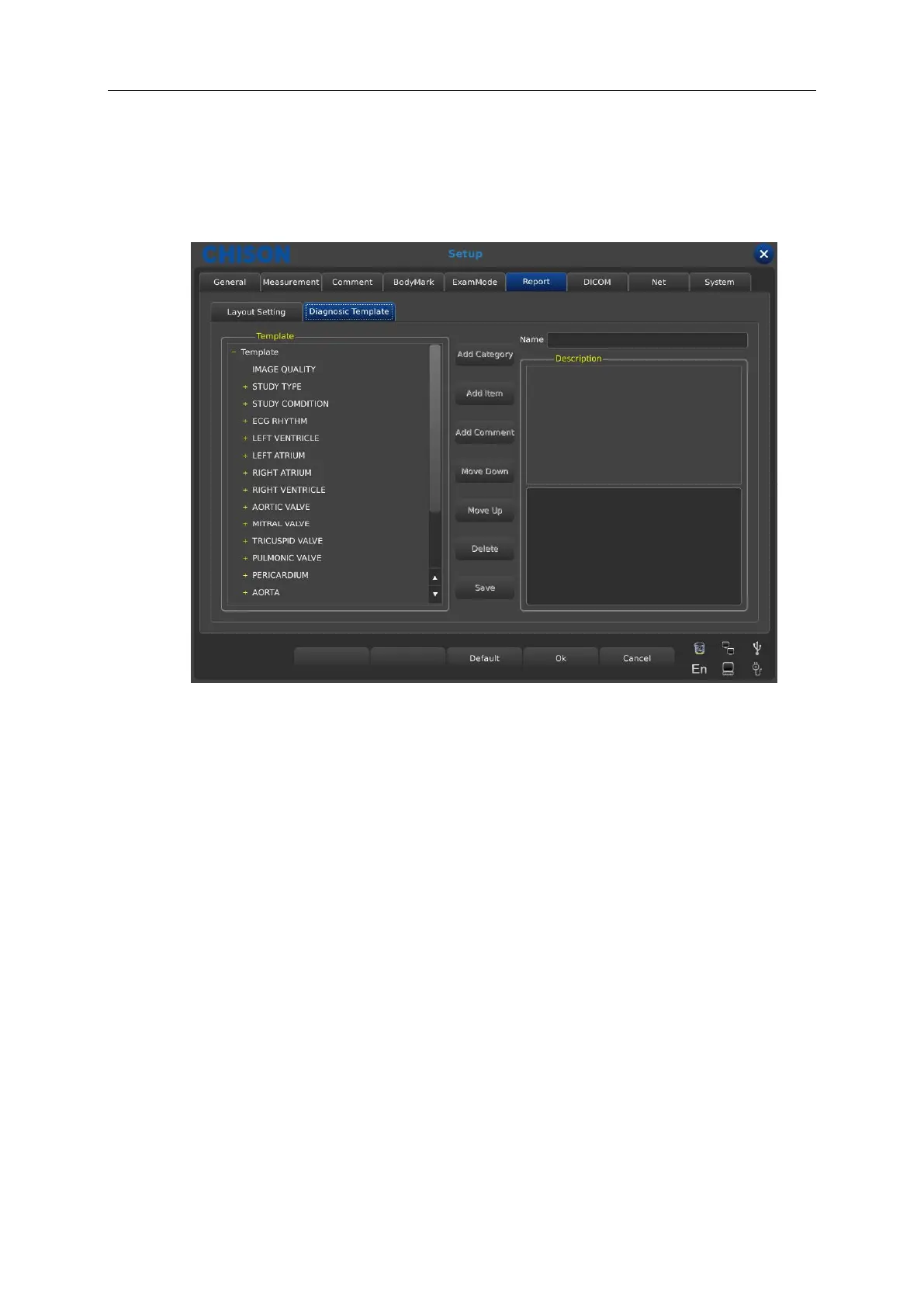
7.6.2 Diagnostic Template setting
Template: show the content of all the template.
Name: show the name of the template you have selected.
Description: the description display the detailed content of the submenu you have selected.
when you select the option marked with “+” , it will display the submenus and select an option
you want to edit.
Add Category: add a submenu for the option in the template you have selected. For example,
when you select image quality, it will display a submenu named folder. Then you can select
[Name] to modify the name for the folder.
Add Item: add items for the submenus according to the user’s requirement. After you add items,
you can select [Name] to modify the items’ name.
Add Comment: add comment for the items under the submenu. After you add comment, it will
display comment in the description area. Then you can select the bottom area in the
description to modify the name for the comment.
Move Up/Move Down: adjust the display order for the content in the template or in the



 To Next Page