ECO 2 Ultrasound Diagnostic System
Page 111 / 189
7.6.1 Layout Setting
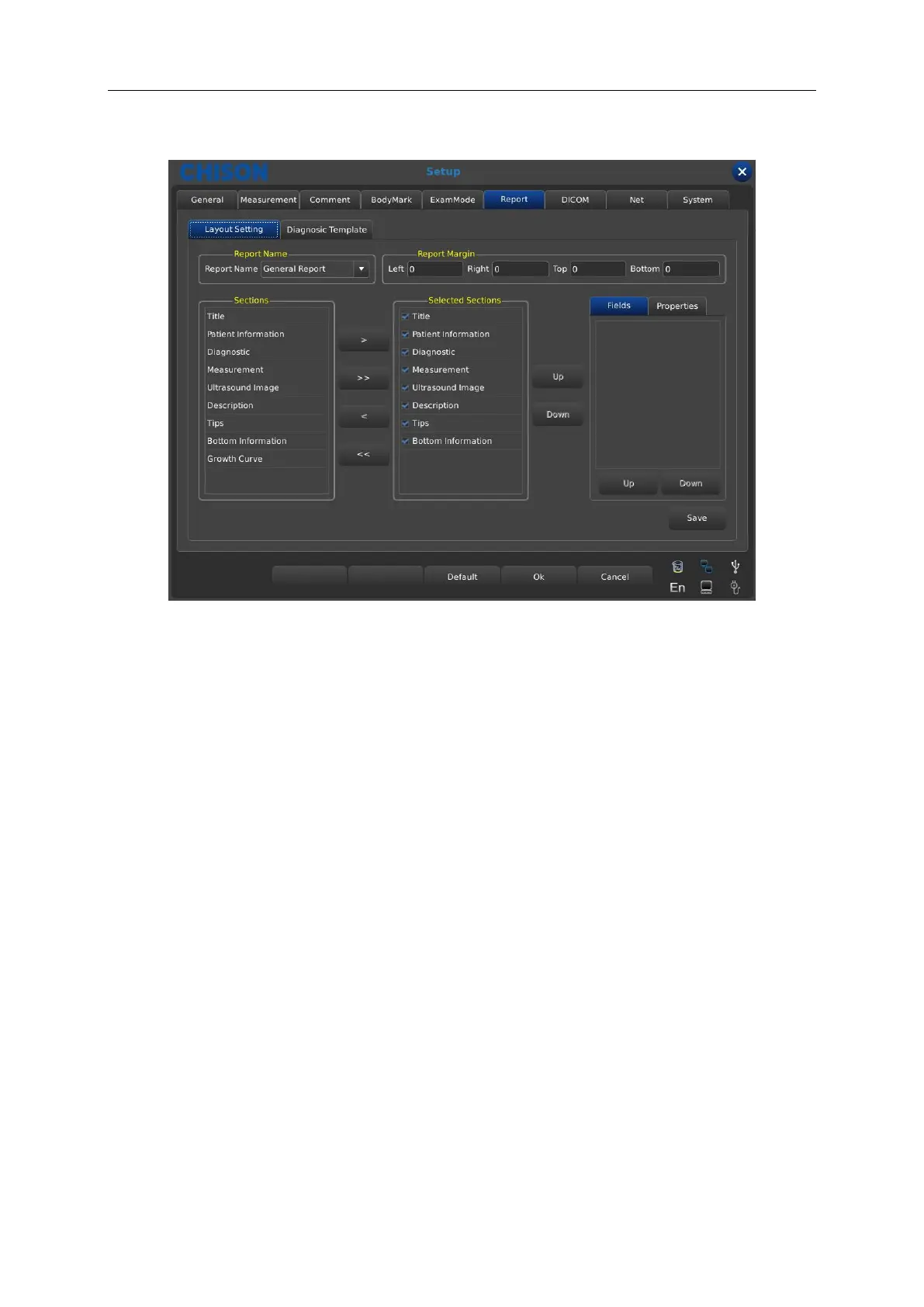
Report Name: display the report type , select the report which you need to set .
Report Margin: set the left, right, top and bottom space for the report margin.
Section: all the optional contents you can select to display in the report.
Selected Sections: show the selected contents displayed in the report.
>: import the selected option from sections to the selected sections.
>>: import all the content from sections to the selected sections.
<: delete the selected content in the selected sections you does not want to display in the
report.
<<: delete all the content in the selected sections.
UP/Down (right side of the selected sections): select [Up] or [Down] to set the displayed
order of the selected contents in the report.
Fields: display the corresponding content of options in the selected sections. For example,
when you select title, it will display hospital name and title, you can select the content you
want to display in the report or not.
Properties: adjust the column or row layout in the vertical or horizontal direction for the
selected content in selected sections.



 To Next Page