ECO 2 Ultrasound Diagnostic System
Page 43 / 189
name, doctor's name, birthday (It can be automatically calculated when input age), age (It can be
automatically calculated when input birthday), sex.
3. Select the exam items, and input the regular inspection information.
4. After inputting the required information, click on the [OK] button to save the patient information,
the system will return to the B-mode.
5. Recall information of the previous patient, you can use the Archive or Worklist to recall patient
information to exam.
CAUTION: Creating a diagnostic record, you should check the accuracy of the patient
information before saving measurement or image; otherwise, it will be stored in the wrong patient
records. After checking the patient, press the [END] key to save the patient information in the
system.
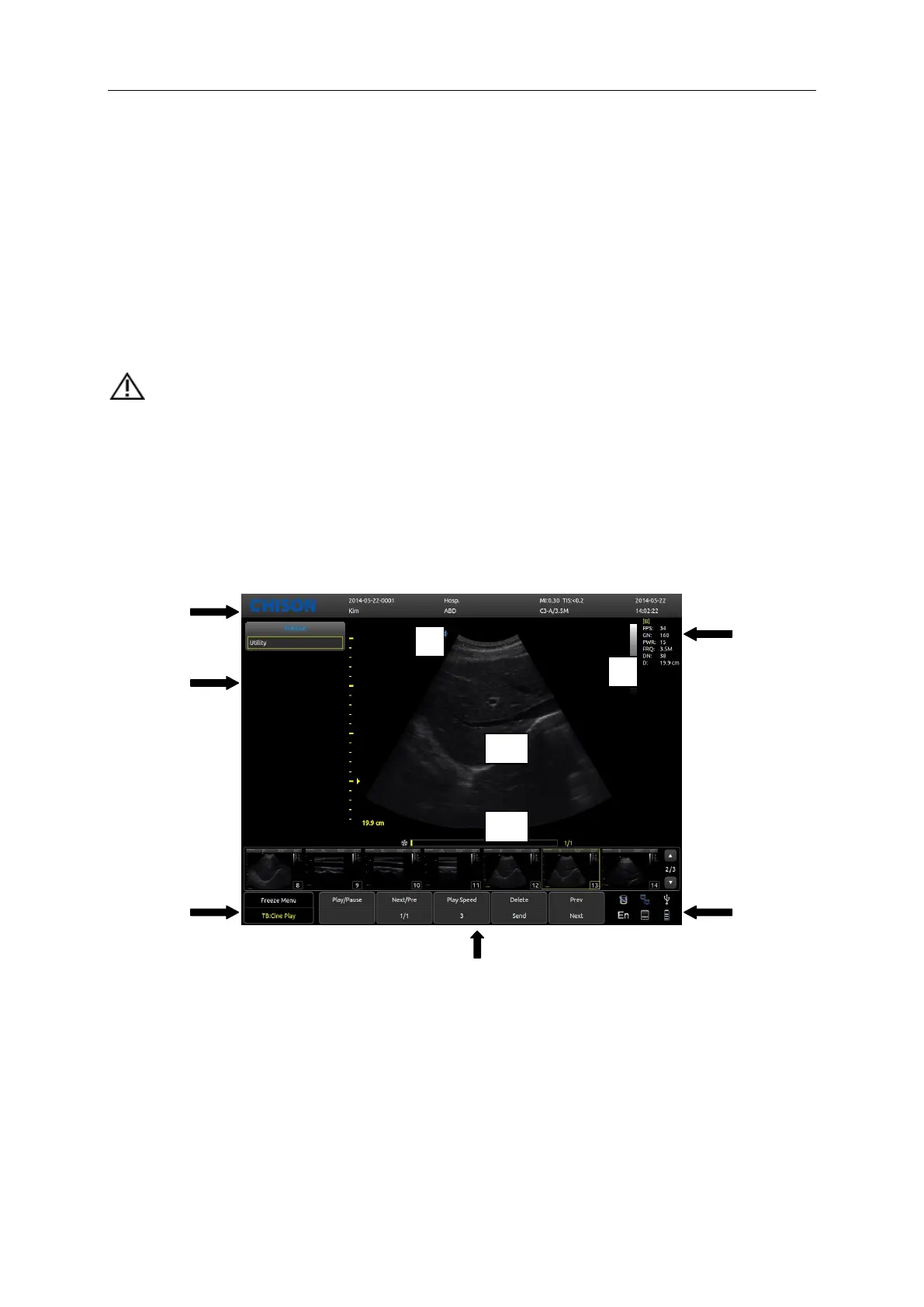
5.4 Image Interface Display
1, Logo 2, Control menu 3, Image status prompt 4, Image parameter area
5, System state prompt 6, Image parameter area 7, Gray-scale strip
8, Start point of scanning 9, Image Region 10, Cine loop



 To Next Page