ECO 2 Ultrasound Diagnostic System
Page 113 / 189
description you have selected.
Delete: delete the content in the template or in the description you have selected.
Save: after you complete the setting, select this option to save all the modification.
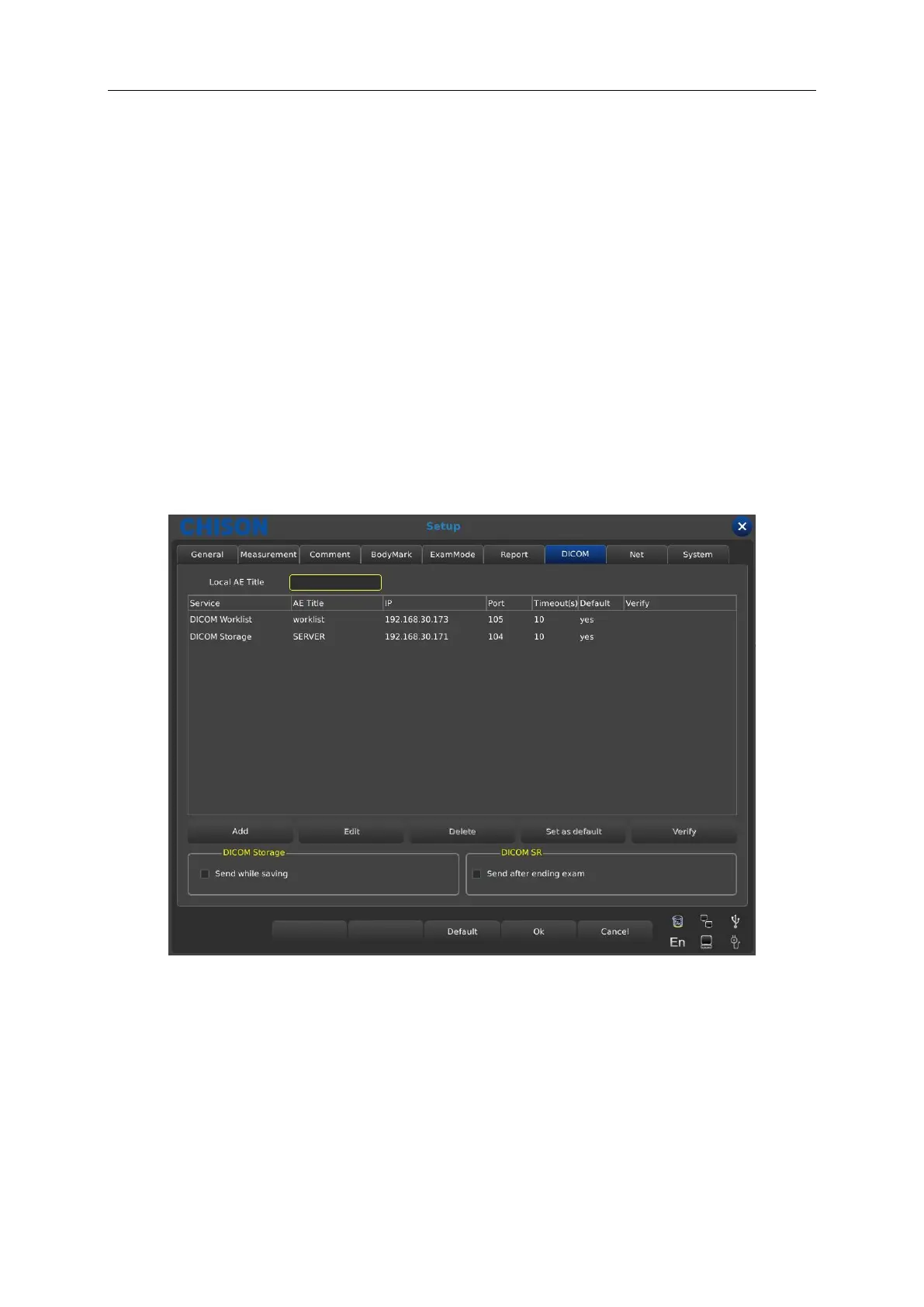
7.7 DICOM
DICOM includes DICOM Storage, DICOM Worklist, DICOM Print and DICOM SR. If DICOM is to
be applied, please make sure DICOM has been activated. In the system page of setting interface,
you can check whether DICOM is open or not. If you want to activate DICOM, please contact with
CHISON.
There must be DICOM SCP server which has been installed with PACS or other relative DICOM
server software.
Local AE Title: input local DICOM Title to separate the DICOM equipment in local network.
Service: display the local DICOM function worklist.
AE Title: display the name of local DICOM AE title.
IP: display the IP of DICOM server.
Port: display the port of DICOM server.
Timeout(s): display the delay time.
Available: display whether DICOM is default or not.



 To Next Page